Headphones that only play music
A walkie-talkie for headphones that only play music.
Use the devices you already have, in combinations normal calling apps can’t. KeyUp started with work headphones that play music but have no call mode and no mic that works. So it plays the room through them like music, and you talk into your watch.
The short answer
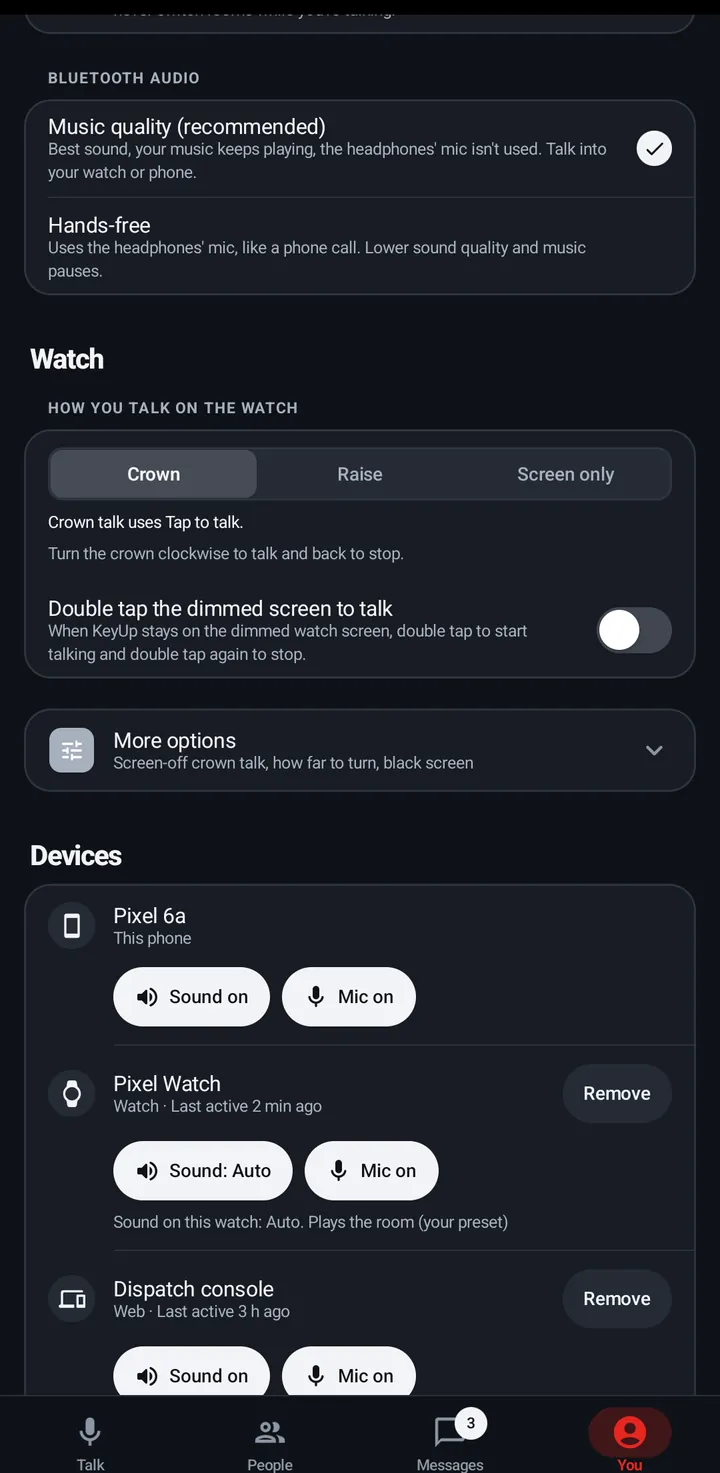
Yes. KeyUp plays the room through Bluetooth headphones the same way they play music, so it works even when the headphones have no call mode or no usable mic, and your music keeps playing. You talk into your Wear OS watch or your phone instead. This is the default, called Music quality. If your headset does have a good mic, Hands-free lets you talk into it like a phone call.
How it works.
-
Music quality, the default
Best sound, your music keeps playing, and the headphones’ mic isn’t used. Talk into your watch or phone. Find it in You › Sound › More options › Bluetooth audio.
How to -
Talk on the watch, hear in your headphones
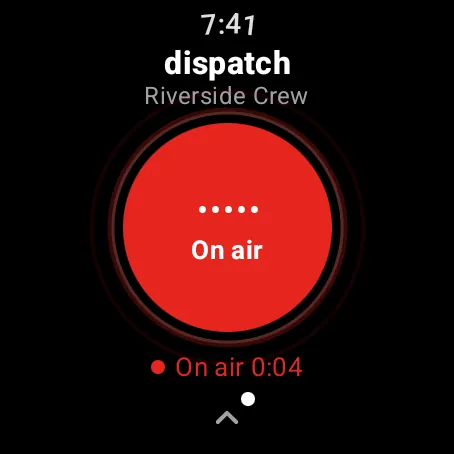
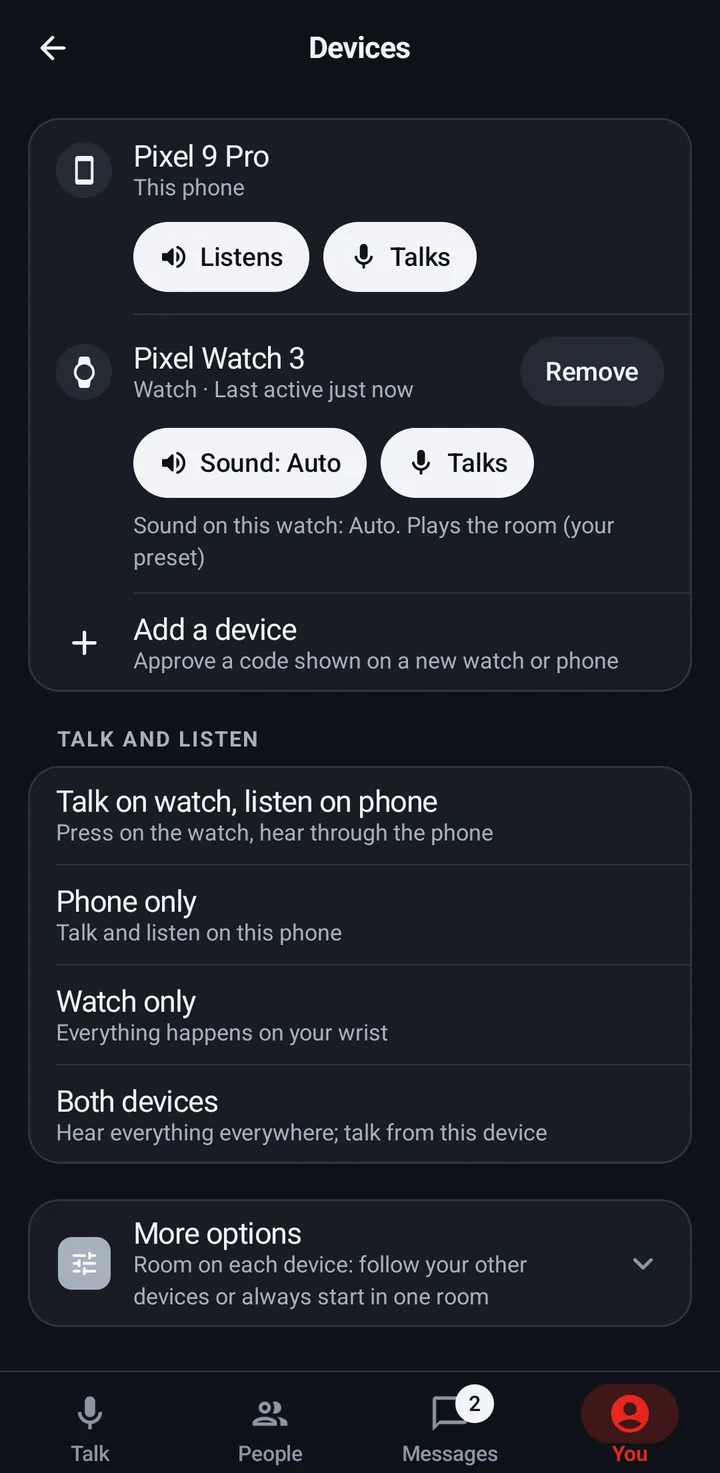
Pick Talk on watch, listen on phone. Turn the crown or raise your wrist to talk, and hear the crew in the headphones on your phone.
How to -
Or Hands-free
Uses the headset’s own mic, like a phone call, only while people are talking, then lets go of it once the room goes quiet. Lower sound quality, and music pauses while it is on.
How to -
Mic and sound are separate
Choose which device you talk into and which one plays the room: watch mic plus phone headphones, all phone, or all watch.
How to -
The watch on its own
Leave the phone behind. A Wear OS watch talks and listens on its own over Wi-Fi or LTE, with earbuds paired to the watch.
How to -
Bring the crew in one tap
Show a QR code or share a link. Guests join with just a name, no account needed.
How to
The honest limits.
- Bluetooth headphones or earmuffs that play music but have no usable mic for calls may work; check your model. We haven’t tested specific earmuff models, and KeyUp makes no claims about hearing protection.
- Your workplace’s rules on phones, watches and headphones come first.
- Crown talk is tested on the Pixel Watch 3 and with the bezel on the Galaxy Watch 4. Other Wear OS watches should work the same way.
- iPhone and Apple Watch apps are in active development. Today the iPhone uses the web app in Safari, where the iPhone picks the mic and speaker.
- KeyUp needs Wi-Fi or mobile data. It is not an offline radio.
- It is a work and family tool, not an emergency or safety device.
Questions.
Does KeyUp work with headphones that only play music?
Usually, yes. Music quality, the default, plays the room through the same path as your music, so headphones with no call mode or no usable mic can still play it. You talk into your watch or phone. Check your own model, since some headphones behave differently.
Will my music stop when someone talks?
Not with Music quality. Your music keeps playing and gets quieter while someone talks. Hands-free pauses it, like a phone call.
Do I need a watch?
No. You can talk into the phone’s own mic and listen in your headphones. A watch makes it hands-free: turn the crown and talk.
Can I talk into my headset instead?
Yes, if it has a mic that works for calls. Pick Hands-free under You › Sound › More options › Bluetooth audio.
What does it cost?
Free during the beta. After that: Free for up to 3 people, Family $5.99 a month for 6, and Crew from $24.99 a month for 10 people. The Space owner pays; members and guests never do.
Free during the beta.
Join the beta for Android phones and Wear OS watches, or try a shift in your browser first.