Talk on your watch, listen on your phone
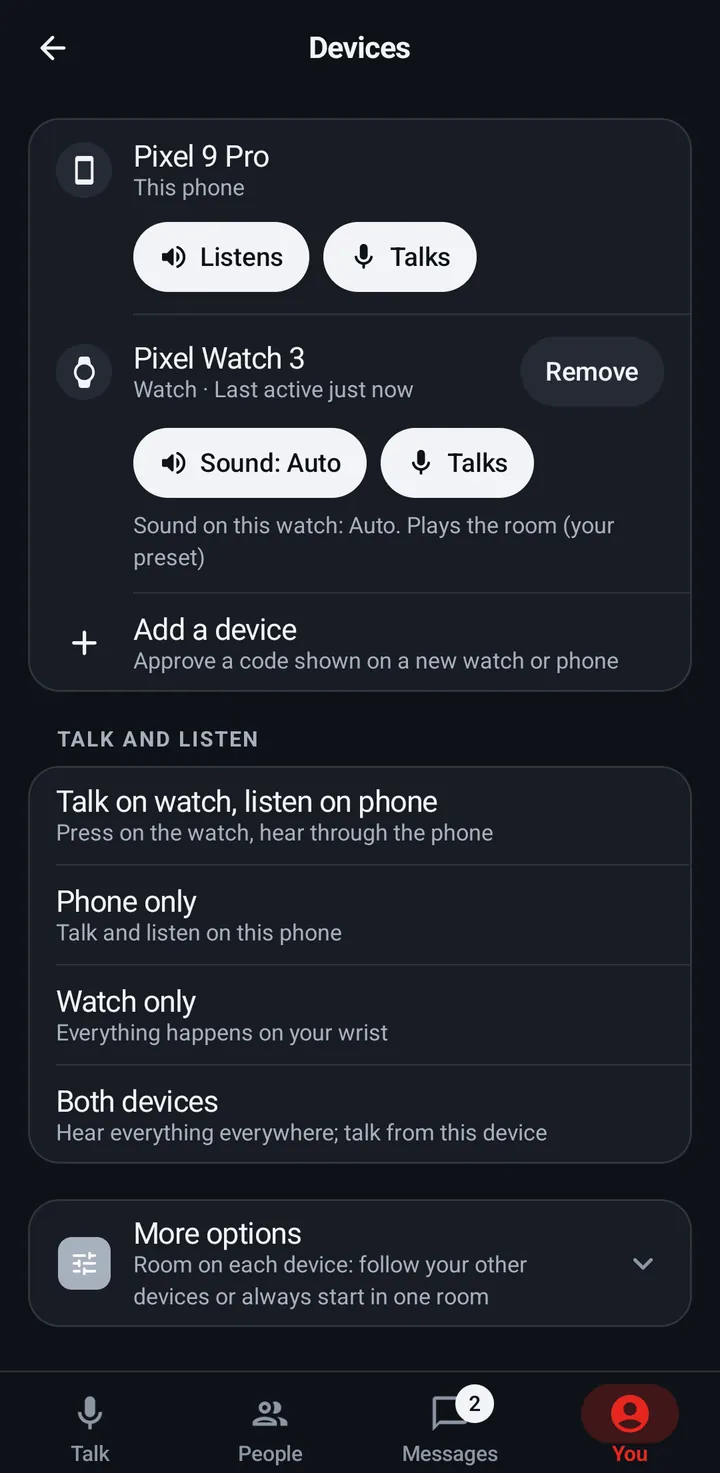
Pick which device talks and which plays the room: four presets in You › Devices › Talk and listen.
The main preset is Talk on watch, listen on phone: press talk on your wrist and hear the room through the phone, or through headphones on the phone. The others are Phone only, Watch only and Both devices (hear everything everywhere, talk from the device you are using).
Phone
- Go to You › Devices › Talk and listen and pick a preset.
- Each device row also has chips that say what the device does: Listens or Doesn’t listen, and Talks or Doesn’t talk. A watch shows Sound: Auto, On or Off instead of Listens, and the line under it says what that does.
Watch
- Settings › Sound › Sound on this watch (Auto, On, Off) and Mic on this watch (a switch).
- Auto plays the room on the watch only when the phone is away.
Web app and iPhone
No device audio switch. The web app follows the room’s rules.
Still stuck? Email [email protected]. Tell us your phone and watch model and what you tried.