Mute rooms and people
Silence one room, all rooms or one person for a length of time, or turn the room audio off on one device only. You can still talk.
Mute silences rooms and people, not you. Pick what to mute, Notifications, Sound or Both, then a length. For the whole account at once, use Quiet.
Mute
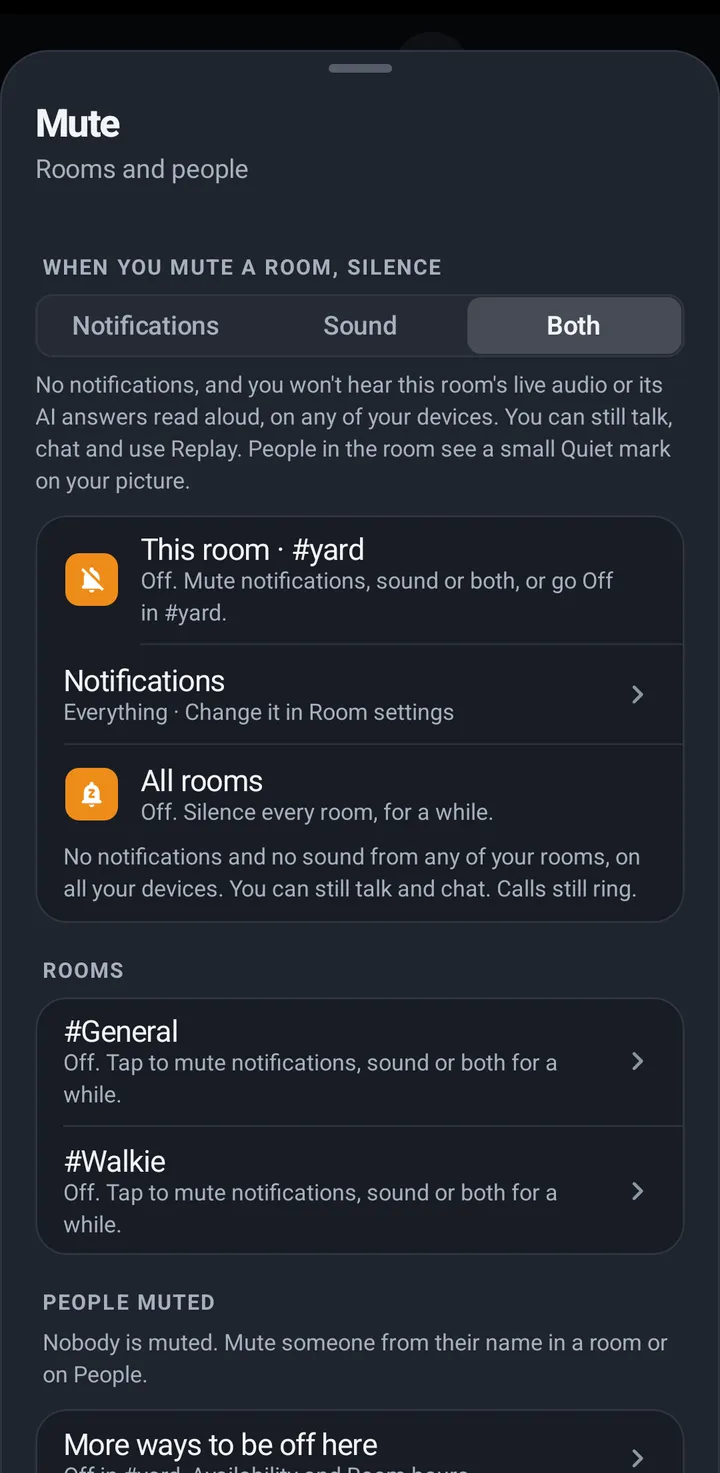
Mute silences rooms and people, not you. Pick what to mute: Notifications (its chat), Sound (its live audio and AI answers read aloud) or Both (the default), then a length. The Mute sheet lists This room, All rooms and People muted, each with Unmute. You can still talk, chat and use Replay in a muted room. Calls and pages still come through.
Phone
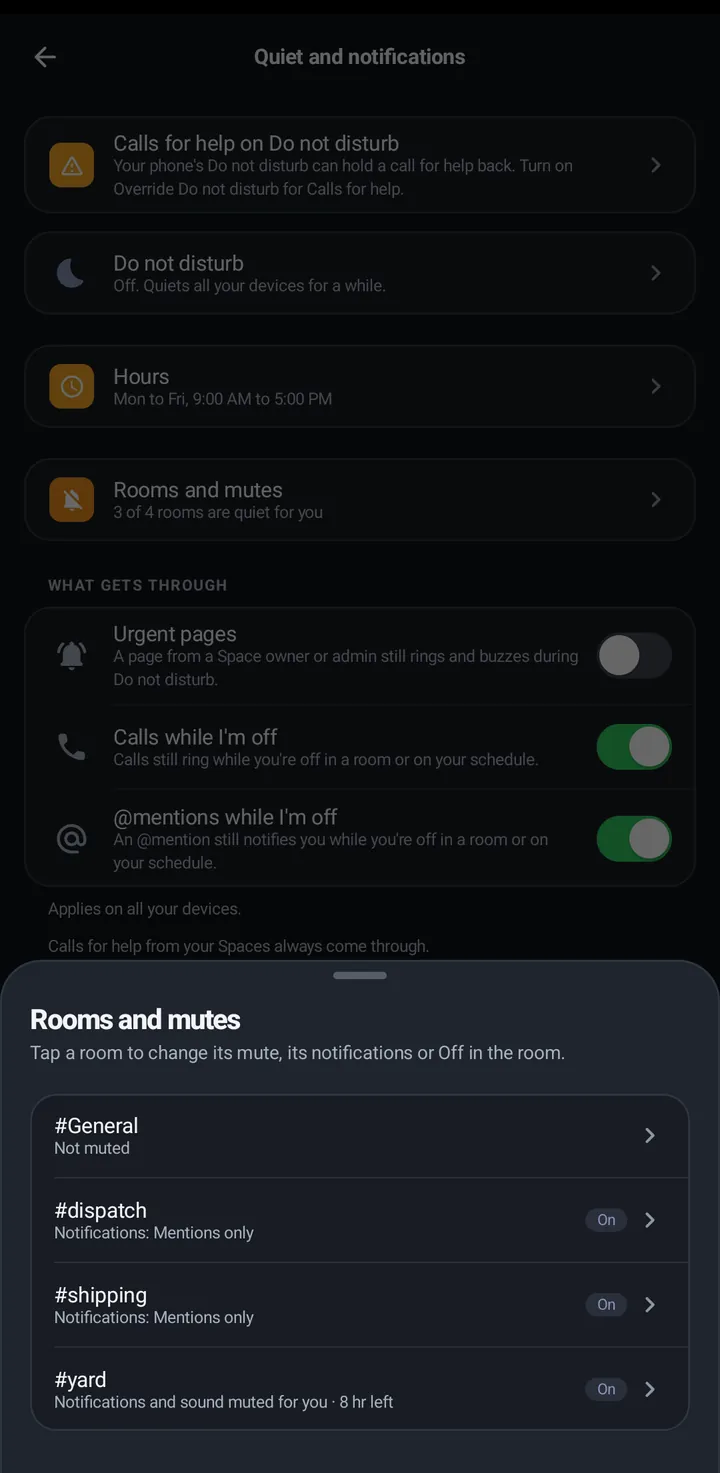
- Quiet › Mute (“Rooms and people”); or long press a room on the Talk tab or in Your rooms; or Room settings › How #room reaches you › Mute this room. All three open the same sheet. You can also open You › Quiet and notifications › Quiet, Mute and Hours › Mute and pick a room from Rooms, even when you are not in a room.
- Pick Notifications, Sound or Both, then a length under Mute for.
- A muted room shows a bell with a line through it. With Sound muted the room says Muted. You won’t hear this room. with Unmute. Already muted? The sheet has Unmute, and Change to to pick what to mute and a new length.
- All rooms mutes every one of your rooms at once (it shows when you have more than one room). Tap it again to unmute all. People muted lists the people you muted, each with Unmute. A person’s sheet keeps its Mute button.
Watch
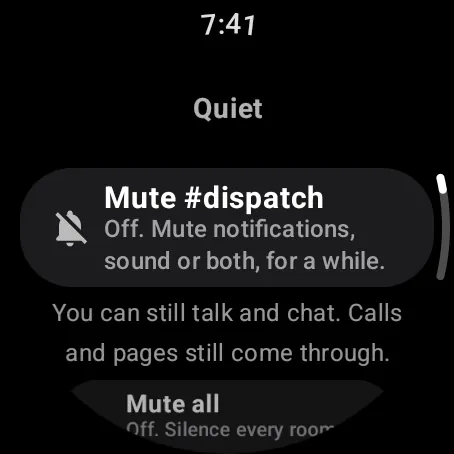
Swipe up, Quiet › Mute. What to mute cycles Notifications, Sound and Both, then pick a length. All rooms and People muted are in the same list. Muted: Unmute, or Change to.
Web app and iPhone
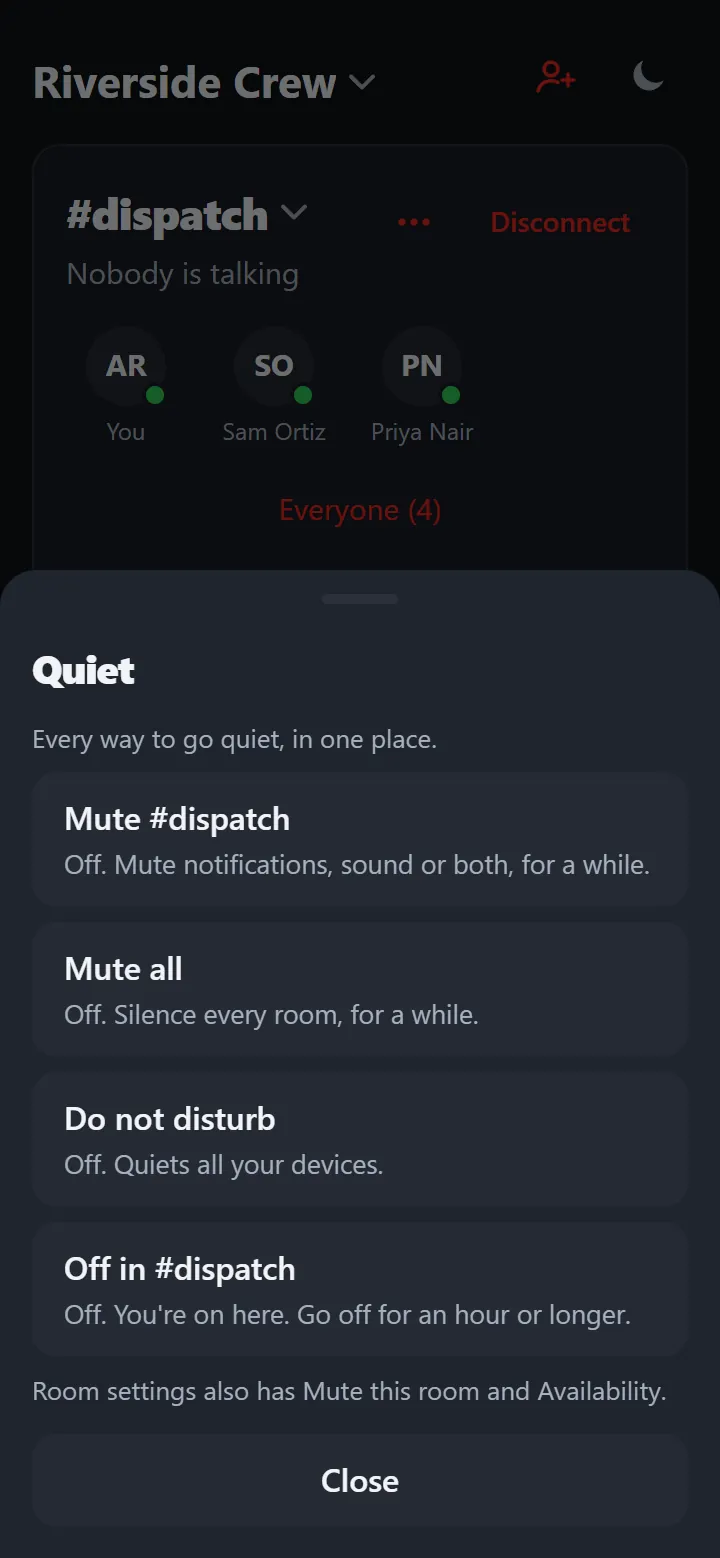
Quiet › Mute, or Room settings (three dots) › Mute this room. Muted: Muted: change or unmute offers every choice again and Unmute.
Sound on this device
To turn the room audio off on one device only, without touching notifications or your other device, use the speaker button. It is not in the Quiet menu.
Phone
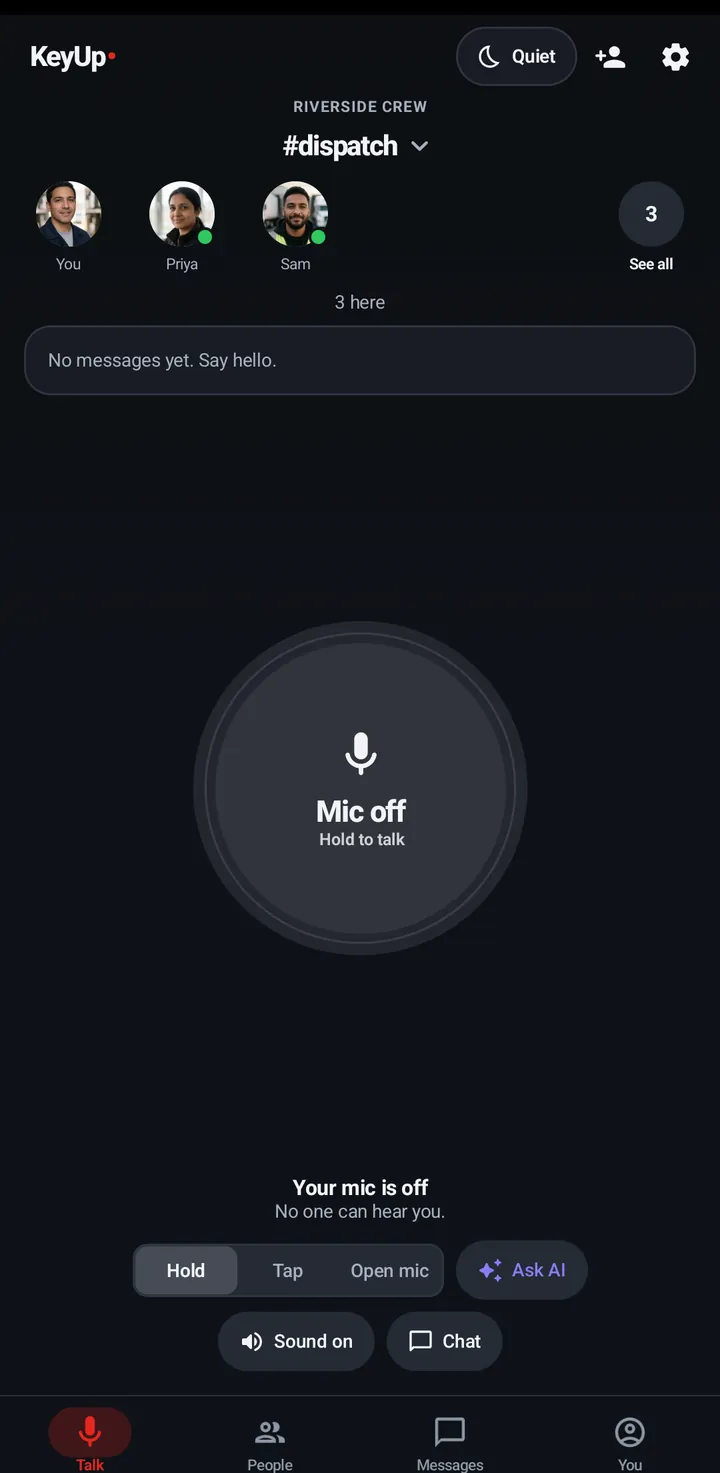
- Tap the Sound on / Sound off speaker button on the room screen.
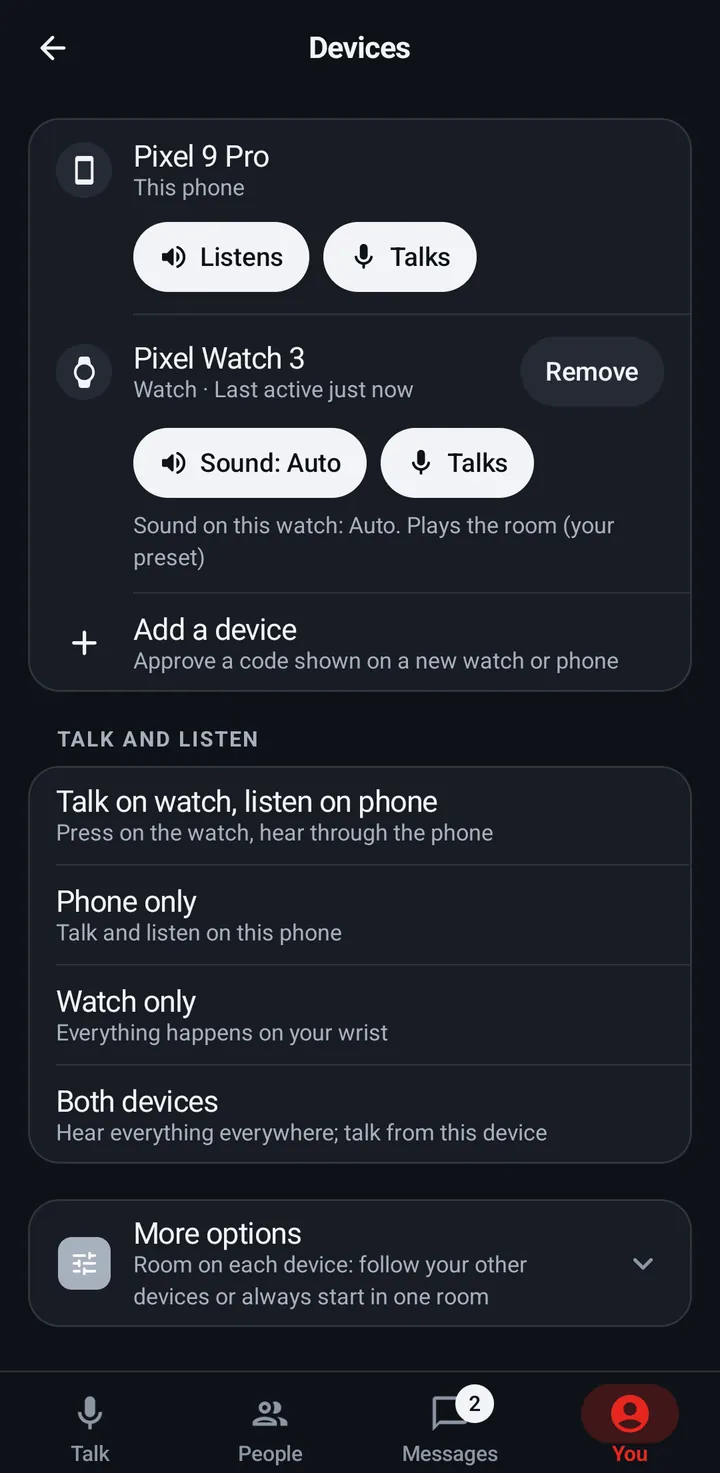
- If this phone is set to Doesn’t listen in You › Devices, the button says Off in Devices and opens Devices, where you turn it back on.
- You › Devices has the Sound chip for your watch (Auto, On, Off).
Watch
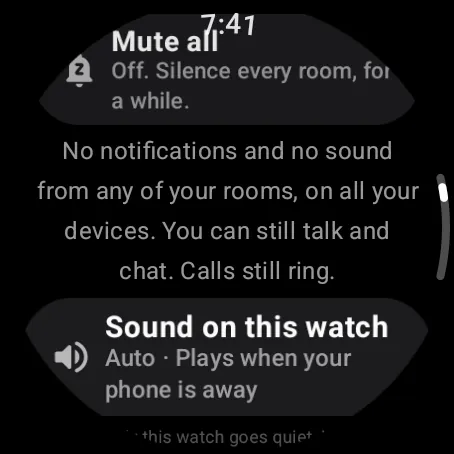
Settings › Sound › Sound on this watch. Each tap goes Auto (plays the room only when the phone is away), On (always), Off.
Web app and iPhone
No switch. Disconnect on the room card stops room audio in this tab.
Still stuck? Email [email protected]. Tell us your phone and watch model and what you tried.