Hours and being off in a room
Set a weekly schedule, plan time off ahead, and step out of one room for a while.
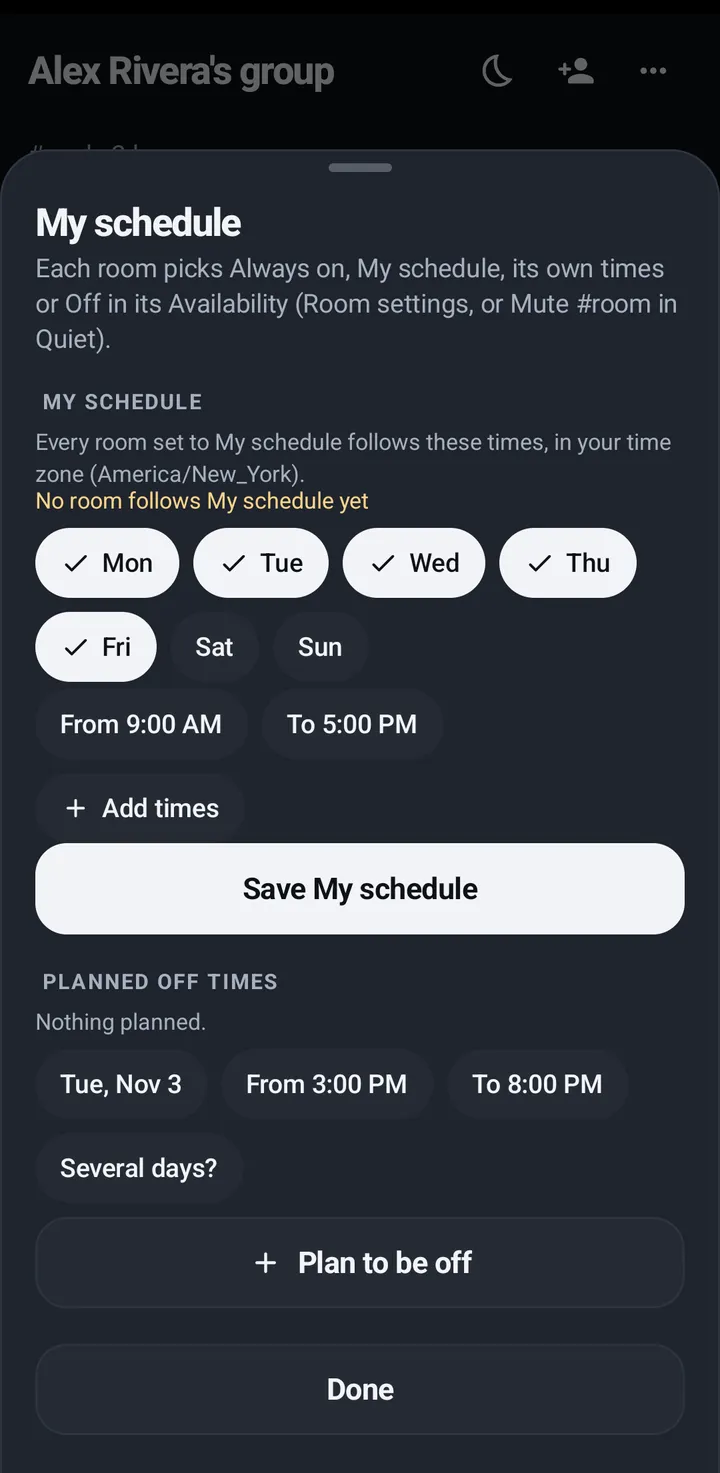
Hours says when you are on. My schedule is up to seven weekly time windows. Plan to be off sets time off ahead of time. Off in #room steps you out of one room.
Hours
Hours says when you are on. My schedule is up to seven weekly time windows, shared by every room set to it. Plan to be off sets an afternoon or a few days off ahead of time. Under While you’re off (all rooms), Calls while I’m off and @mentions while I’m off choose what still reaches you then. Those two belong to Hours, not to Quiet. While you are off in a room you don’t hear it and can’t talk in it, calls still ring, and admins can still page you.
Phone
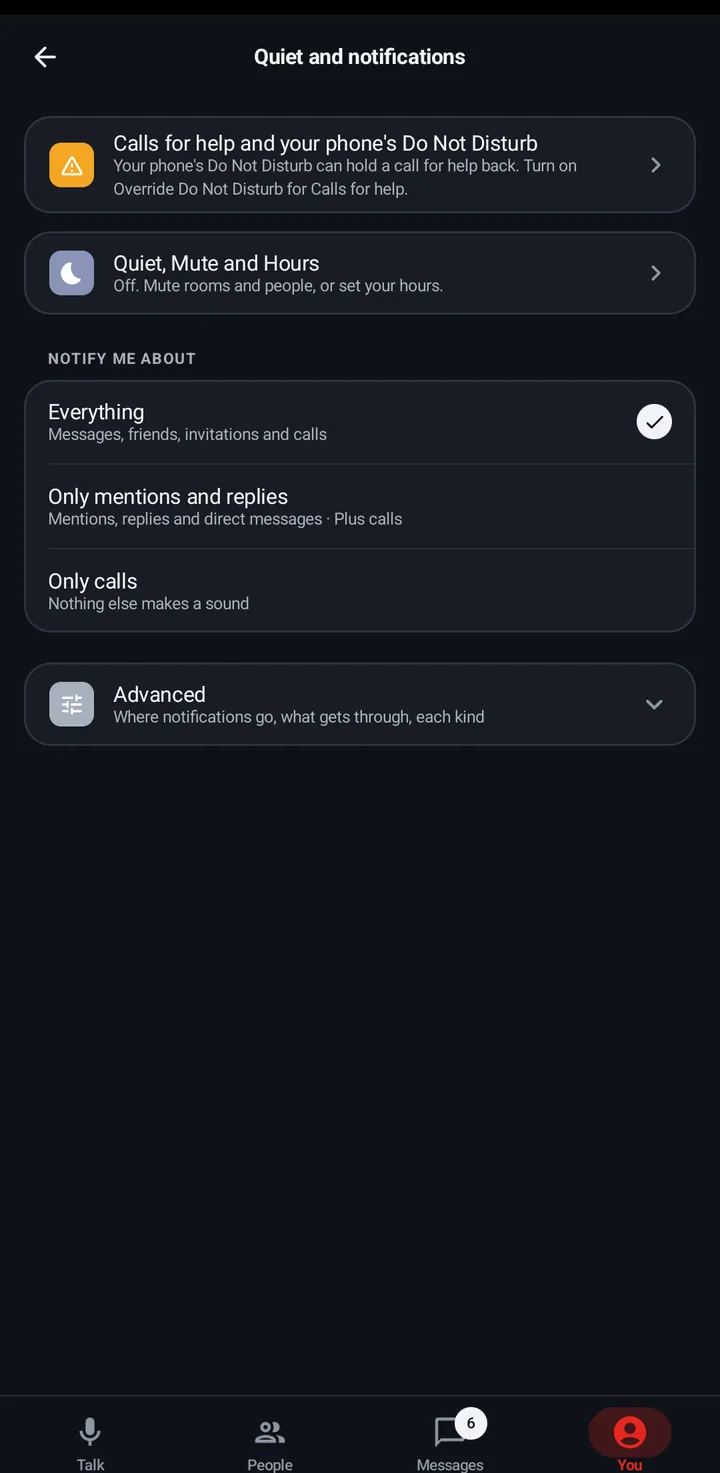
- Quiet › Hours opens My schedule and Plan to be off. They are also in You › Quiet and notifications › Quiet, Mute and Hours, with Planned off times.
- Under While you’re off (all rooms), choose Calls while I’m off and @mentions while I’m off.
Watch
Swipe up, Quiet › Hours, or Settings › Notifications and rooms › My schedule: seven windows with days, From and To, then Save. Plan to be off is there too.
- After you save My schedule, if some rooms don’t follow it yet, the phone and the watch ask Use My schedule for these rooms? Each room has a tick: rooms already on My schedule are ticked, and the others show their current setting. Tick the rooms you want and tap Save, or tap Not now to leave them as they are. KeyUp then says, for example, 2 rooms follow My schedule now.
- While no room follows it, My schedule says No room follows My schedule yet.
Web app and iPhone
Room settings (three dots) › Availability: When you hear and talk here, Plan to be off, While you’re off (all rooms), and Room hours.
More ways to be off in one room
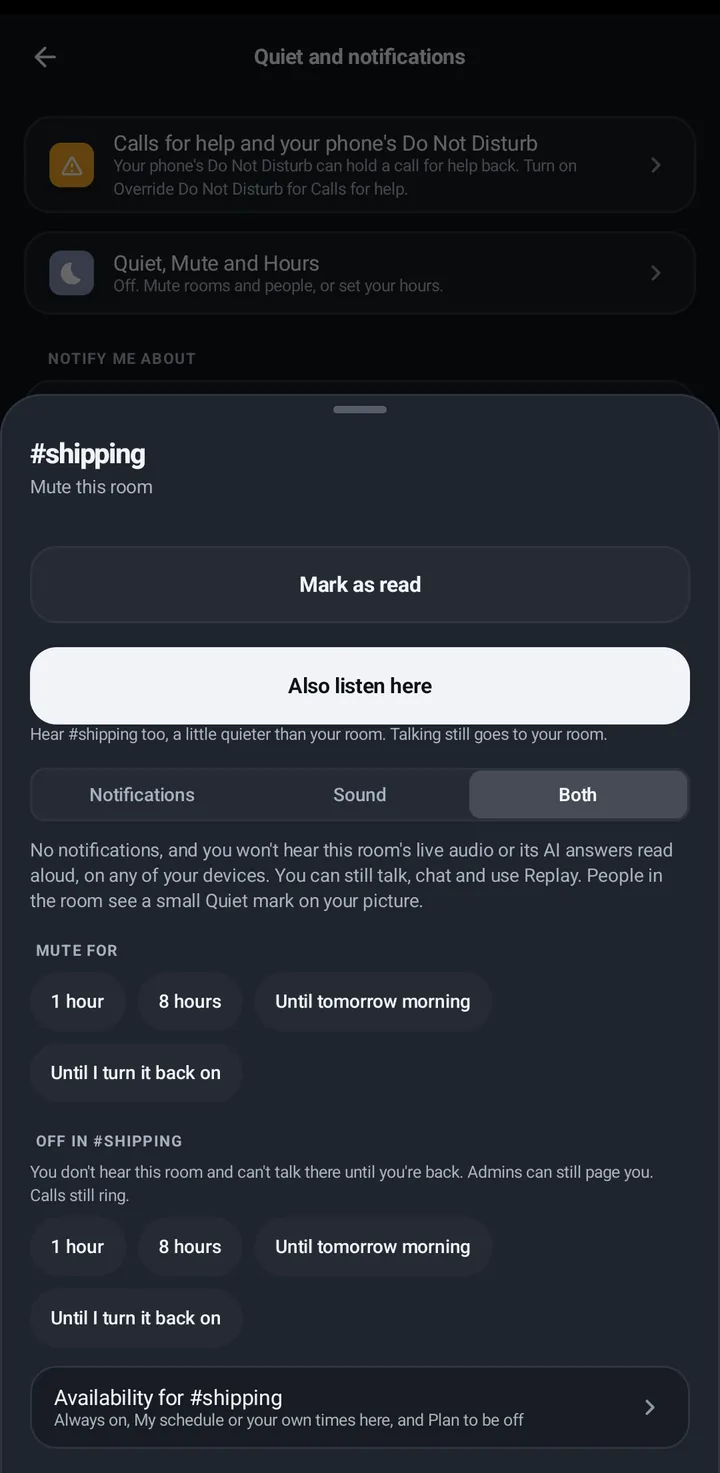
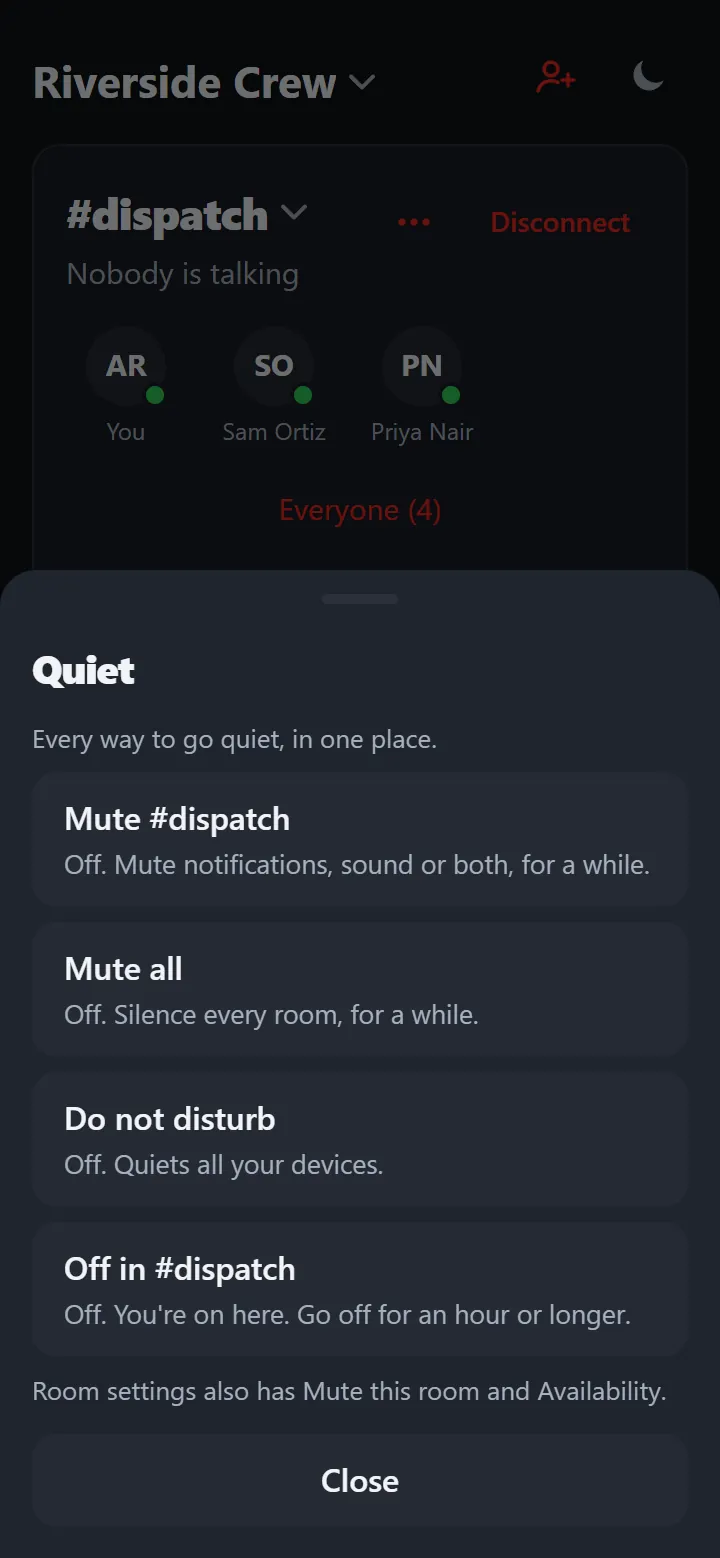
To step out of a single room, choose Off in #room: 1 hour, 8 hours, Until tomorrow morning or Until I turn it back on. The talk button then says Tap to resume, with a Resume banner. Off in #room, the five room modes (Always on, My schedule, Custom for this room, Off, or Follow room hours) and Room hours for admins are in Room settings › Advanced › Availability; Off in #room is also in Room settings › How #room reaches you. The Mute sheet’s last link, More ways to be off here, opens them.
Phone
- In the room, open Room settings › How #room reaches you and pick Off in #room, or tap More ways to be off here at the bottom of the Mute sheet.
- The same place offers Resume now or for an hour.
Watch
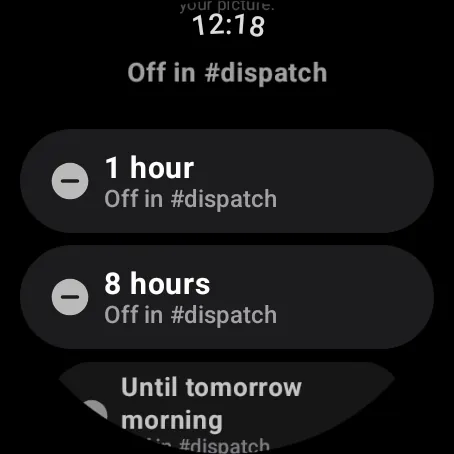
Swipe up, Quiet › Mute and More ways to be off here, then Off in #room with the same four lengths. The watch shows “Off until 7” with Tap to resume.
Web app and iPhone
Room settings (three dots) › Availability › Off in #room, with the same four lengths.
Still stuck? Email [email protected]. Tell us your phone and watch model and what you tried.