Mute, block or report someone
Silence one person for you, block someone, or report them to the owner or to KeyUp.
You have three ways to deal with a person who bothers you: mute them for a while, block them, or report them. Mute and block are only for you.
Mute a person
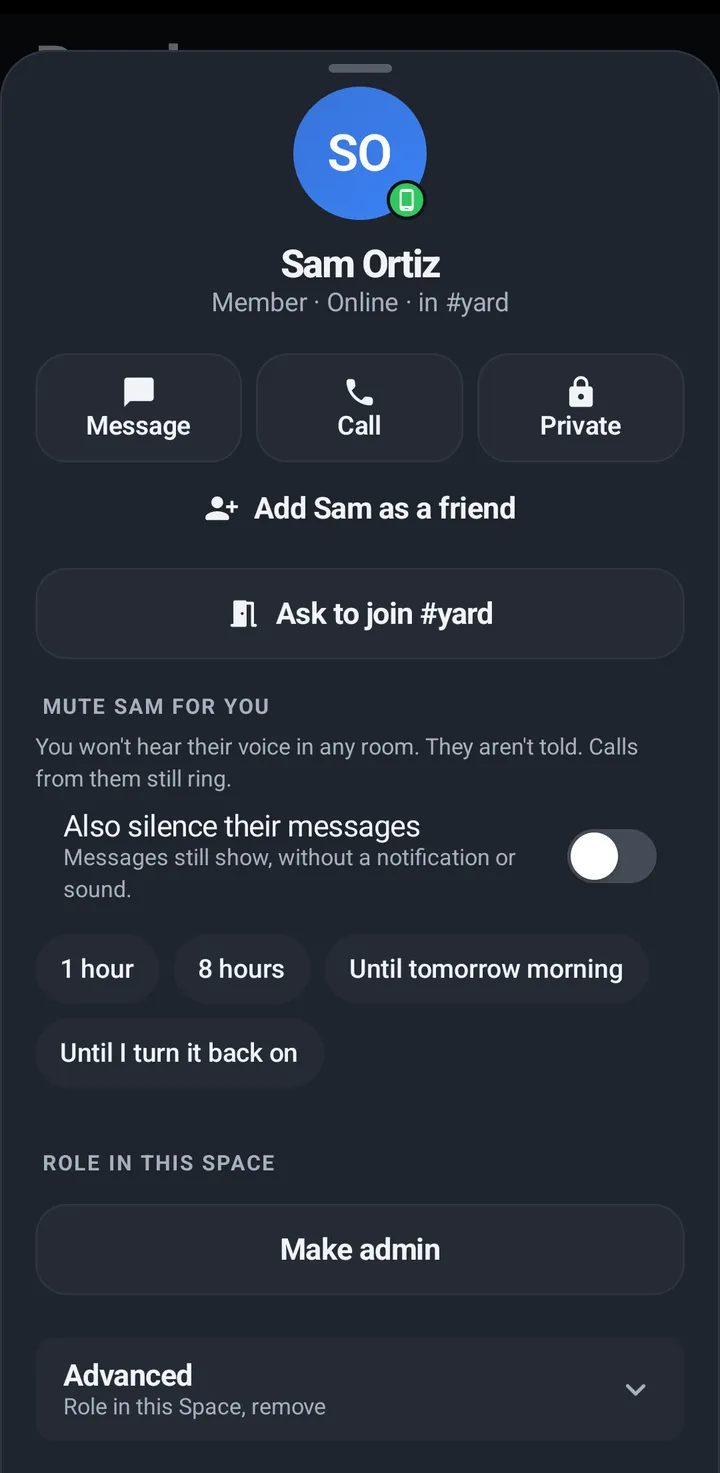
Muting a person stops their voice in every room for 1 hour, 8 hours, until tomorrow morning or until you turn it back on. Calls from them still ring. You can also silence the notifications for their messages. This is the one mute for a person; the volume slider has no Mute of its own.
Phone
- Tap a person (a face, Everyone here or the People tab) › Mute [name] for you.
- Turn on Also silence their messages if you like, then pick 1 hour, 8 hours, Until tomorrow morning or Until I turn it back on.
- Unmute in the same place.
Watch
A person’s screen › Mute [name], with the same four lengths and Also silence their messages.
Web app and iPhone
A person’s sheet › Mute for you, with Also silence notifications for their messages.
Block or report someone
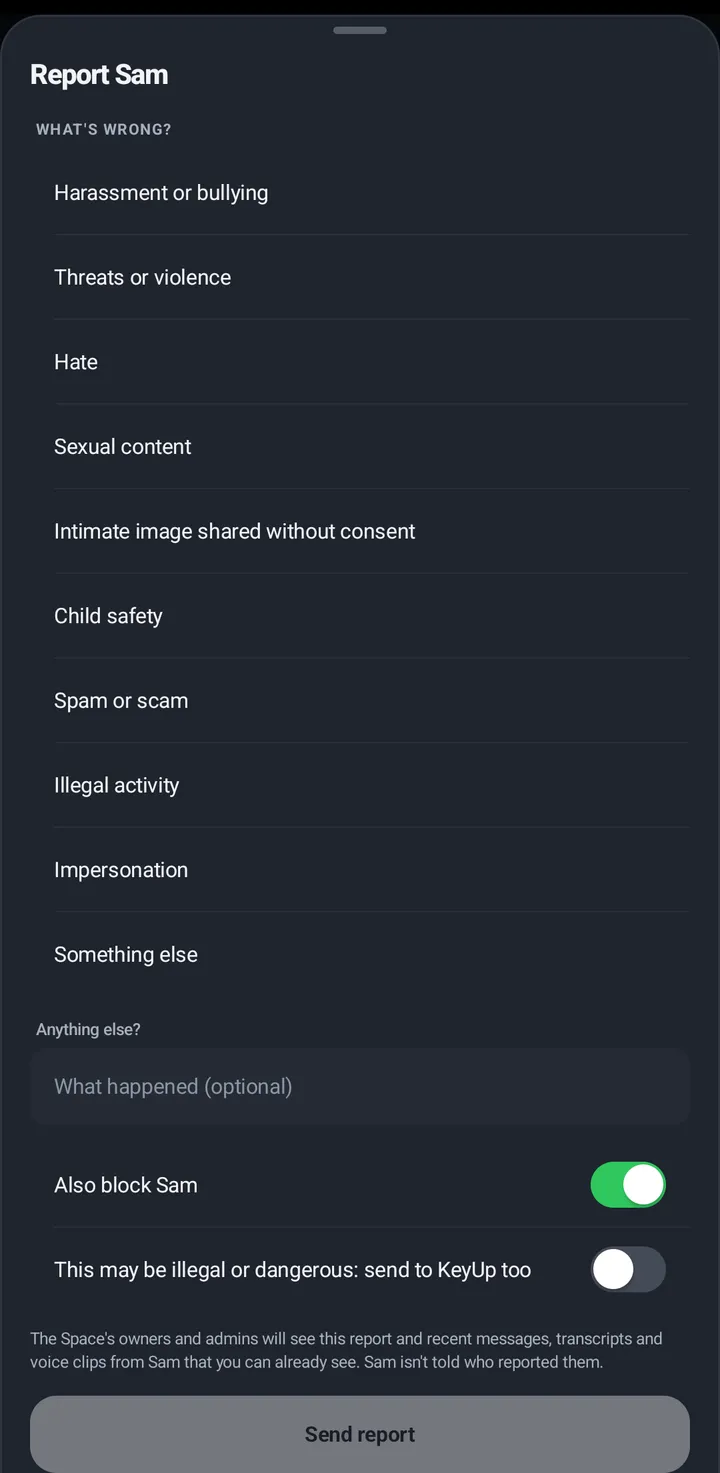
A blocked person can’t call or message you, even when you share a Space, and can’t ask you to join a room. In a room you both use, they are muted for you. A report goes to the Space’s owners and admins, and some reasons always go to the KeyUp team too. The person is never told who reported them or that they are blocked.
Block
Phone
- A person’s sheet › Block [name] (two steps).
- To unblock: People › Blocked › Unblock.
iPhone
In the iPhone app (in private testing), People › Blocked is at the bottom of the tab when you blocked someone, with Unblock beside each person.
Watch
For friends only: the person’s screen › Block (two taps).
Web app and iPhone
A person’s sheet › Block or Unblock.
Report
Reasons: Harassment or bullying, Threats or violence, Hate, Sexual content, Intimate image shared without consent, Child safety, Spam or scam, Illegal activity, Impersonation, Something else. Add a note. Also block is on by default.
Phone
- A person’s sheet › Report [name].
- A message: long press › Report message.
- Report picture shows when the person has a profile picture.
iPhone
In the iPhone app (in private testing), a person’s page has Report picture when they have one: pick Explicit, Offensive, Pretends to be someone or Something else, then Send report.
Watch
A person’s screen › Report; a message › Report message.
Web app and iPhone
A person’s sheet › Report; a message’s menu › Report message.
Still stuck? Email [email protected]. Tell us your phone and watch model and what you tried.