Basic and Advanced settings
Every settings screen shows the everyday rows first. The rest are in one Advanced fold on the same screen. Room and Space settings on iPhone follow the same layout. Nothing was removed.
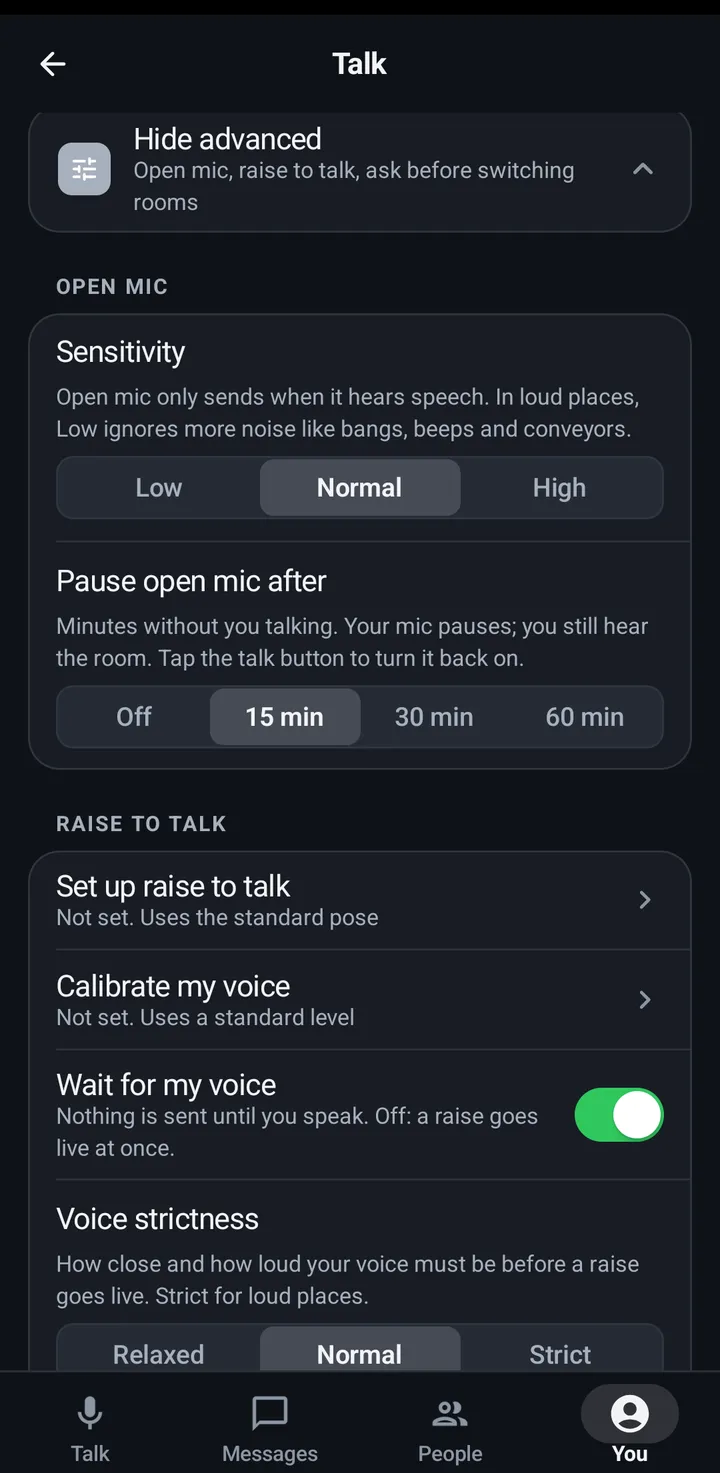
Each settings category shows the rows most people use first, then one Advanced fold with the rest: tuning, rare cases and the second place of a setting. Nothing was removed, a row can only move. Tap Advanced to open the fold and Hide advanced to close it. KeyUp remembers whether you left it open, for each screen on each device. When something inside is not at its usual value, the fold’s second line says so, like “Changed: Mic boost”, so nothing hides silently. A category whose rows are all everyday, like Appearance, has no fold.
On the phone: the You tab
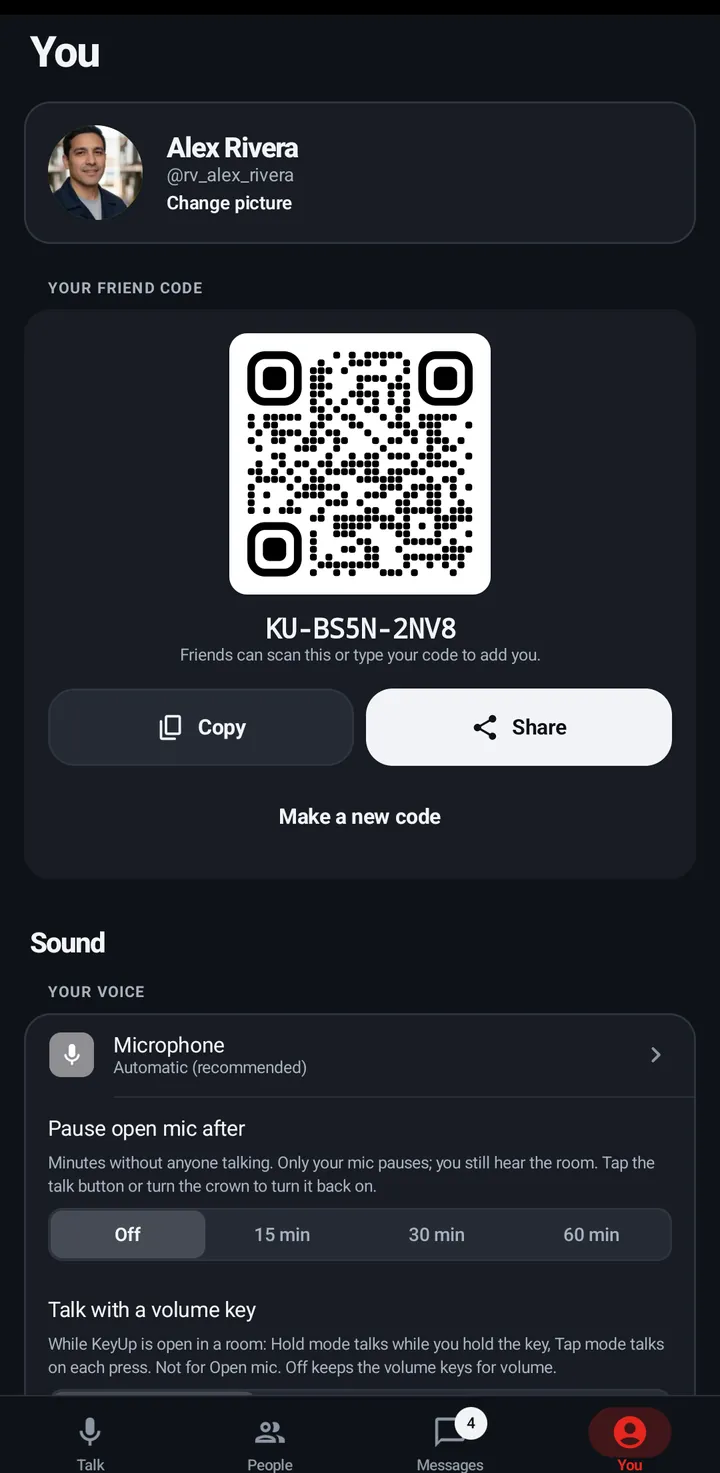
Each row below is a category on the You tab. Everyday rows show without a tap. Advanced rows are in the fold.
Phone
- Talk. Everyday: Talk style (Hold, Tap or Raise); On my watch (once a watch is on your account: how you talk on the watch, Crown, Raise, Tap the button, Hold the button, or Double pinch on a Pixel Watch that offers it, and More on your watch); Talk with a button (Headset button, Talk with a volume key, Talk from the lock screen). Advanced: Open mic (Sensitivity, Pause open mic after), Raise to talk on this phone, Ask before switching rooms.
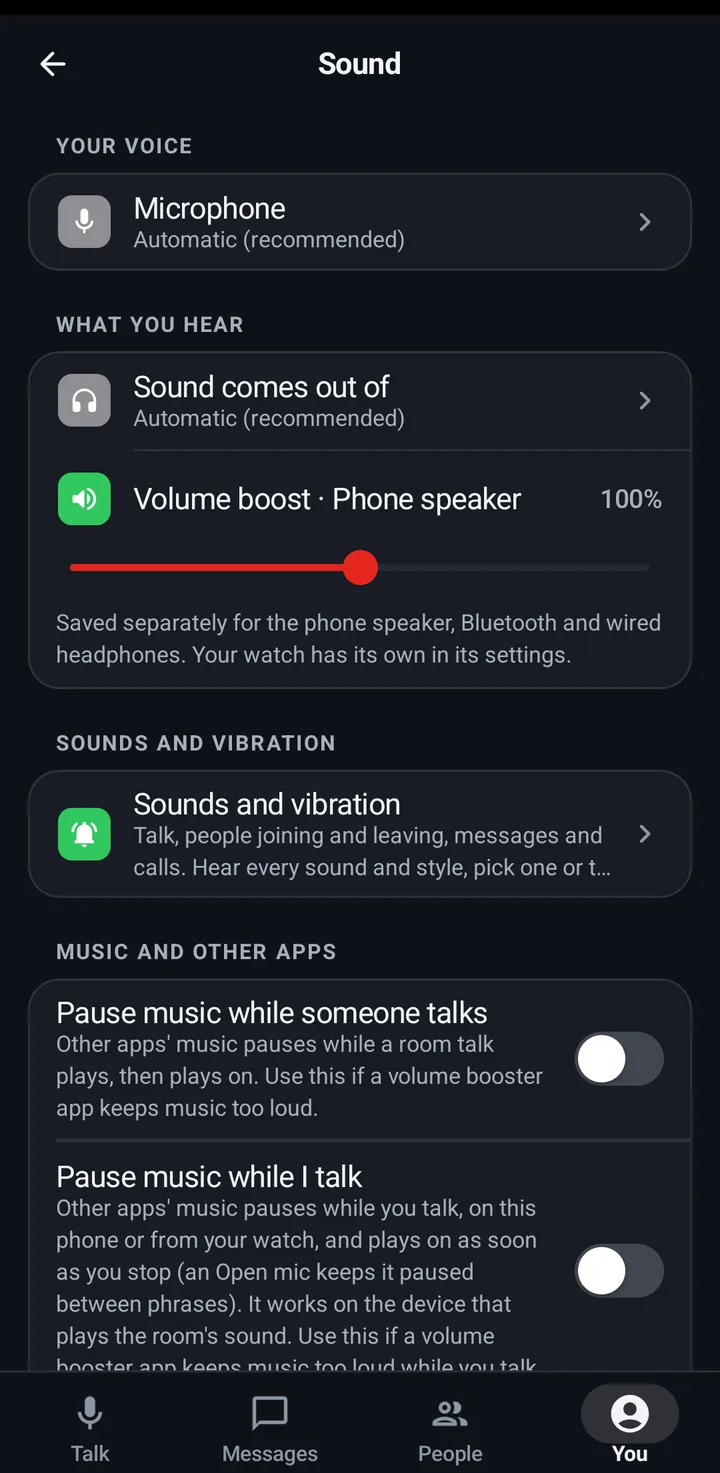
- Sound. Everyday: Microphone, Sound comes out of, Volume boost, Sounds and vibration, Music and other apps (Pause music while someone talks, Pause music while I talk), Sound check. Advanced: Mic boost, Even out voices, Bluetooth audio.
- Quiet and notifications. Everyday: Quiet, Mute and Hours (one row: it opens the moon sheet, with Let through, Hours and Rooms and mutes inside), Notify me about, and Full-screen calls when Android needs it. Advanced: Where notifications go (with Calls on watch), What gets through, each kind (Messages, Friend requests, Invitations, Calls, Missed calls, Account and Space alerts), Android notification settings.
- Devices. Everyday: Talk and listen (the presets), your devices (tap one to change what it does), Add a device, and Keep KeyUp running while Android is restricting KeyUp. Advanced: Which room each device opens (Follow my other devices, or always start in one room), Hear my own talk on my other devices.
- Privacy and AI. Everyday: Save and transcribe my voice (with Customize inside for the two halves, Save my voice for Replay and Transcribe my voice), Ask the AI by voice, AI answers, Show translations of talks. Advanced: Show when I’m away, Send read receipts, Send crash reports.
- Look and language. Theme, Light or dark, Accent, Language. No Advanced fold.
- Account and plan. Everyday: Email, Sign-in methods and password (Change password, or Set a password if you have none), My plan (the Plans sheet, with Restore purchases), Reminders, Download my data, Sign out. Advanced: Sign out everywhere, Delete account.
- Help. Everyday: Help Center, Report a problem, Privacy Policy, Terms, Share, Rate. Advanced: Suggest a feature, Send logs, First-time setup, Show tips again.
Room settings and Space settings
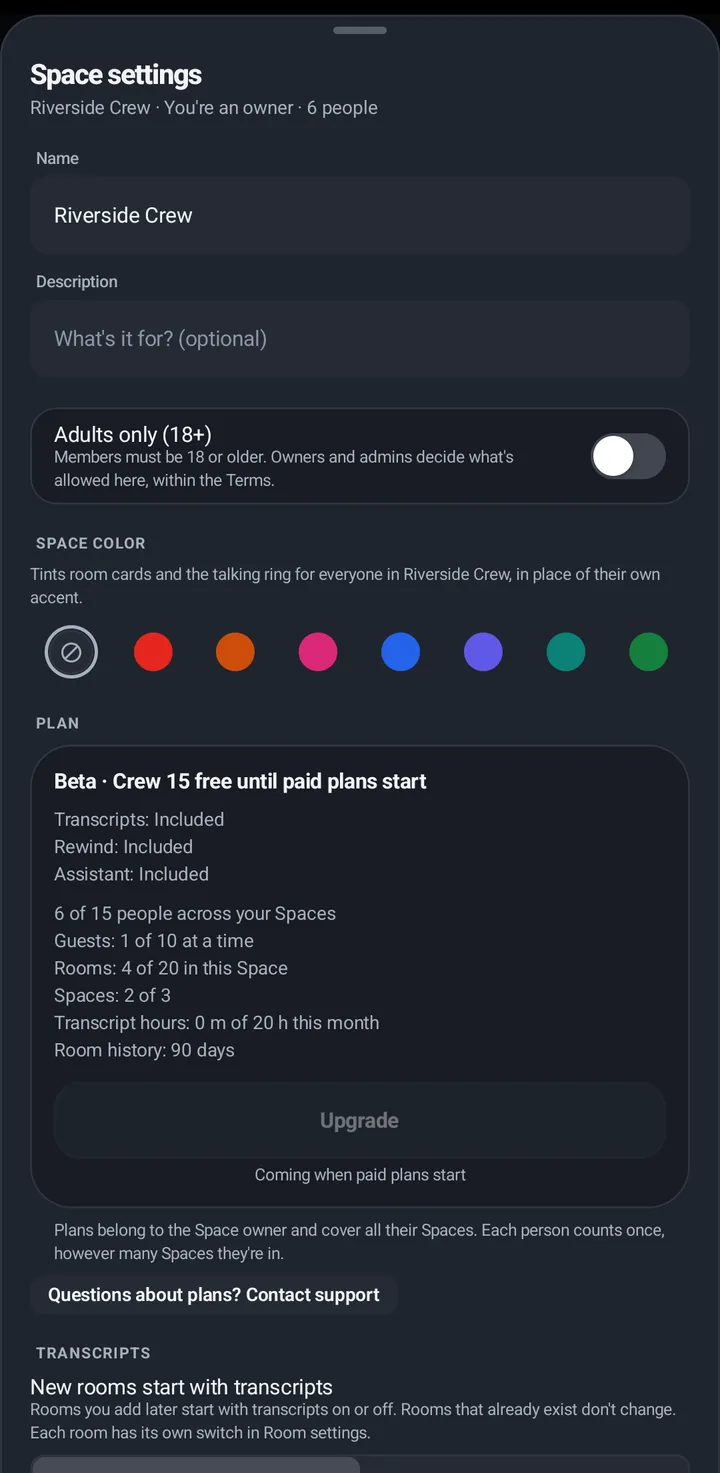
These two sheets have the same fold, also called Advanced.
Phone
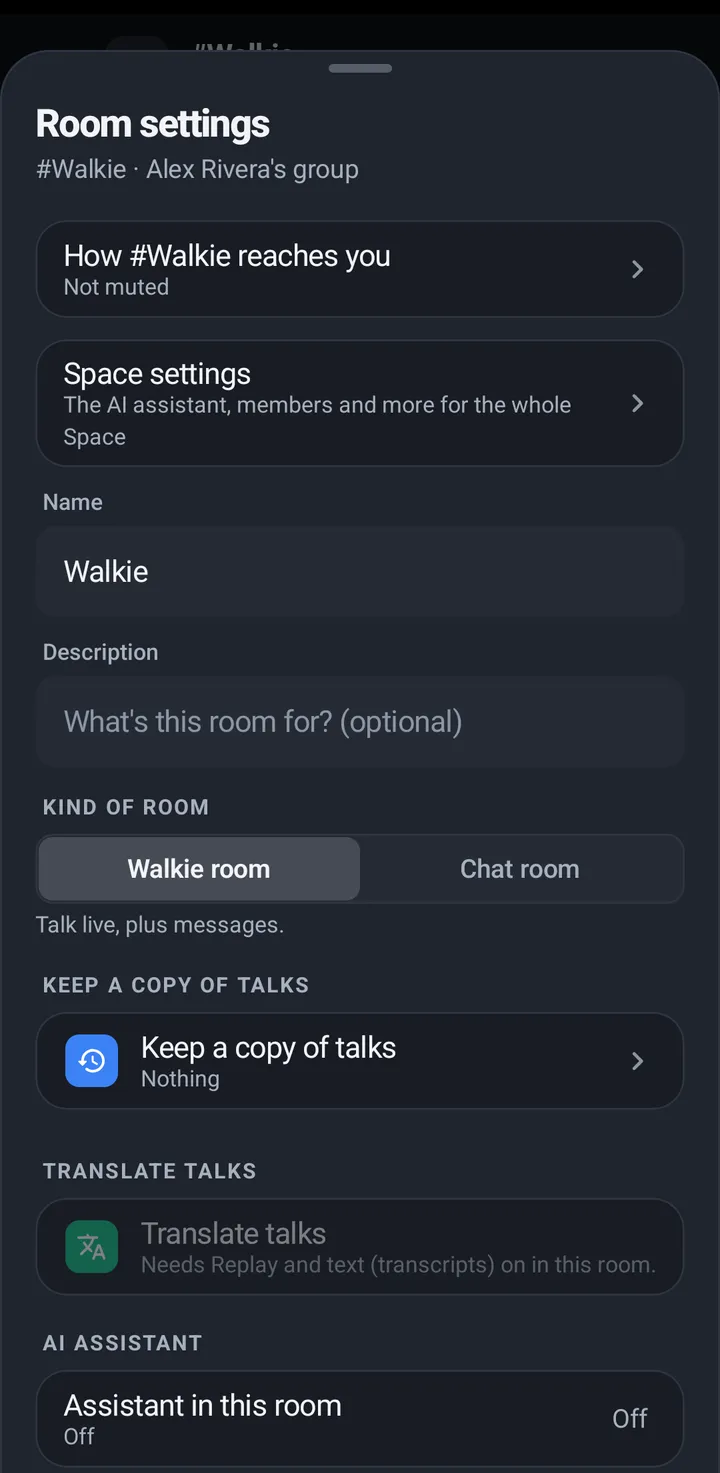
- Room settings. Everyday: How #room reaches you, Name, description and kind of room, Keep a copy of talks (Nothing, Voice clips or Voice and text, with both keep times), Translate talks, Assistant in this room (with its wake phrase), Who can join, People in this room. Advanced: Allowed ways to talk, One at a time or everyone, Moderators can cut in, Max talk time, Open mic silence release, Room size, Availability, Clear history. Then Archive, Leave and Delete.
- Space settings. Everyday: Name and description, the Plan card (with transcript hours by room), Members and roles, Invite people (with Invitations sent), Call for help, and the AI assistant (Plus and up). Advanced: Transcription provider (KeyUp or your own key), New rooms keep a copy, Space color, Adults only (18+), Private calls, Reports, Activity, Archived rooms. Then Hand over this Space (owner) or Leave, Archive and Delete.
On the watch
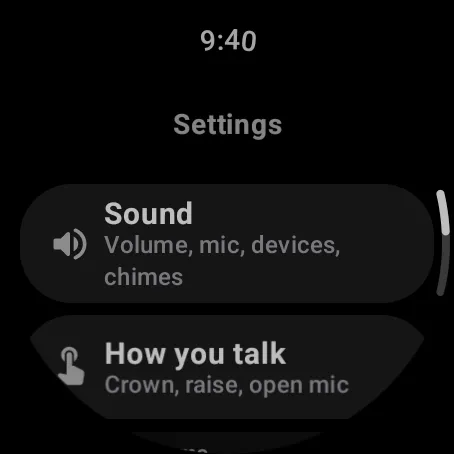
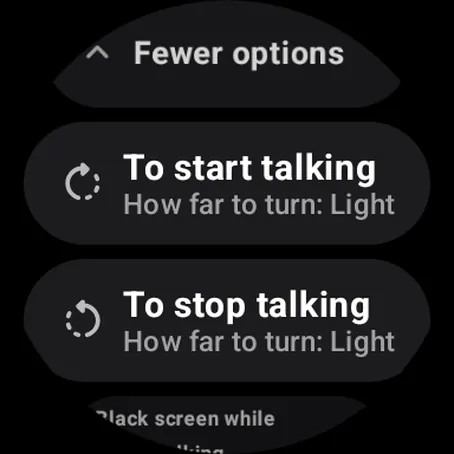
The watch has five Settings screens, and they map onto the phone’s categories: How you talk is the phone’s Talk › On my watch, and it is the only place for the crown, Raise, screen and buzz details. Sound is Sound. Sounds and vibration is the same on both. Notifications and rooms is Quiet and notifications, plus the Devices row for which room opens. You is Privacy and AI, Look and language, Account and plan and Help. The watch is not given categories it does not have.
Watch
- How you talk › Advanced: crown tuning, Raise, Double pinch (Pixel Watch: Always-on display, Dim screen, Black screen while talking, Stop talking), Double tap the dimmed screen, Keep KeyUp on screen, Dim screen, Voice strictness, Open mic.
- Sound › Advanced: Mic boost, Even out voices, Bluetooth, Second room volume.
- Sounds and vibration › Advanced: vibration, styles, and the people and friend chimes.
- Notifications and rooms › Advanced: Where notifications go (with Calls on watch) and the kinds this watch shows.
- You › Privacy › Advanced: the two halves apart, Show when I’m away, Send crash reports. You › Account: Sign out and Stop KeyUp are everyday; Email, Change password, Devices, Download my data, Sign out everywhere and Delete account are under Advanced. You › Help: Report a problem, Privacy and Terms and Stop KeyUp are everyday; Crown not working?, first-time setup and Show tips again are under Advanced.
On the web app and iPhone
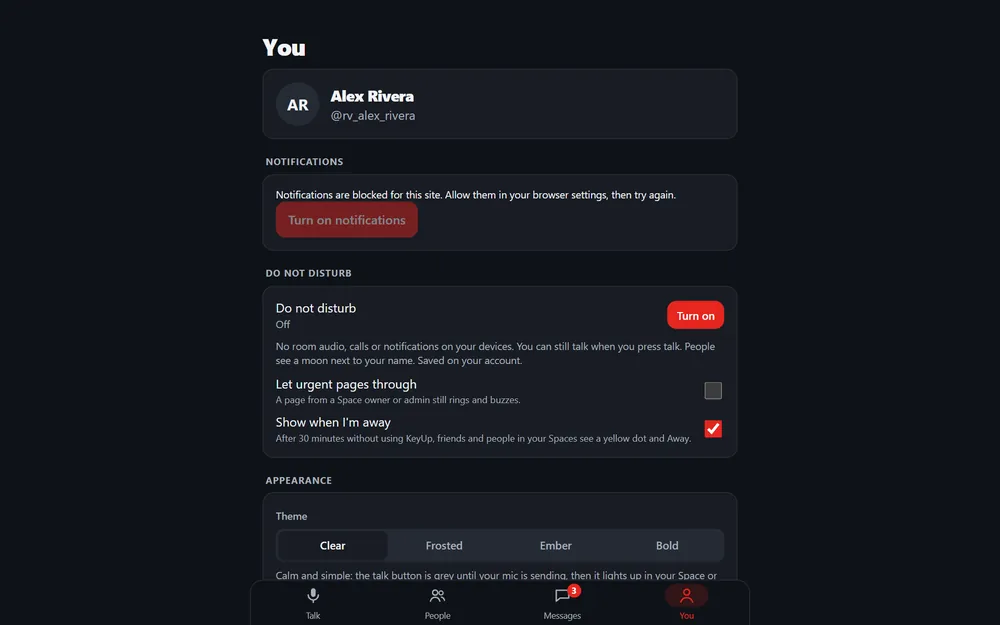
The You tab keeps its headings. Each heading has its own Advanced block with the same rows as its phone category: Quiet and notifications is Quiet and notifications; Talking is Talk; Sound (with the microphone, the speaker and Sound check) and Sounds are Sound; then Devices, Privacy (Privacy and AI), Appearance (Look and language), Account (Account and plan) and Help, which also has the iPhone card. There is no Watch heading. The web app remembers each block open or closed in this browser.
Web app and iPhone
You tab: tap Advanced under a heading to open its block, and again to hide it.
Each setting lives in one place
Where a setting used to appear twice, one copy was kept. Pause music is in Sound, and Sounds and vibration points there. Sounds is in You › Sound › Sounds and vibration only. Quiet, Mute, Hours and Rooms and mutes are in one row, You › Quiet and notifications › Quiet, Mute and Hours (the same sheet as the moon). Keep KeyUp running is in Devices, shown only while Android is restricting KeyUp, and a tip offers it. Send crash reports and Send read receipts are in Privacy and AI › Advanced. Show translations of talks is in Privacy and AI. Sound check is in Sound only. Restore purchases is in the Plans sheet (Account and plan › My plan). Second room volume is on the second-room bar. The crown, Raise, screen and buzz details are on the watch only (Settings › How you talk); the phone’s Talk › On my watch has the picker and More on your watch. In Room settings, Keep a copy of talks holds the Replay and transcript choices and both keep times, and Connected at once and Messages to keep are gone: the room follows your plan. Links in KeyUp and in this Help open the place that was kept.
Still stuck? Email [email protected]. Tell us your phone and watch model and what you tried.