When someone calls for help, and who gets it
What the alert looks like, how owners, admins and moderators mark a call handled, how often it repeats, and how to turn it off or change who gets it.
When a person in your Space calls for help, the people who get it in that Space (to start, everyone on Free, Plus and Plus 10, and the owner, admins and moderators on Crew and Business) get a loud alert, even on Quiet. This page shows what the alert looks like on each device, how to mark it handled, and how owners and admins choose who gets it. Call for help is not an emergency service. Call your local emergency number first.
When someone calls for help
Phone
- A loud notification says Call for help from Sam in #crew, with the note under it and Open. When Sam is your friend it also has Call back. It shows at once with a sound and a strong buzz, then fills in the names and the note. It does not take over the screen like a call. While the call is still open it repeats: up to 4 more times, 30 seconds apart, the same notification each time with the newest note and names, and a sound. That is at most 2 minutes of noise. Once someone marks it handled or the sender closes it, the repeats stop. Swipe the notification away, or tap it, and your phone stays quiet for that call: the card on the Talk tab stays and keeps up to date, and everyone else is still alerted.
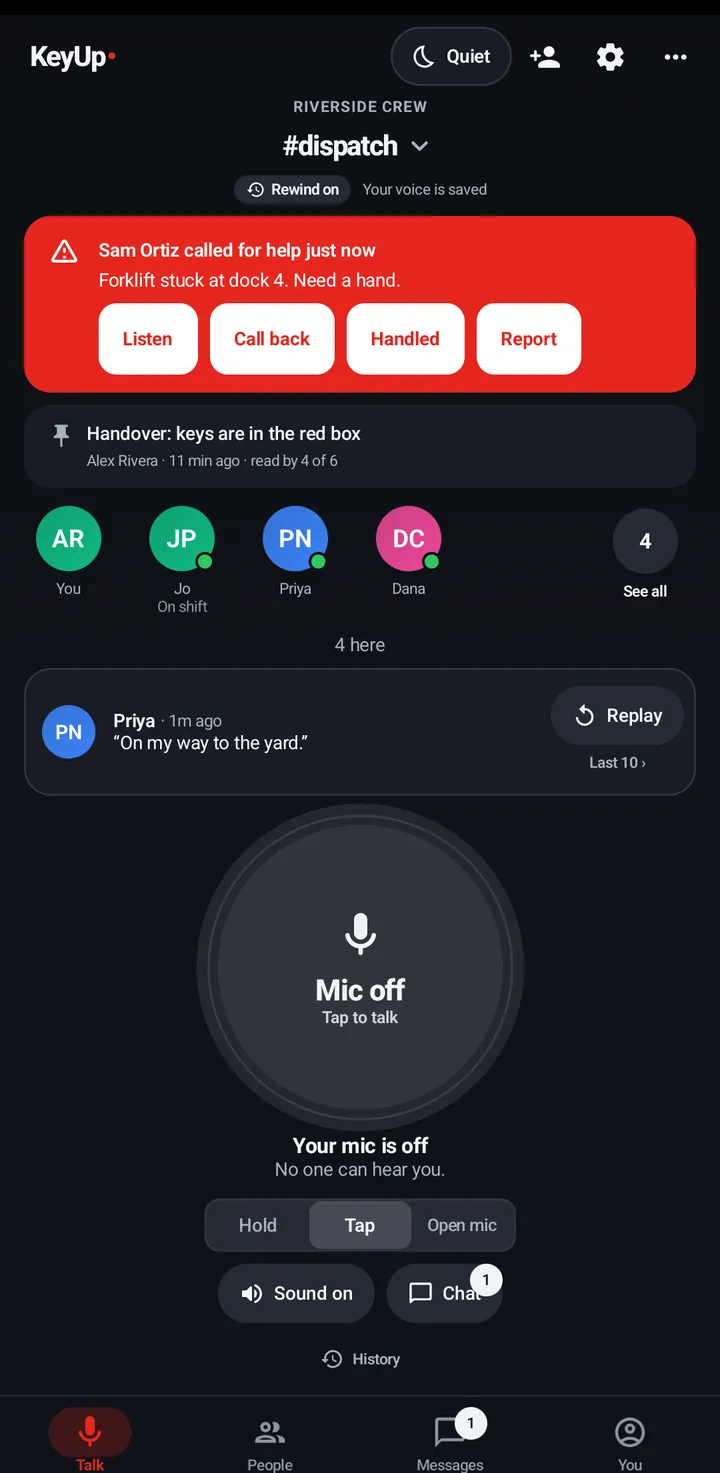
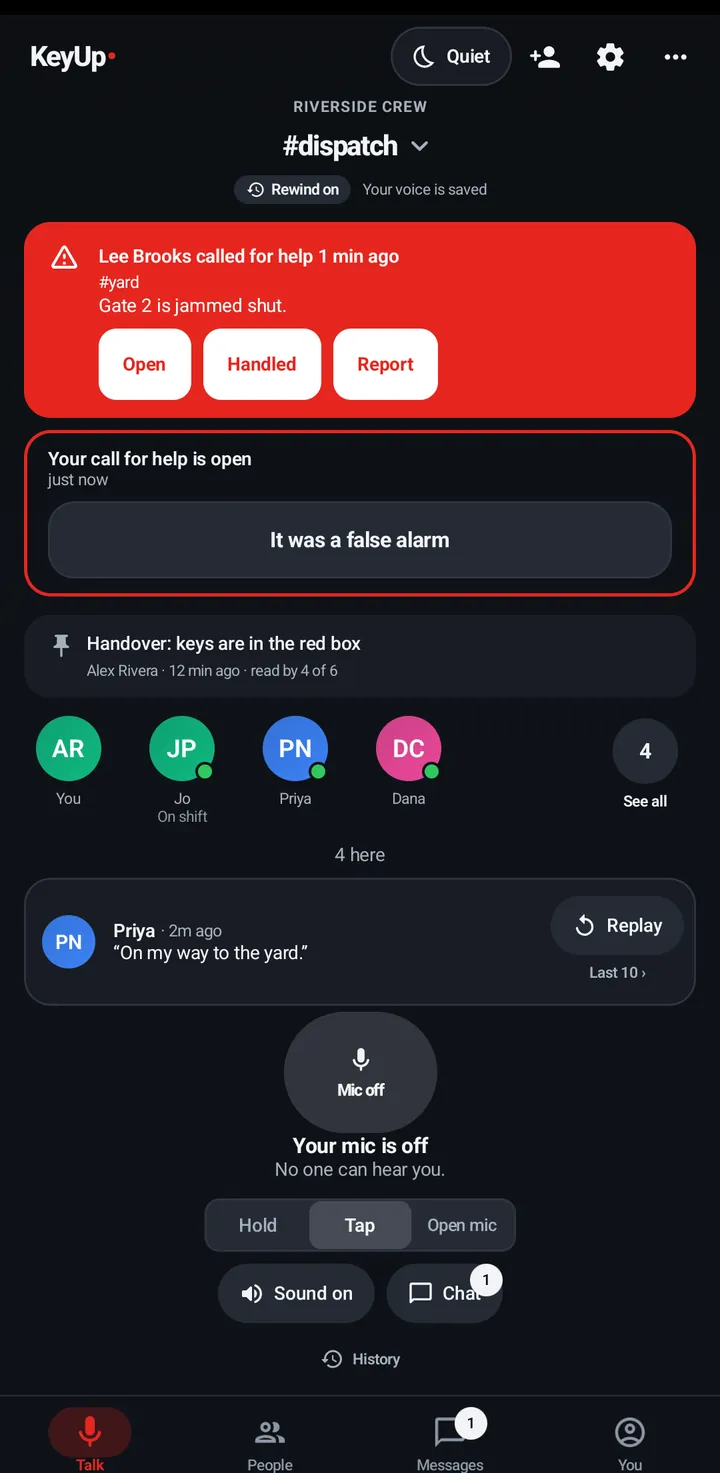
- On the Talk tab, every open call in any of your rooms or Spaces shows at the top, whether you have joined that room or not: the same red banner, with the room’s name and Open. The room’s own banner says Sam called for help 2 min ago with the note. Listen plays Sam’s last talk when one was saved. Call back calls a friend. Handled closes it. Report sends a hostile call to KeyUp, with its note.
- KeyUp on screen but Android blocking the notification? KeyUp shows its own alert across the screen, with a sound.
Watch
- The same alert shows on the watch as a notification. Open it to go to the room.
- The repeats (up to 4 more, 30 seconds apart) update it on the watch too, and the watch sounds each time. Swipe the alert away and the watch stays quiet for that call. A first alert that reached the watch late does not make the next repeat silent.
Web app and iPhone
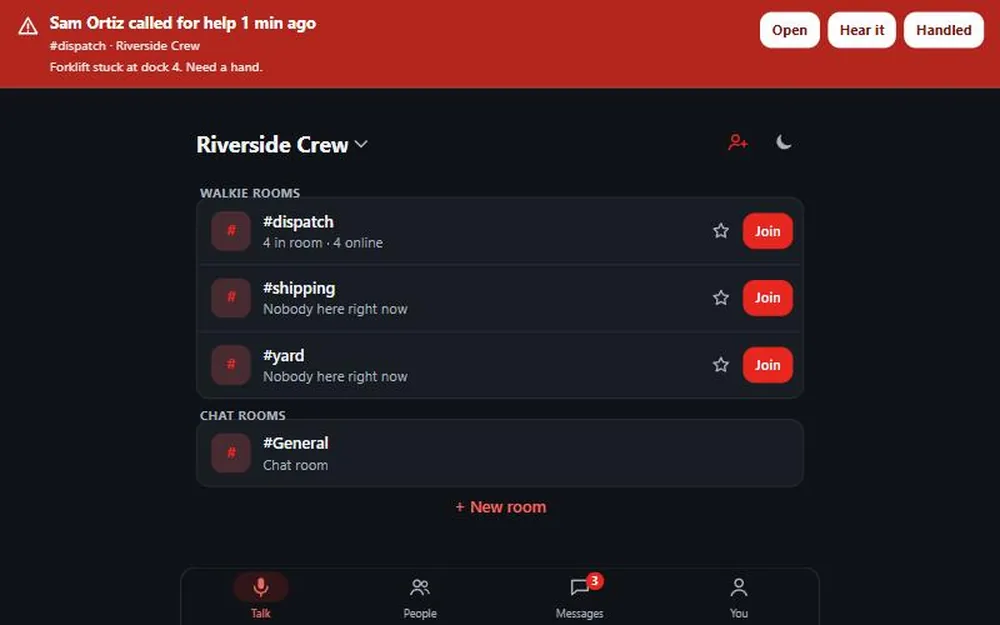
A red banner says Sam called for help 1 min ago with Open and Hear it (when a talk was saved). The repeats (up to 4 more, 30 seconds apart) refresh the banner and play the siren again, once every 30 seconds at most. Owners, admins and moderators have Handled. Everyone has Dismiss, which only quiets this browser: the banner shrinks to a small line, Silenced on this device. Others are still being alerted., and nothing is sent to anyone. On that small banner, Dismiss hides a call you can’t handle. A siren plays while the page is open. With notifications turned on, a call for help also arrives as a notification when the page is closed or out of sight, and it stays until you tap it or someone marks the call handled, which also takes the banner down. Close the notification, or tap it, and this browser stays quiet for that call too. The web app says when this browser can’t alert you. Call back and Report are on the phone. On iPhone that needs the Home Screen app and iOS 16.4 or later. Browsers can be slow or quiet about notifications, so for this alert the Android phone and the watch are still the dependable receivers.
iPhone
In the iPhone app (in private testing), the alert arrives only while KeyUp is open, and the open call shows at the top of the Talk tab. It can’t alert you while KeyUp is closed or the phone is locked, so for this alert the Android phone and the watch are the dependable receivers.
Mark it handled
Owners, admins and moderators tap Handled. The banner and the notification go away on your devices, and the person who called sees “Sam is on it”. The person who called can close their own call at any time. For the first 10 minutes the button is It was a false alarm: in the sheet after sending (phone and web), on the card Your call for help is open (the Talk tab on the phone, the room screen on the web) and on the watch in Controls. On the phone, the watch and the web it takes two taps: the first says Tap again to say it was a false alarm and the second, within 4 seconds, withdraws the call, so a stray tap never does. After 10 minutes the same place says Mark as handled. It takes one tap and only closes the call; nothing is withdrawn. If you close or leave the sheet while the call is still open (on the watch, if you tap Dismiss on the result), KeyUp asks Your call for help is still open with Keep it open and one of those two choices, so the call is never left open by accident. If nobody closes it, KeyUp closes an open call by itself 15 minutes after it was sent. The people who got it see Closed, nobody marked it handled. and you see Your call for help closed by itself after 15 minutes. Nobody marked it handled. An old call never stays open for ever. The false alarm button is there only when the call reached someone. When nobody was reached, the phone, the watch and the web all show Nobody was alerted. Call your local emergency number.
Turn it off, or change who gets it
Owners and admins decide this for the whole Space. Call for help is on by default. Until someone changes it, who gets it follows the owner’s plan: everyone in the Space on Free, Plus and Plus 10, and the owner, admins and moderators on Crew and Business. You can change who gets it in Space settings at any time, and what you save stays, even when the plan changes. See Family or team Spaces.
Phone
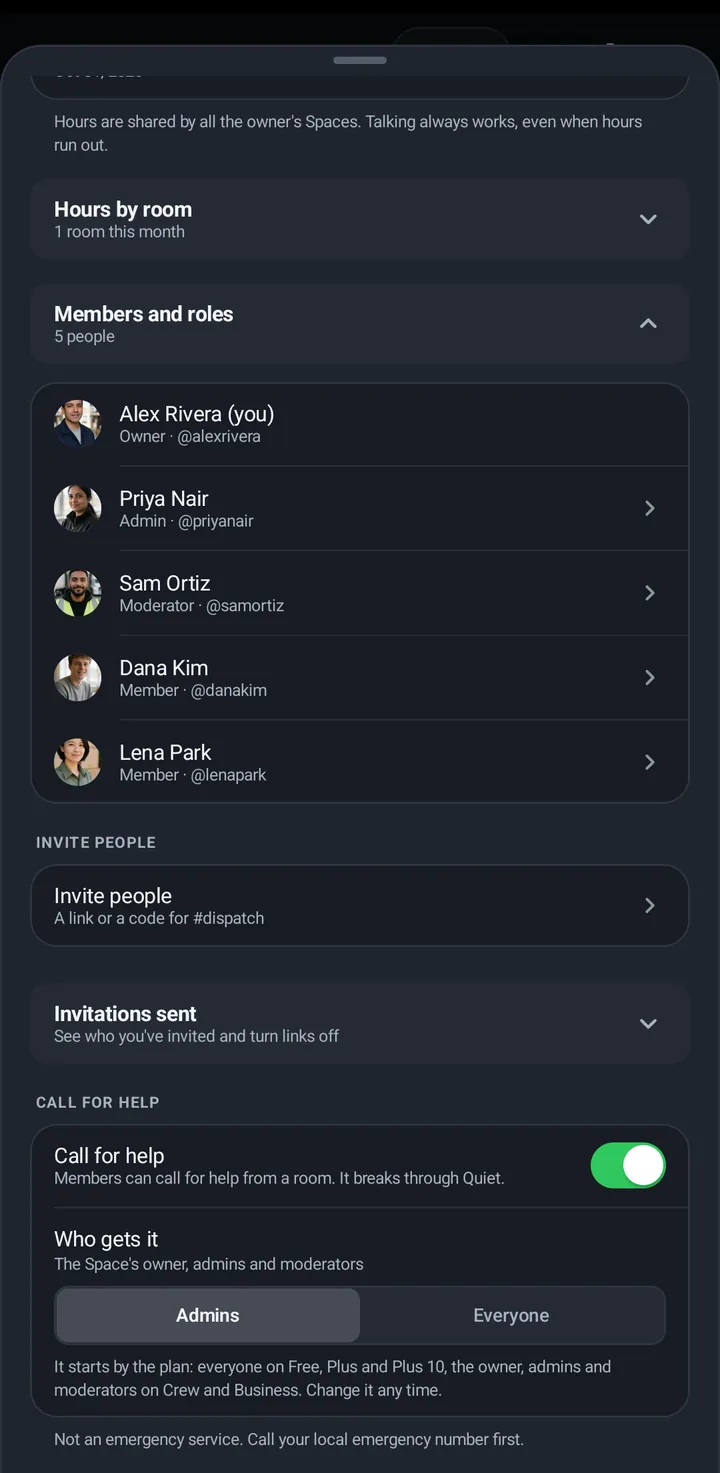
- Open Space settings › Call for help.
- Switch Call for help off, or leave it on and pick Who gets it: Admins (the Space’s owner, admins and moderators) or Everyone (everyone in the Space). The same screen says Not an emergency service. Call your local emergency number first.
Web app and iPhone
Space settings has Call for help and Who gets it for owners and admins.
Watch
No Space settings on the watch. Use the phone.
Still stuck? Email [email protected]. Tell us your phone and watch model and what you tried.