Talk with your earbud or headset button
Press play or pause on your earbuds to talk, with the screen off. Off by default.
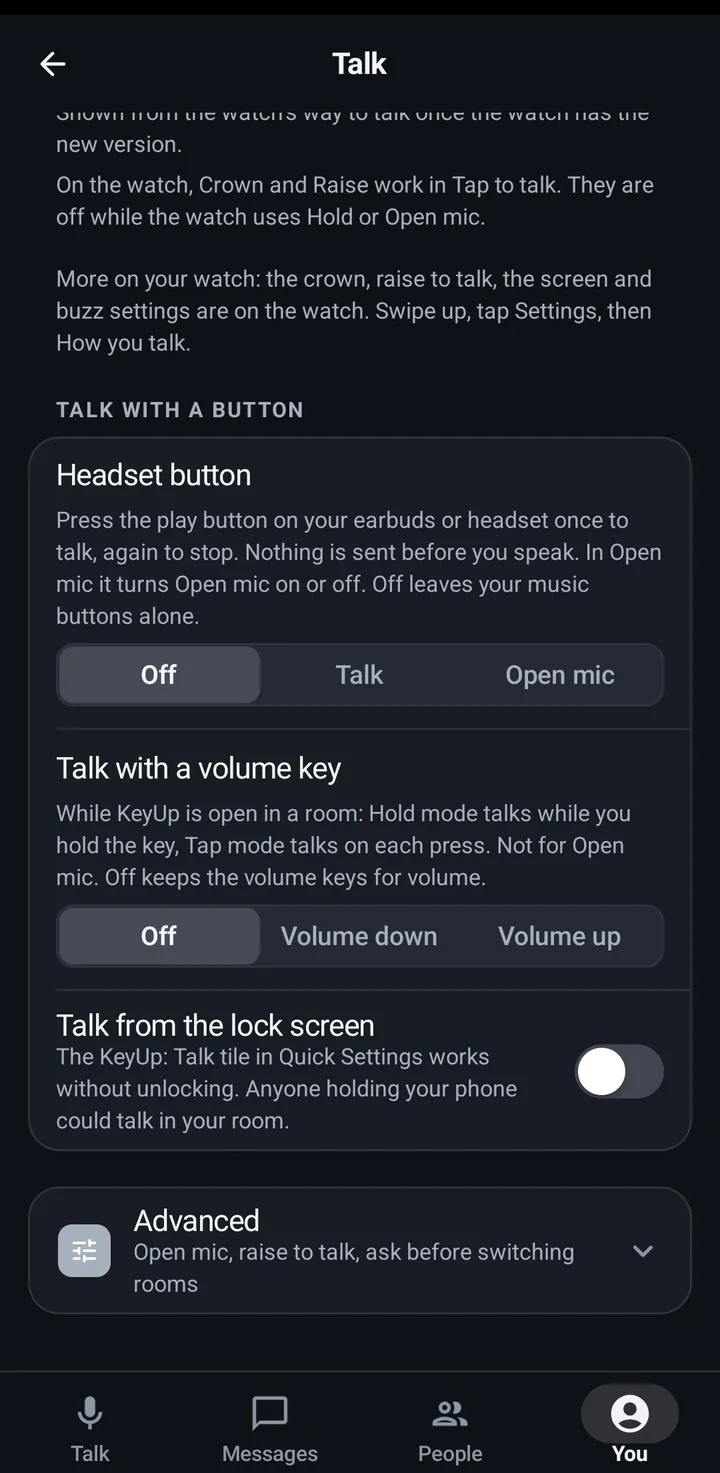
With Headset button on, the play and pause button on your earbuds or headset talks in your room while you are in one. It works with the screen off and KeyUp in the background. Nothing is sent before you speak. It is off by default, so your music buttons are left alone.
Phone
- Go to You › Talk › Talk with a button and find Headset button.
- Pick Talk: press once and KeyUp gets ready, then you go on air when you start speaking. Press again to stop. The room’s Max talk time still applies.
- Or pick Open mic: a press turns Open mic on, the next press turns it off.
- Off goes back to normal.
Watch
Not on the watch. Use the crown, Raise or the on-screen button.
iPhone
- In the iPhone app (in private testing), go to You › Talk settings › Advanced › Hardware buttons › Headset button and pick Talk or Open mic. It is Off at first.
- It works only while a room is open and KeyUp is on screen. iOS gives earbud buttons only to the app that plays sound, so with this on, music from other apps pauses while a room is open. Turn it off, leave the room or leave KeyUp, and your music app gets its buttons back.
- Talk: press once and the talk button says Speak and Waiting for your voice. You go on air when you start speaking, and nothing is sent before. If you don’t speak within a few seconds, it ends by itself. Once you talk, it ends after 5 seconds without your voice, or when you press again.
- Open mic: a press turns Open mic on, the next press turns it off. A long press on the earbuds is Siri’s on iPhone.
Web app and iPhone
A web page can’t read earbud buttons. On a computer use a keyboard key. See Talk with a key on a computer.
Still stuck? Email [email protected]. Tell us your phone and watch model and what you tried.