Invite members
Invite a friend to one room or the whole Space, add someone by username, share a member link for your whole team, and see or turn off the invitations you sent.
A member stays until you remove them. You can invite a friend, add someone by their exact username, or share a member link. For quick, one-off visitors, use a guest pass instead.
Invite a friend as a member
Your friend gets an invitation in the app and stays a member until you remove them. A pending invite can be cancelled from the same list. The list also tells you who can already open the room, and lets you ask them to come over.
Phone
- Invite people › Invite a friend.
- A friend who can’t open the room yet shows Invite (or Invite to #room if they are already in your Space). Pick Just #room or The whole Space when asked.
- A friend who can open the room but is somewhere else shows Can open #room, not there now and an Ask to join button. See Ask someone to join your room.
- A friend who is in the room right now shows In #room now.
Web app and iPhone
- Invite people › Invite a friend.
- The list works like the phone’s: a friend who can open the room but is somewhere else shows Can open #room, not there now and an Ask to join button, and a friend who is in the room right now shows In #room now.
- The button says Asked after you use it. The list is for the room that is open.
Watch
Not on the watch.
Alone in your Space: the one-time invite sheet
KeyUp is more fun with two people. If you are the only member of your Space, KeyUp asks once, after your first talk: KeyUp needs two people. Invite one? It shows one time per account, and only while you are alone in your Space.
Phone
- Tap Share invite link to open the same invite sheet as the Invite button, with your Space’s own link. Tap Not now to put it away. It does not come back.
- About a day after you sign up, if you are still the only one in your Space, KeyUp also sends you one email with tips on inviting someone. It has a link to stop it, and it is never sent to teen accounts.
Watch
- The watch shows Invite from your phone. Tap it and your phone opens the same sheet. The watch says Open KeyUp there to invite, or Try again near your phone if the phone is not connected.
- No link goes to the watch: you share it from the phone.
Add someone by username (owners and admins)
Space owners and admins can invite anyone by exact username.
Phone
- Invite people › Add by username, type the exact username, then Send invitation.
- If that person is under 18 and the Space has guests, KeyUp asks first: This Space has 3 guests. Adding someone under 18 ends their passes. Continue?
Web app and iPhone
Invite people › Add by username. The same question comes first for someone under 18 when the Space has guests.
Watch
Not on the watch.
Add your team for good: the member link
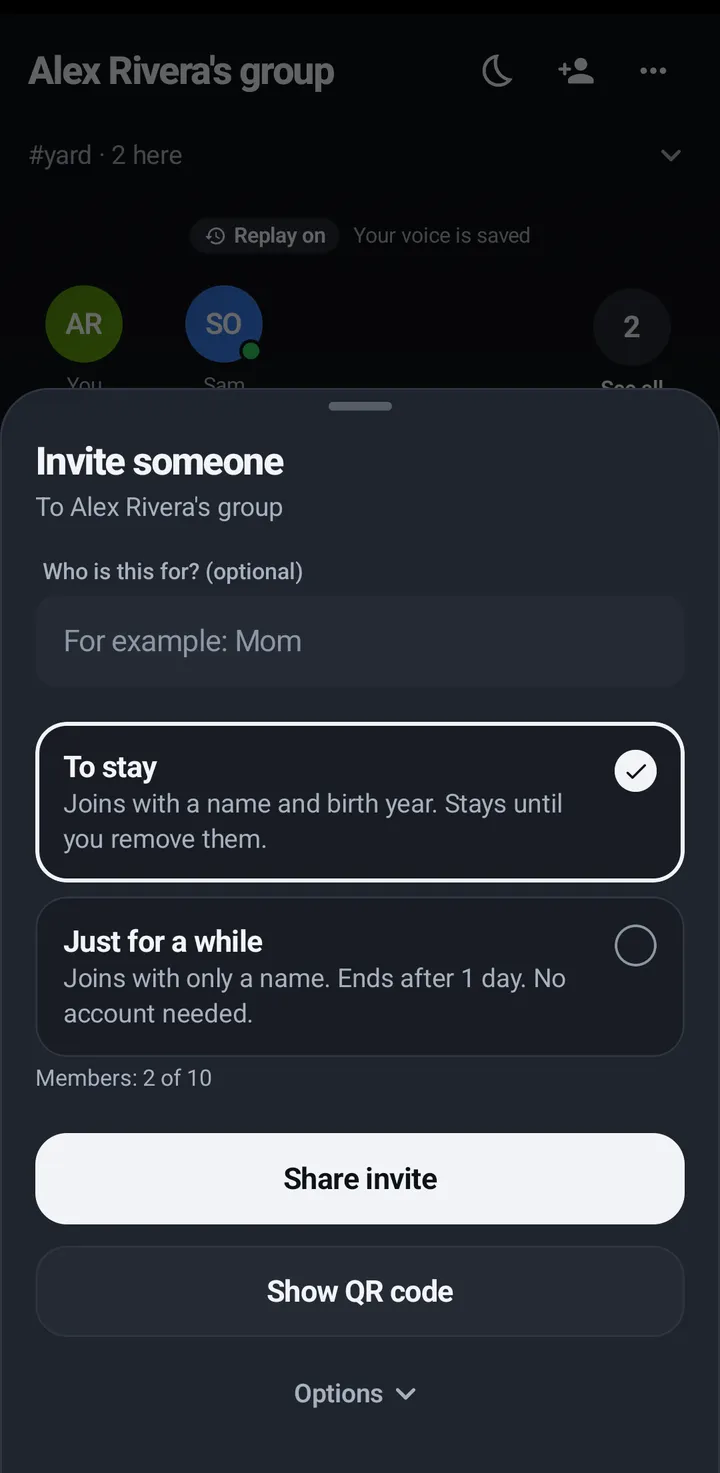
A member link is for your team. People who open this link become members of your Space and stay until you remove them. They need a free KeyUp account; a To stay link makes one from their name and birth year, on a phone or in a browser. A guest pass is the other kind of link: it is for people without an account, and it ends on its own.
Make the link
Phone
- Tap the Invite button (a person with a plus) on the Talk tab › Invite people.
- Choose the member link. It says People who open this link become members.
- The sheet says how many members your Spaces have now, out of your plan’s people, like Members: 7 of 10 on Crew 10. With no people limit there is no line.
- Pick how many people the link works for. One person is the default, and it goes up to your plan’s people, not the guest number.
- Tap Copy or Share, or show the QR code. Send it to your team.
Web app and iPhone
The Invite button on the Talk tab › Invite people, then the member link: People who open this link become members, with the same Members: 7 of 10 line and the same choice of how many people, up to your plan’s people. Copy or Share it. One person is the default. The sheet lists the room’s Open links, with Revoke.
Watch
The watch can’t open links. Make guest passes on the watch and send them to your phone, or make the member link on the phone or the web.
What each person does
Open the link, give a name and birth year (or sign in), and they are in, on a phone or in a browser. In a group with someone under 18 or a group for adults only, they fill in the usual form instead. That is about three steps for each person and one link for you. Someone who started as a guest takes more: open the guest pass, make an account, tap Ask to stay, and then you tap Keep. Keep all does that last tap for everyone who is asking at once. See Keep guests who ask to stay.
See and turn off invitations you sent
Each invitation shows as Active, Turned off, Expired or Used up.
Phone
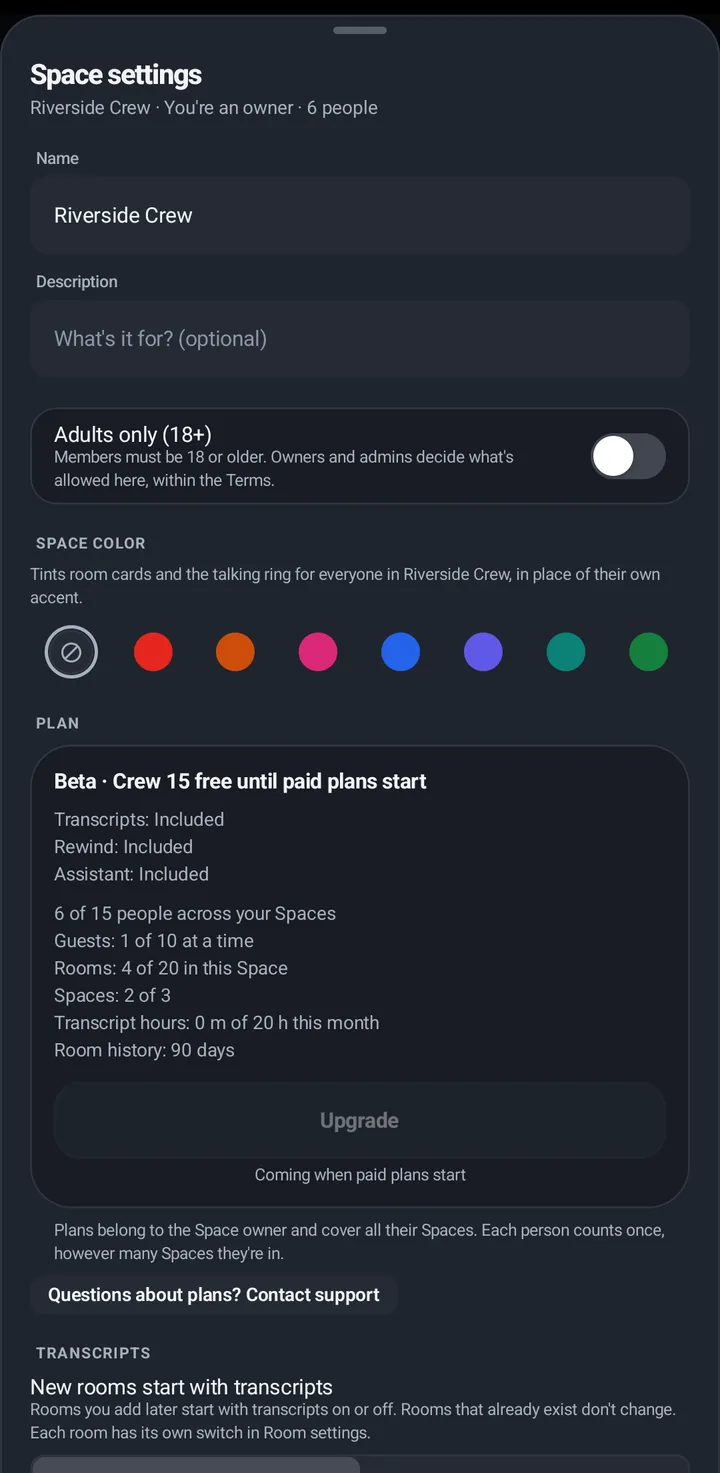
- Space settings › Invite people › Invitations sent. Tap Turn off on an active one.
- Each open pass or link says how many people used it and when it ends, like 1 of 5 used · ends in 5 hours, or the date when it ends more than a day from now. A member link with no limit on how many can use it shows only how many joined, like 4 joined.
- The middle of each row says what kind it is: the role for an invitation or a guest pass, and Member link for a member link, like Active · Member link · 4 of 10 used.
Watch
Not on the watch.
Web app
Open the invite sheet (the Invite button on the Talk tab). Open links lists the links that still work. Tap Revoke on one and confirm: Revoke this link? People who haven’t used it yet can’t join with it. The room’s owner, an admin or the person who made the link can revoke it.
Still stuck? Email [email protected]. Tell us your phone and watch model and what you tried.