Pinned note: one note at the top of a room
Pin a message so everyone in the room sees it first, and see how many have read it.
Each room can have one pinned note. It stays at the top of the room for everyone, with who pinned it, when, and how many people have read it. It is made for things like Handover: who has the keys.
Pin a note
Phone
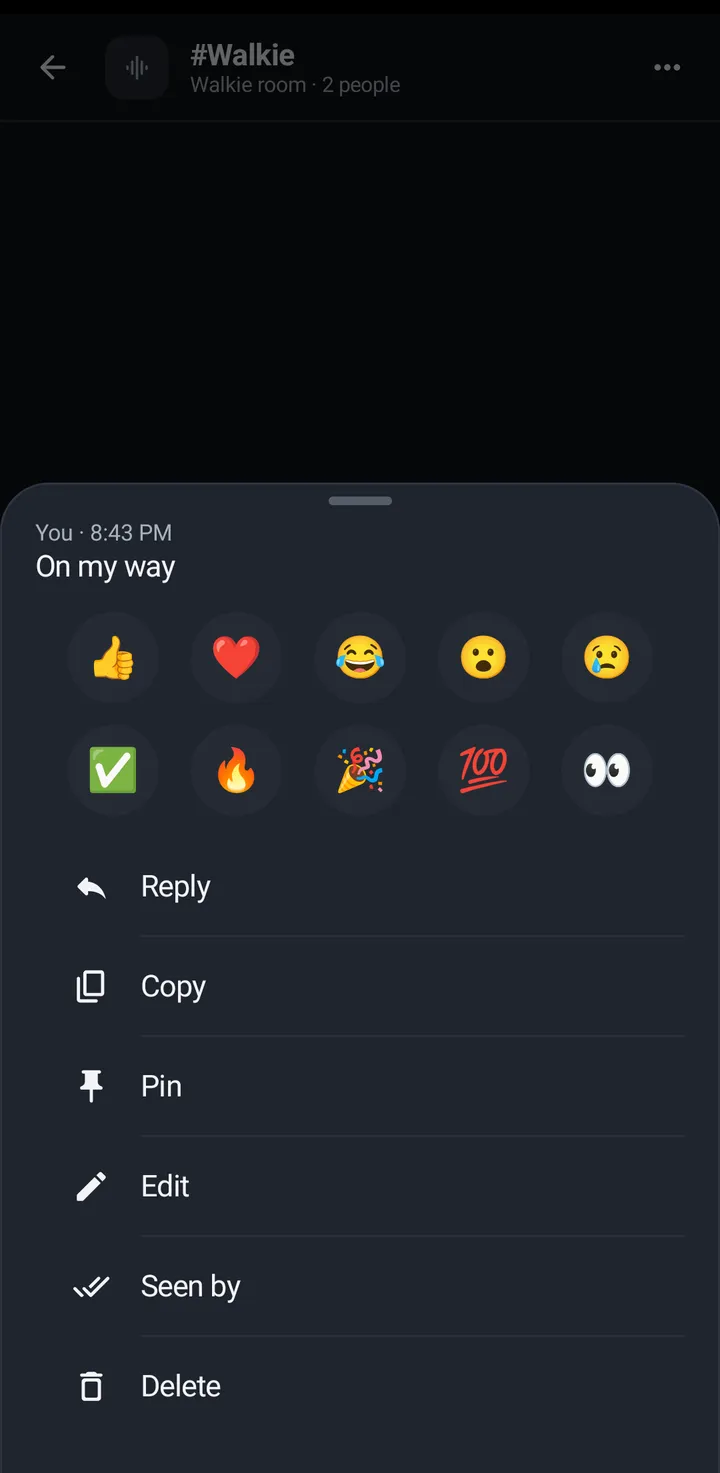
- In the room chat, long press a message and tap Pin. Or tap the three dots (More for #room) and Pin a note to write one (it says Edit the pinned note when there is one).
- KeyUp says Pinned to the top of the room. Up to 500 characters are kept. A new note replaces the old one.
Web app and iPhone
Open the message’s options and tap Pin, or write a note in Room settings › Pinned note (up to 500 characters).
Watch
The watch shows the note but can’t pin or change it.
Read it
Phone
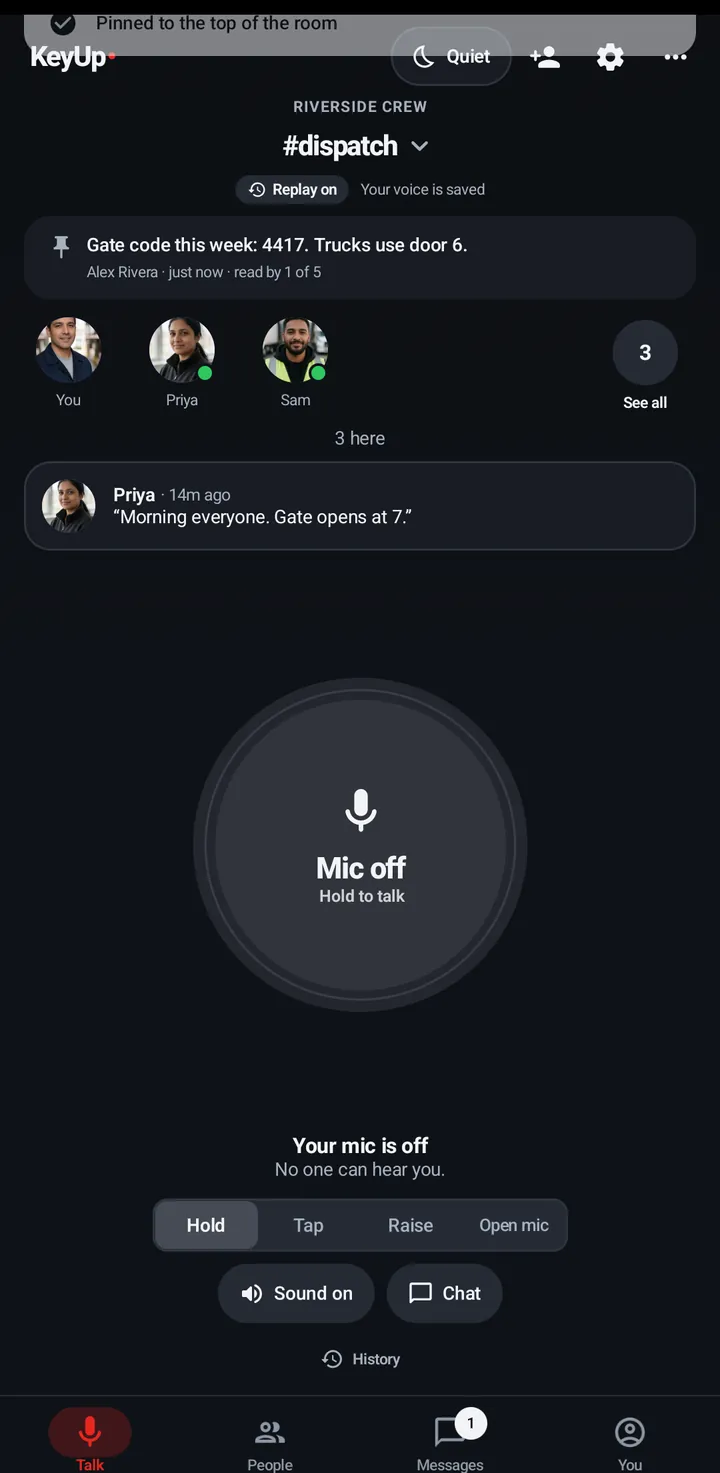
- The note is a card at the top of the room: the text, then who pinned it, when, and read by 4 of 6.
- Tap it to open the whole note. Opening it counts as read.
Watch
The note shows as one line under the room name. Tap it for the whole note, Pinned by and Read by.

Web app and iPhone
A card under the people on the Talk tab, and at the top of the room’s chat. Click it to open and mark it read.
Change or remove it
Phone
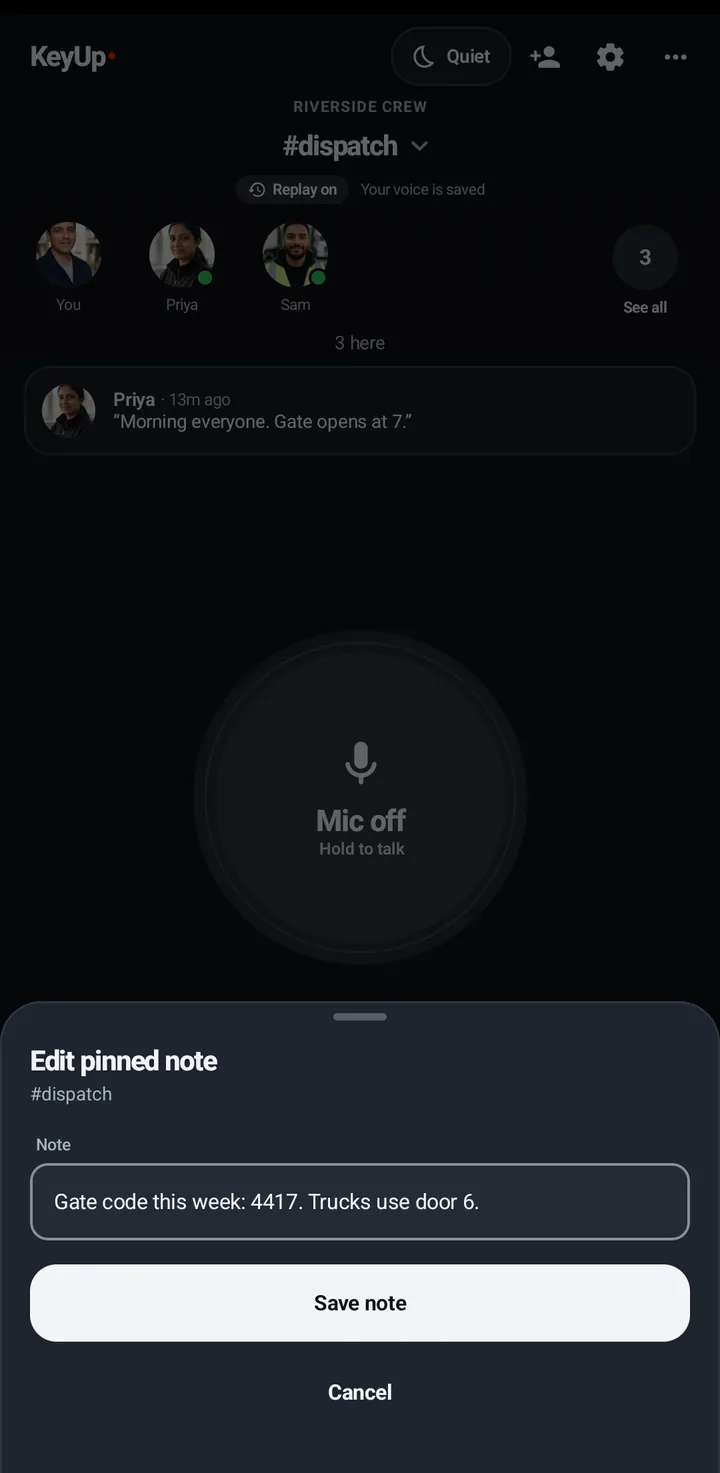
- Press and hold the card, then Edit note (type the new text and Save note) or Unpin.
- Unpin asks Unpin this note for everyone in the room?
Web app and iPhone
Edit and Unpin are on the card where you are allowed to use them. Unpin asks once more.
Still stuck? Email [email protected]. Tell us your phone and watch model and what you tried.