Watch tiles
Swipe from the watch face to the KeyUp tile to see your room, add the Quiet tile to turn on Quiet in one tap, the Remind me tile to say a reminder, or the Reminders tile to see what is next.
KeyUp adds four tiles to your watch: the KeyUp tile, with your current room, the Quiet tile, the Remind me tile and the Reminders tile. For the watch face itself, see Watch face complications and the KeyUp chip.
KeyUp tile
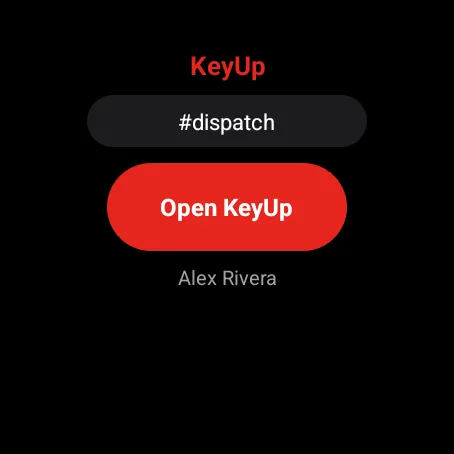
Shows your current room, whether you are listening, how many new talks there are, an Open KeyUp button, Mute and who you are signed in as. On a small watch or with large text, the tile leaves out the name first, then the new talks line, then Mute, so the rest fits the round screen. While you are off in the room it shows “#room · Off until 7” in amber and the button says Resume.
Watch
Swipe from the watch face to the KeyUp tile. Add it from the watch’s tile settings if it isn’t there.
Quiet tile
The tile is named Quiet. It shows whether Quiet is on and until when, with quick choices for 1 hour, Until tomorrow morning and Until I turn it back on. A small watch shows the first two choices; a larger one shows all three.
Watch
Add the Quiet tile from the watch’s tile settings.
Remind me tile
The tile is named Remind me. Tap it and the recorder opens with the mic on: say when and what, like “remind me in 20 minutes to check the oven”. Signed out, it asks you to sign in. See Reminders.
Watch
Add the Remind me tile from the watch’s tile settings.
Reminders tile
The tile is named Reminders. It shows your next reminders, overdue ones in red (up to three, fewer only when long ones or a large text size would not fit, each with up to two lines), and a tap anywhere on it opens the Reminders list. See The Reminders list and tile.
Watch
Add the Reminders tile from the watch’s tile settings.
Still stuck? Email [email protected]. Tell us your phone and watch model and what you tried.