Turn on Open mic and KeyUp sends only when it hears your voice. Tune how much noise gets through, and pause it after some minutes without your voice.
With Open mic on, the button shows Listening with a slow pulse while it waits, and turns red On air when it hears you. About a second or two after you stop speaking it stops sending and goes back to Listening until it hears a voice again.
Ways to talk. Pick Hold, Tap, Raise or Open mic, hold to talk, and tap to talk on the watch. Captions only, no sound needed.
Turn on Open mic
Phone
Pick Open mic under the talk button, then tap the button to turn it on. Tap again to turn it off.
Watch
Swipe up, tap Settings › How you talk and pick Open mic (“Uses much more battery”). Or swipe up and tap How you talk in the actions until it says Open mic.
To turn it off, tap Turn off Open mic under the choices. It goes back to the way you talked before, like Back to Crown. Or pick another way.
Web app and iPhone
Pick Open mic under the talk button, then tap the button.
Sensitivity and noise getting through
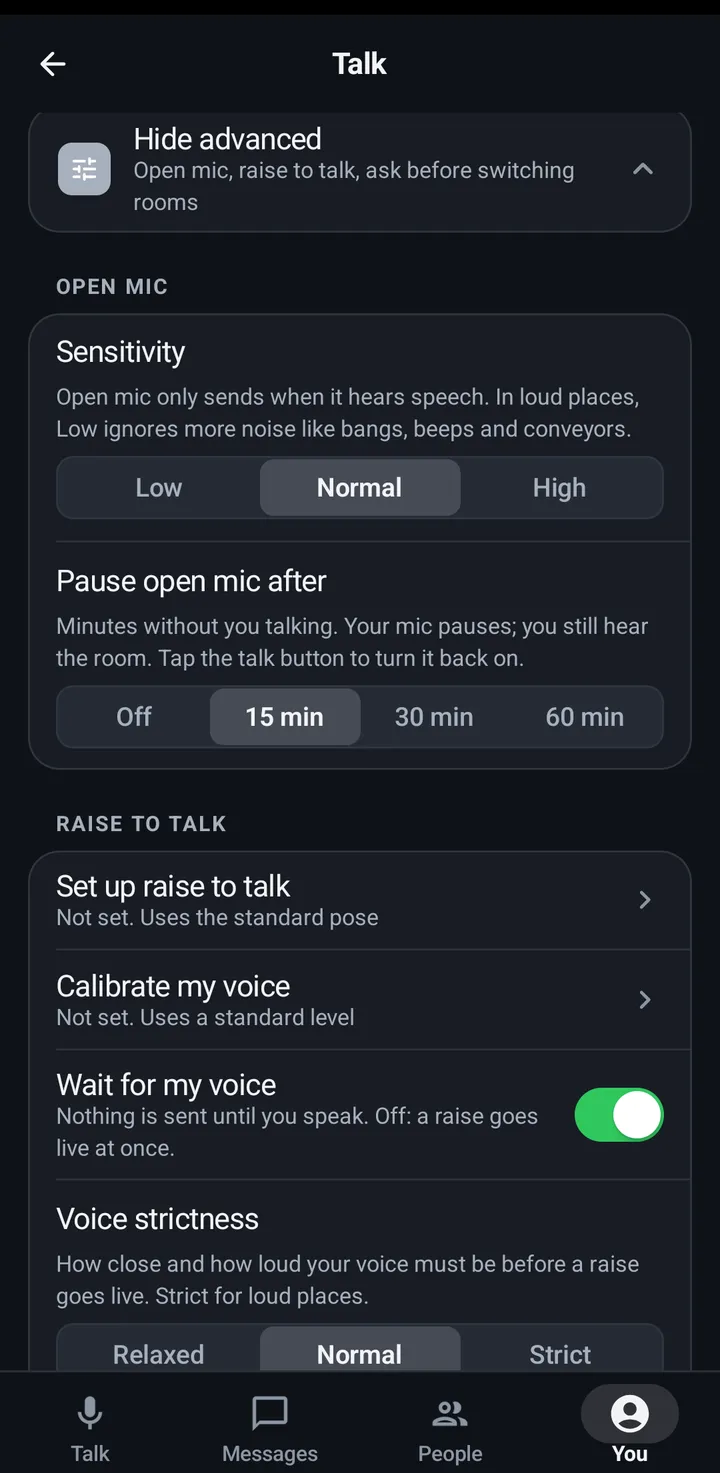
Sensitivity sets how readily the open mic picks up your voice: Low, Normal or High.
Phone
Go to You › Talk › Advanced › Open mic › Sensitivity.
Pick Low, Normal or High.
You › Talk.
Watch
Swipe up, Settings › How you talk › Advanced › Open mic sensitivity.
Web app and iPhone
Go to You › Talking › Open mic sensitivity. It is saved in this browser.
Pause open mic after a while
After the time you pick without your voice, your open mic pauses. Other people talking doesn’t count. Tap the button (or turn the crown) to turn it back on.
Phone
Go to You › Talk › Advanced › Open mic › Pause open mic after: minutes without you talking. Your mic pauses; you still hear the room. Tap the talk button to turn it back on.
Pick Off, 15, 30 or 60 min. It is Off by default.
You › Talk.
Watch
Swipe up, Settings › How you talk › Advanced › Pause open mic after.
The watch starts at 15 min. Choosing Off warns that it uses much more battery.
Web app and iPhone
Not in the web app. Turn the open mic off yourself when you are done.
Still stuck? Email [email protected]. Tell us your phone and watch model and what you tried.