Talk with a key on a computer
Hold or press the Space bar (or a key you pick) to talk in the web app on a computer.
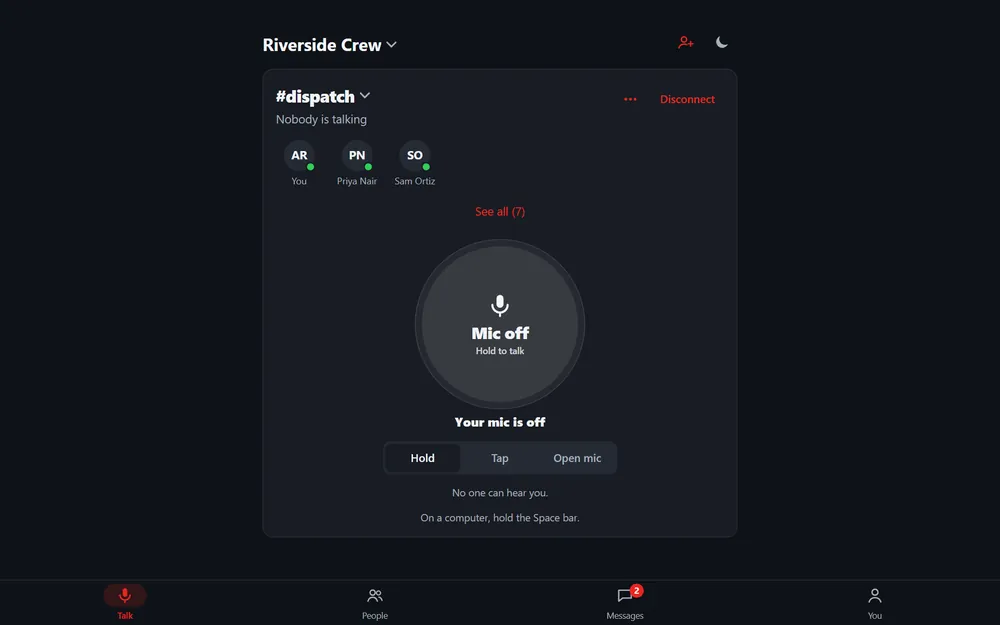
In the web app on a computer, a keyboard key works as the talk button in Hold and Tap. The Space bar is the default. It works while the page is open and focused, and never while you are typing.
Web app
- Open a room. The line On a computer, hold the Space bar shows under the talk button.
- To change it, go to You › Sound › Push-to-talk key. Switch it on or off, or pick another key.
iPhone
Hidden on iPhone. Use the on-screen button.
Still stuck? Email [email protected]. Tell us your phone and watch model and what you tried.