Use KeyUp in a browser
The web app works in any modern browser on a computer or Android, at the /app address.
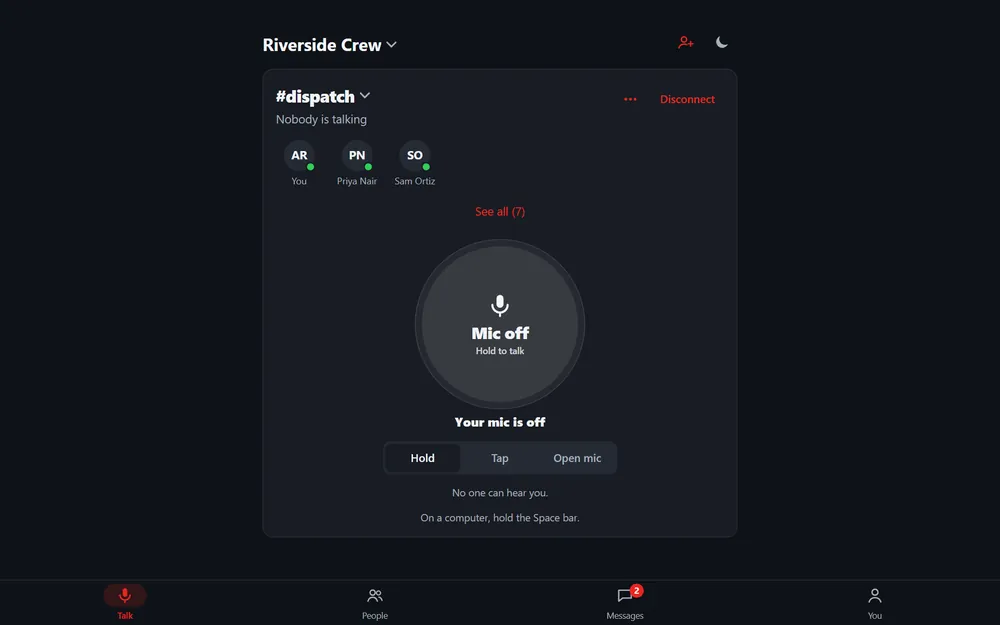
The web app has the same four tabs as the phone. It listens and talks while the page is open, and on a computer you can hold the Space bar to talk.
Web app
- Open the web app link from your KeyUp email and sign in. Turn off Stay signed in on a shared computer.
- Talk with the button, or hold the Space bar. See Talk with a key on a computer.
- Keep the tab open. You › Sound › Keep the screen on in a room stops the screen sleeping.
- Disconnect on the room card stops listening in this tab. You stay a member.
Still stuck? Email [email protected]. Tell us your phone and watch model and what you tried.