Wear OS
Push-to-talk from your wrist, on Wear OS.
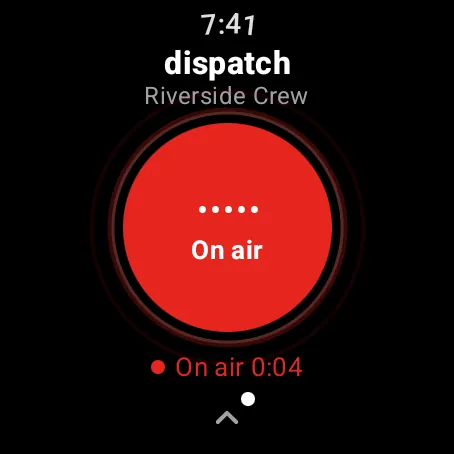
KeyUp is a walkie-talkie for Wear OS watches that also works on Android phones and in any browser. Talk with the crown, by raising your wrist or with the big button on the screen.
The short answer
Yes, Wear OS watches can be walkie-talkies. KeyUp is a standalone Wear OS app: it talks over Wi-Fi or LTE, works without your phone nearby, and reaches people on any phone, watch or computer, not just the same brand.
How it works.
-
Three ways to talk
Turn the crown, raise your wrist (experimental), or use the screen. Pick one in Settings › How you talk.
How to -
Not locked to one brand
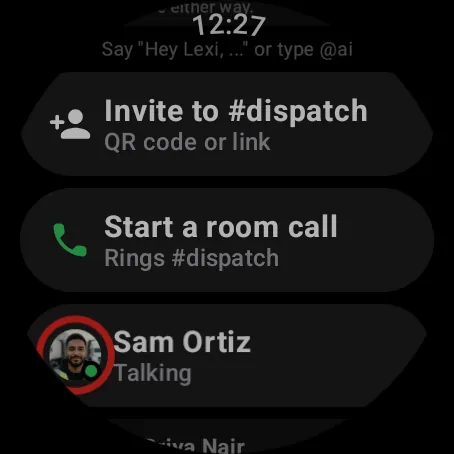
Your crew can be on any Android phone, any Wear OS watch with KeyUp, a computer, or an iPhone in Safari.
How to -
Standalone
The watch signs in on its own with a code, keeps its own notifications, and keeps talking when the phone is in a locker.
How to -
Messages and calls
Speak a reply, send a voice note, use quick replies, answer calls, or move a call from the phone to the watch.
How to -
Quiet when you need it
Mute a room, turn off sound on the watch, or go Do not disturb from one Quiet menu.
How to -
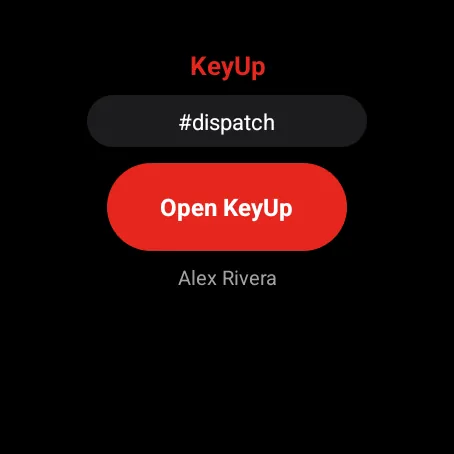
Tile and complication
See your current room on a tile or a watch face complication.
How to
The honest limits.
- Tested on the Pixel Watch 3. Other Wear OS watches should work; crown talk needs a rotating crown, and watches with a bezel can use raise to talk or the screen.
- The watch leaves out sign-up, photos and admin settings. Do those on a phone or the web.
- KeyUp needs Wi-Fi or mobile data. It is not an offline radio.
- It is a work and family tool, not an emergency or safety device.
Questions.
Does it work on a Galaxy Watch?
KeyUp runs on Wear OS, which Galaxy Watch 4 and newer use. We have only tested on the Pixel Watch 3 so far, so treat Galaxy support as untested, and use raise to talk or the screen if the bezel doesn’t act as a crown.
Do I need a phone?
Not to talk. You need a phone or a computer once to create the account and pair the watch.
Does it drain the battery?
KeyUp keeps a connection open while you are in a room. The Help Center has tips to save battery, and you can go Quiet or sign out of a room when you are off.
What does it cost?
Free during the beta. After that: Free for up to 3 people, Family $5.99 a month for 6, and Crew from $24.99 a month for 10 people. The Space owner pays; members and guests never do.
Free during the beta.
Join the beta for Android phones and Wear OS watches, or try a shift in your browser first.