Pixel Watch
A real walkie-talkie on your Pixel Watch.
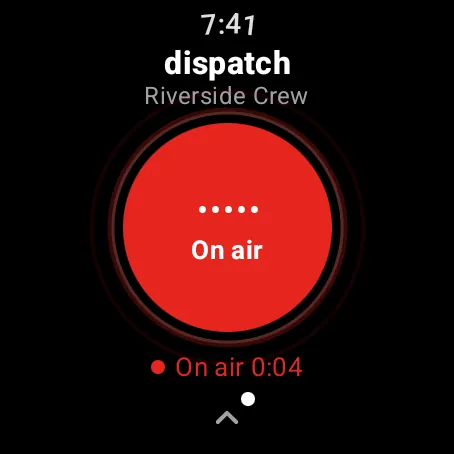
Turn the crown and talk. Turn it back and you stop. KeyUp works with the screen off, and the people you talk to can be on Android phones, other Wear OS watches, a computer or an iPhone in Safari.
The short answer
The Pixel Watch has no built-in walkie-talkie app. KeyUp adds one: install it from Google Play on the watch, pair it with your account, and talk to a room by turning the crown. Crown talk is tested on the Pixel Watch 3.
How it works.
-
Turn the crown to talk
Half a turn clockwise starts talking, counter-clockwise stops. You feel a buzz when you are live, so you never need to look.
How to -
Works with the screen off
Turn on KeyUp crown talk in Accessibility once, and the crown talks even when the screen is dark. It only reads crown turns.
How to -
Your watch, on its own
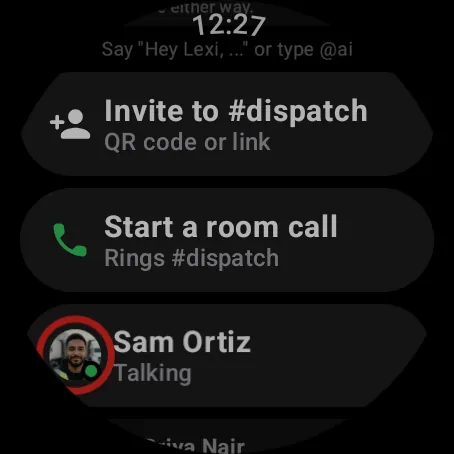
Talk, listen, message and take calls from the watch over Wi-Fi or LTE, even when your phone is away.
How to -
Talk on the watch, hear in headphones
Press on the watch and hear the room through your phone and its headphones.
How to -
A tile for your room
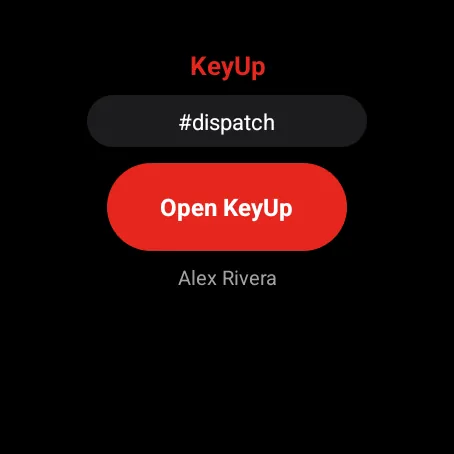
Swipe to the KeyUp tile to see your room at a glance and jump in.
How to -
Or raise your wrist
Raise to talk (experimental) starts when you lift the watch to your mouth and stops when you lower it.
How to
The honest limits.
- Crown talk is tested on the Pixel Watch 3. Other Pixel Watch models should work the same way.
- Screen-off crown talk needs a one-time switch in Accessibility settings.
- KeyUp needs Wi-Fi or mobile data. It is not an offline radio.
- It is a work and family tool, not an emergency or safety device.
Questions.
Does the Pixel Watch have a walkie-talkie?
Not built in. KeyUp adds one that you control with the crown, and it talks to phones, other watches and browsers.
Do the people I talk to need a Pixel Watch?
No. They can use an Android phone, any Wear OS watch with KeyUp, a computer, or an iPhone in Safari.
Does it work without my phone?
Yes, on Wi-Fi or an LTE watch. Set it up once with a code at keyupradio.com/pair from any phone or computer.
What does it cost?
Free during the beta. After that: Free for up to 3 people, Family $5.99 a month for 6, and Crew from $24.99 a month for 10 people. The Space owner pays; members and guests never do.
Free during the beta.
Join the beta for Android phones and Wear OS watches, or try a shift in your browser first.