Archive, delete or clear a room or Space
Put a room or Space away and bring it back later, delete it for good, or clear a room’s history.
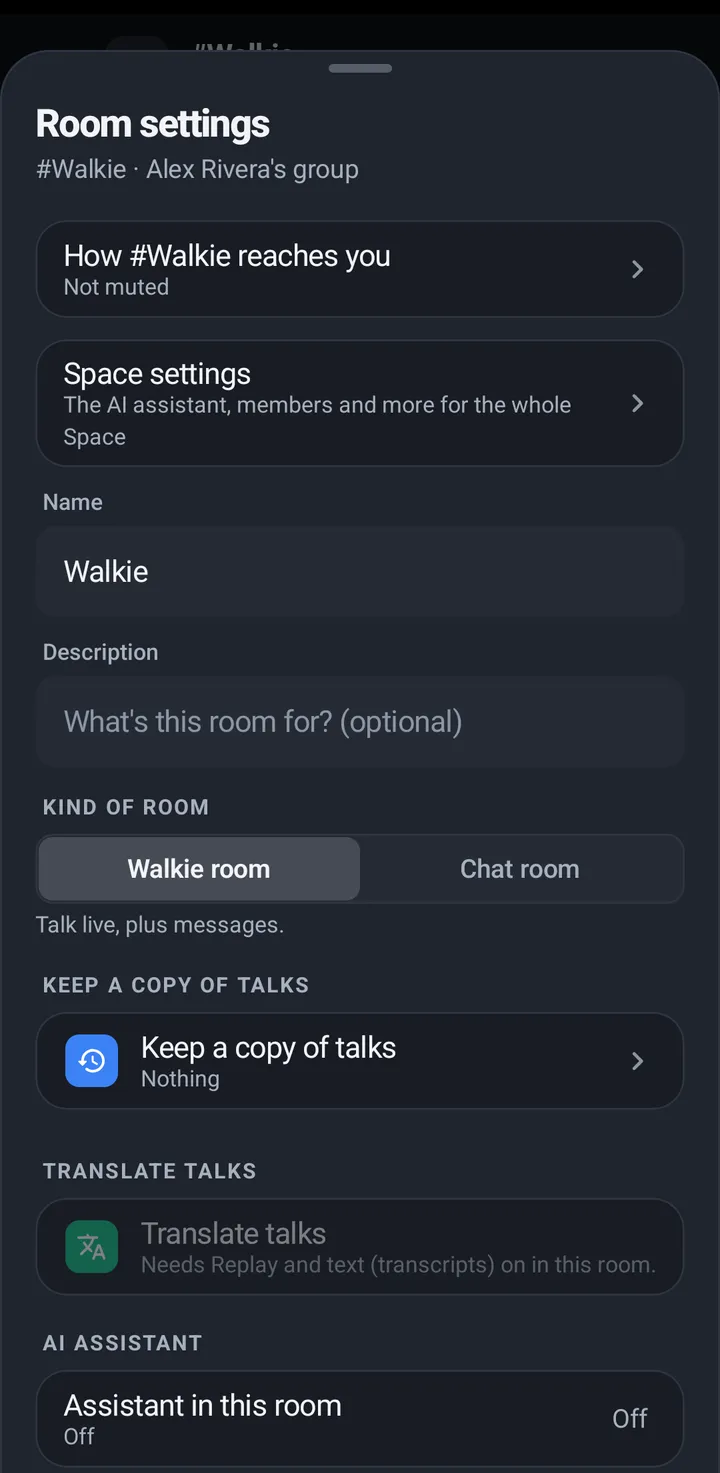
Archive puts a room or Space away; you can bring it back any time. KeyUp asks before it archives, and offers Undo for a few seconds afterwards. Delete removes it for good and asks you to type its name. The Space’s main room (General) can’t be archived or deleted.
Phone
- Room: Room settings › Room › Archive room. KeyUp asks Archive #room? Everyone loses it until you bring it back. Tap Yes, archive #room (or Cancel). A notice says #room archived with Undo for about 6 seconds.
- Space: Space settings › Space › Archive Space. KeyUp asks Archive [Space]? Its rooms go with it, and everyone loses it until you bring it back. Tap Yes, archive [Space]. The notice has Undo too.
- Bring one back: owners and admins see Archived rooms in Space settings, a list with Restore beside each room (#room is back). A room’s own settings also have Bring back from archive, and so does an archived Space’s.
- Delete: Room settings › Room › Delete room, or Space settings › Space › Delete Space (owner only).
iPhone
In the iPhone app (in private testing), archiving a Space says [Space] archived with Undo. Manage Spaces (the Space name on the Talk tab, or the Space button on the People tab) lists archived Spaces under Archived, with Restore for owners and admins.
Web app and iPhone
Owners and admins can use Clear room history in Room settings (the three dots). An owner can delete a Space in the Leave Space steps, and an admin who is alone in a room can choose Leave and delete room. Archive and Archived rooms are on the phone.
Watch
The watch can clear room history. Archive and delete are on the phone.
Still stuck? Email [email protected]. Tell us your phone and watch model and what you tried.