Guest passes
Let anyone join a room with just their name. Choose how long the pass lasts and what guests can do, see how many guests can be in at once across all your Spaces, and how many spots are left.
A guest pass lets anyone join a room with just their name, no account needed. It is quick and ends on its own. A member invite is for people who stay: see Invite members. Owners and admins can keep or end guests: see Manage guests.
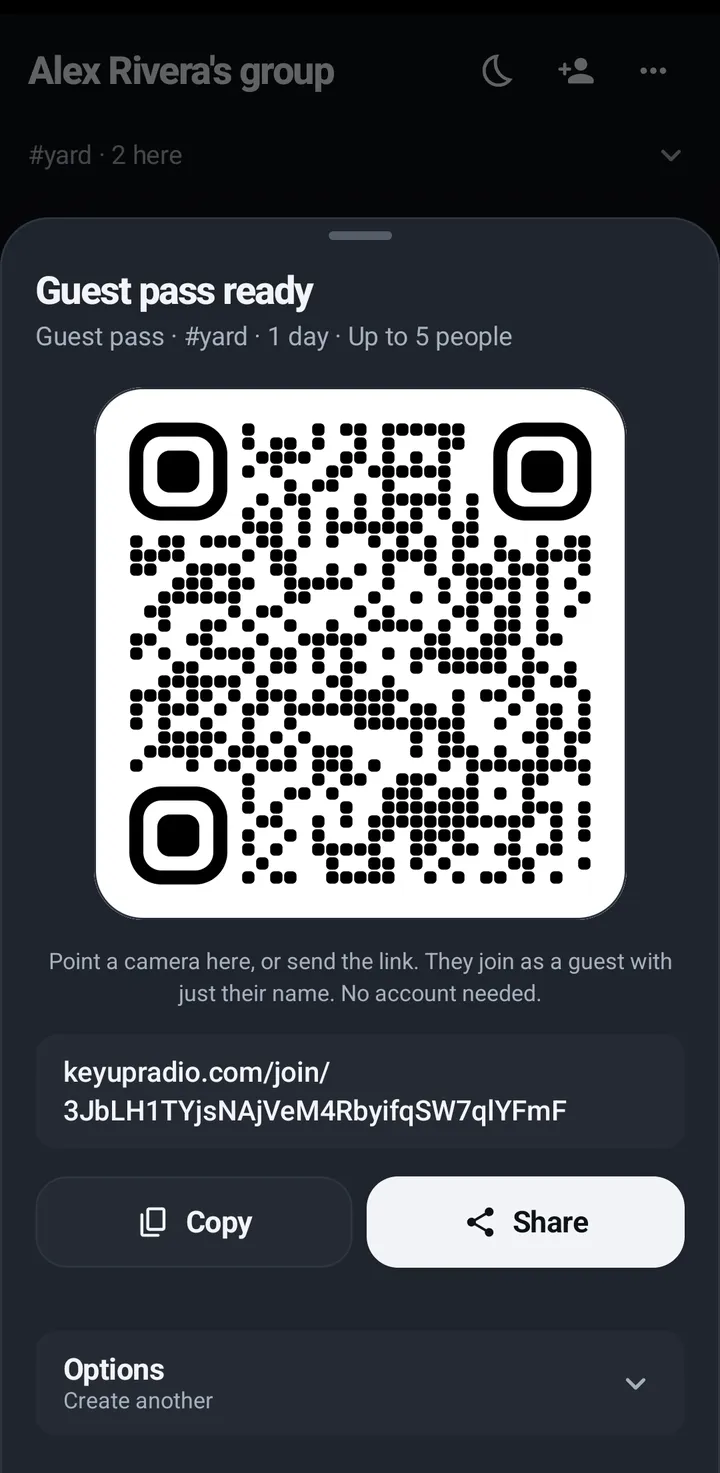
Make a guest pass: link or QR code
A guest pass lets people join with just their name and no account, until the pass ends. The room must have Allow guests on; an owner or admin can turn it on from the invite screen. For people who should stay, use a member link instead.
Phone
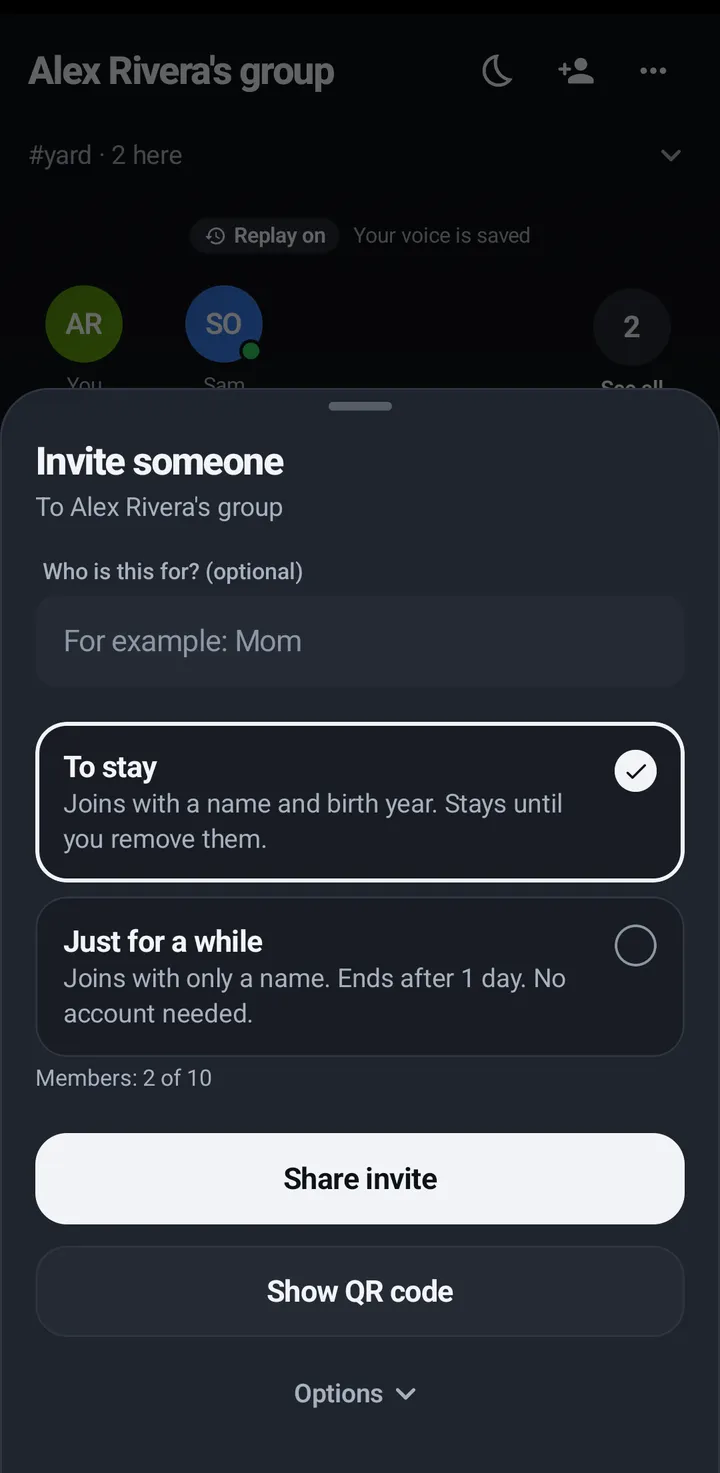
- Tap the Invite button (a person with a plus) on the Talk tab or in a room › Invite people.
- Under Or share a guest pass, pick Pass lasts: 1 hour, 12 hours (default), 1 day or 1 week.
- Pick Link works for: One person (the default) or Up to your plan’s guests at a time (1 on Free, 1 on Plus, 2 on Plus 10, 3 on Crew 6, 5 on Crew 10, 8 on Crew 15, 10 on Crew 20 and 15 on Crew 25, and 30 on Business, plus 1 for every 2 extra people).
- Optional, in the fold with the line Which rooms, what they can do: Rooms they can use (Just this room, Rooms I pick, Every room), They can (Listen, Talk, Send messages, Read chat), how many times the link works (at most your plan’s guests at a time), and a note for yourself.
- Tap Create guest pass. Show the QR code, or tap Copy or Share.
- When someone new joins the room you are in, the pass closes by itself and says who joined (like “Sam joined #dock”), so you can talk right away.
- While you are the only one in your Space, the room shows a card under 1 here: KeyUp needs at least 2 people. Invite someone you want to talk with. Tap Invite someone to open Invite people. Close it with the X; it comes back the next time you open KeyUp while you are still on your own. The solo tip and the Sound check (Test through KeyUp) show above this card, so you can hear yourself while you wait for someone to join.
Watch
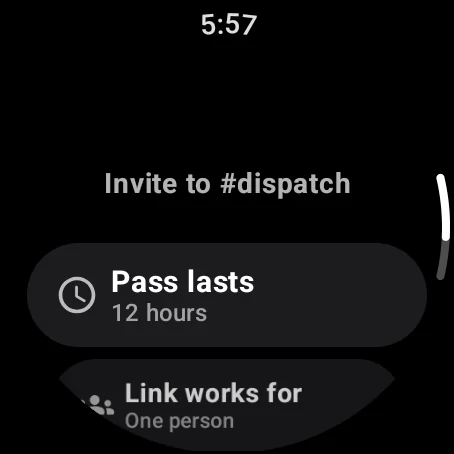
- Swipe up, Invite to #room (or In this room › Invite to #room).
- Pick Pass lasts and Link works for (from 1 person up to your plan’s guests at a time, like on the phone), and the fold below them if you like.
- Tap Create guest pass. Then Show QR code, Copy link, Share or Send to my phone.
- The QR code closes by itself when someone new joins the room you are in.
- While you are the only one in your Space, the swipe up list says Invite someone from your phone.
iPhone
In the iPhone app (in private testing), while you are the only one in your Space, the room shows the same Invite someone card under the people row, with Test through KeyUp above it. Close it with the X; it comes back the next time you open KeyUp while you are still on your own.
Web app and iPhone
- The Invite button (person with a plus) on the Talk tab › Invite people, with the same options.
- Then a QR code, Copy link and Share (when the browser can share).
- While you are the only one in your Space, the room card shows KeyUp needs at least 2 people. Invite someone you want to talk with. under the people row. Invite someone opens Invite people. Not now hides it until you open KeyUp again.
Guest pass or member: which to use
There are two kinds of link. A guest pass link lets anyone join with just their name and no account, and their access ends when the pass ends. A member link makes everyone who opens it a lasting member with a free account: on a phone or in a browser, a To stay link makes that account from their name and birth year, with no password at first. A friend invite or Add by username also makes a member, who stays until you remove them.
- For a visitor, a contractor or a one-day event: a guest pass. See Make a guest pass.
- For your whole team: a member link. See Add your team for good.
- For one friend or family member: invite them as a member. See Invite a friend as a member.
Guest pass limits
Your plan sets how many guests can be in at once: 1 on Free, 1 on Plus, 2 on Plus 10, 3 on Crew 6, 5 on Crew 10, 8 on Crew 15, 10 on Crew 20 and 15 on Crew 25, and 30 on Business, plus 1 for every 2 extra people. That is one total for all the Spaces you own together, not a number for each Space, each room or each person. Guests don’t count toward your plan’s people.
- Each guest holds one spot while their guest pass, or the room PIN they joined with, is still active. When it ends, the spot is free again.
- A guest in two of your Spaces holds two spots, one in each Space.
- Making a pass holds no spot, so you can make passes ahead of time. KeyUp checks when a guest joins: if every spot is in use right then, they see You have the most guests your plan allows right now. They can join once a spot frees up.
- A pass lasts at most 1 week: Pass lasts offers 1 hour, 12 hours, 1 day or 1 week (1 week is not offered in a Space with a member under 18).
- A guest pass works for at most as many people as your plan’s guests at a time, so Link works for only offers numbers up to that, on the phone, the watch and the web. A member link can let in more, up to your plan’s people: see Make the link.
- Someone who keeps coming back as a guest is asked to join as a member: after 5 days in the same Space in the last 30 on Free, Plus and Plus 10 (10 on Crew and Business), they can’t start a new pass there. They tap Ask to stay, and you can add them as a member. The pass they already have keeps working until it ends, and you get a note when it happens.
See how many guest spots are left
Three places show it. The numbers below are examples on Crew 10.
Phone
- The invite sheet, with a guest pass picked, says Guests right now: 1 of 5, across all your Spaces. With no guest limit it says No guest limit right now. When every spot is taken it says All 5 guest spots are in use. A spot frees up when a guest’s pass ends.
- Space settings › Plan shows the same line, how many members you have, and Guests by Space: each of your Spaces that has guests right now, like Riverside Crew: 1. See Your plan.
- Space settings › Invite people › Invitations sent: each open pass says how many people used it and when it ends, like 1 of 5 used · ends in 5 hours, or the date when it ends more than a day from now.
Web app and iPhone
- The invite sheet says the same Guests right now: 1 of 5, across all your Spaces line.
- On the You tab, My plan shows it too, with Guests by Space.
Watch
Not on the watch. The watch still makes guest passes up to your plan’s guests at a time.
What guests see, and staying as a member
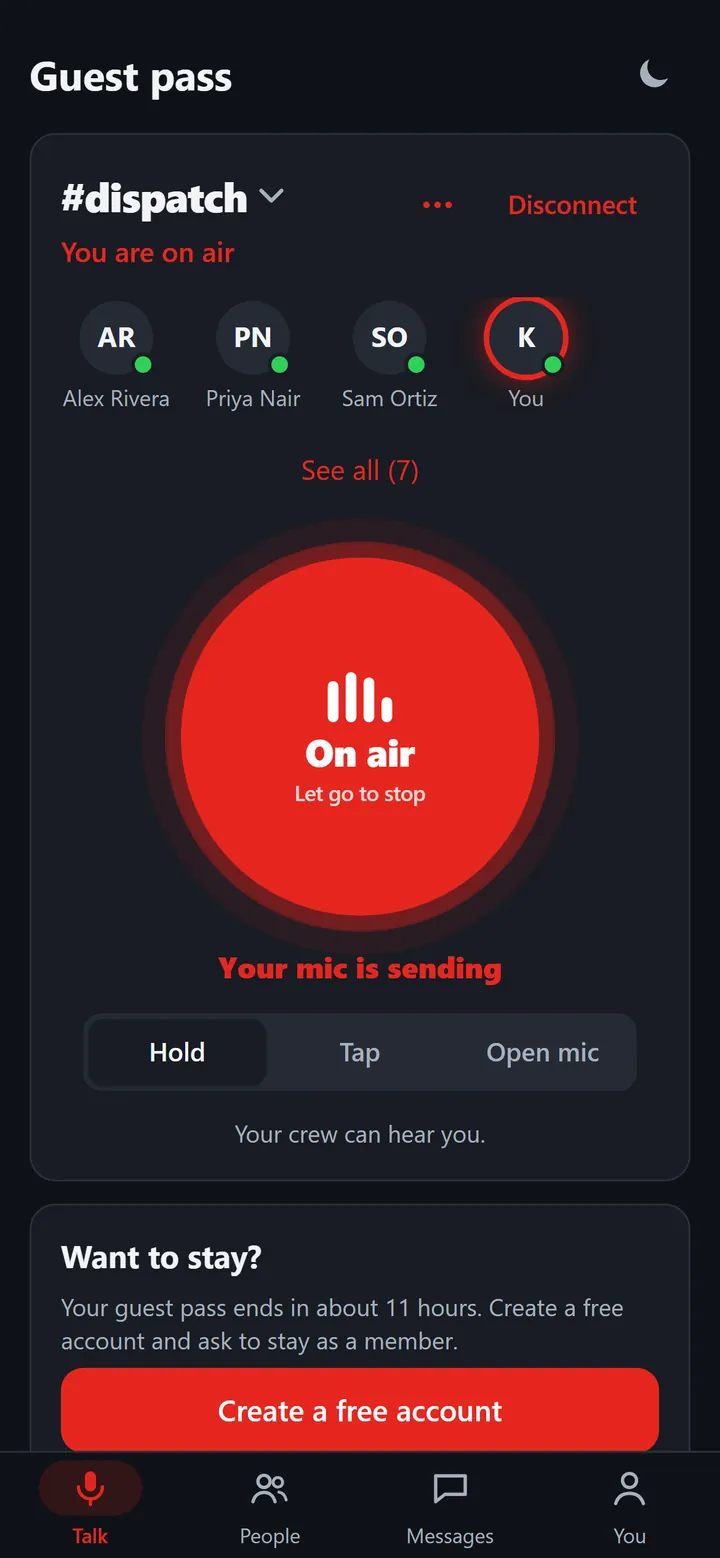
Guests can’t add friends, send direct messages, call or invite. They can end their own pass. Before it ends they see Want to stay? and can create a free account and ask the Space to keep them, or sign in and ask.
Phone
- The Want to stay? card on the Talk and You tabs: Create a free account, then Ask to stay, then Switch to your account.
- Owners and admins answer under Asking to stay on the People tab. See Keep guests who ask to stay.
- You › Delete guest pass ends the pass.
Web app and iPhone
- A Want to stay? card on the Talk tab with Create a free account.
- You stay signed in on this browser until the pass ends, so closing the tab or the browser is fine. Open KeyUp or the same link again and you are back in the room. Safari can clear what it keeps after about a week without opening KeyUp; then ask for a new link.
- On a shared computer, tap Sign out when you are done, or the next person who opens KeyUp in this browser is in your guest pass until it ends. KeyUp warns you first: You’re on a guest pass. After signing out you’ll need a new invitation to get back in.
Watch
A guest on a watch has fewer features: no calls or invites.
Still stuck? Email [email protected]. Tell us your phone and watch model and what you tried.