Transcripts
Text of what was said, to read and search. It is the “and text” of Voice and text. Crew plans and up, or Plus and up with your own key.
A room keeps text of what was said when its choice under Keep a copy of talks is Voice and text. It is off in every new room. Your voice is turned into text only if you say yes with Save and transcribe my voice. Transcripts are deleted at the room’s keep time (7 days by default), never later than the plan’s room history.
Turn them on (owners and admins)
The three choices are Nothing, Voice clips (clips only) and Voice and text (clips and text), in one sheet with both keep times. A room that keeps text without clips shows Text only.
Phone
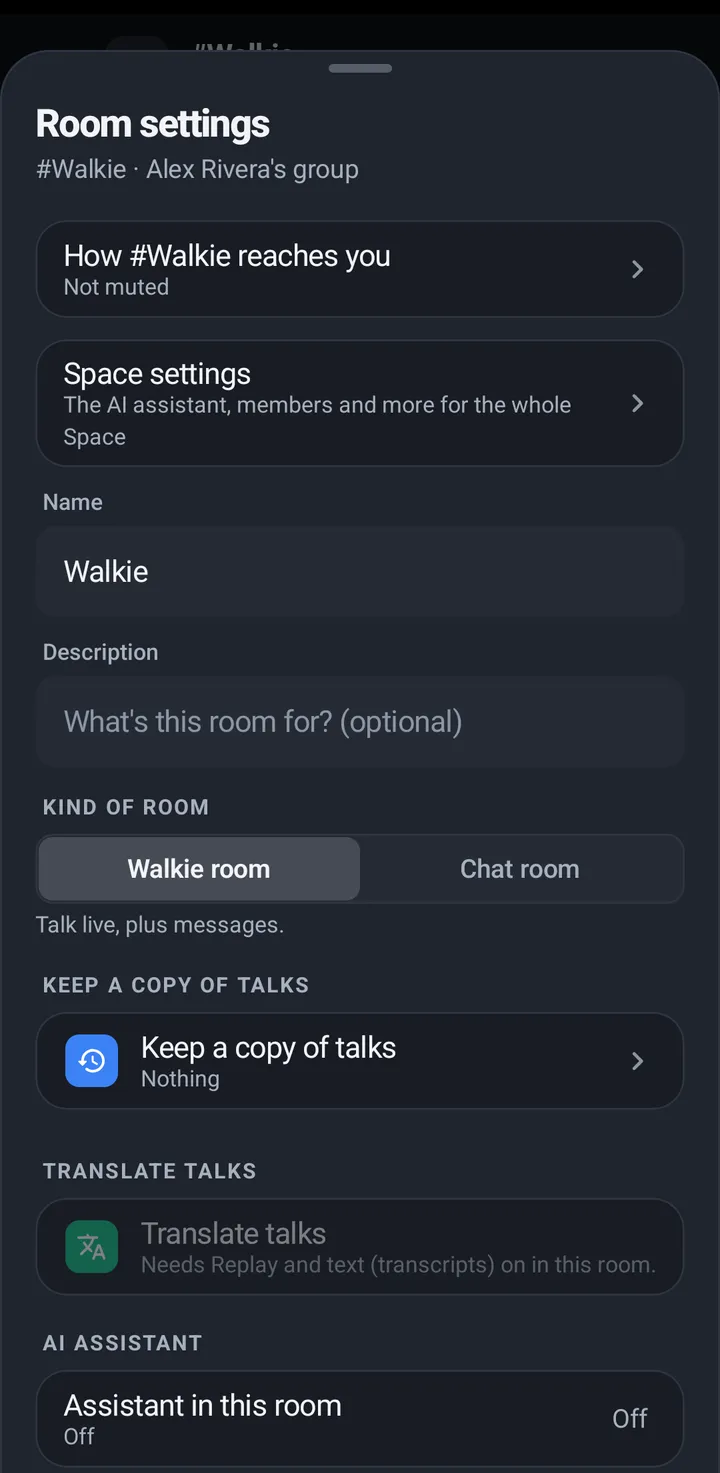
- Room settings › Keep a copy of talks › Voice and text. On a plan without transcripts the choice is greyed out and says “Transcripts are on Crew plans and up.”
- For rooms you add later: Space settings › Advanced › New rooms keep a copy. Rooms that already exist don’t change.
Web app and iPhone
Room settings (three dots) › Keep a copy of talks; owners and admins manage it there, with both keep times.
Watch
Set transcripts on the phone.
How long they are kept
Transcripts are kept 7 days unless the room’s owner or an admin keeps them longer: Room settings › Keep a copy of talks › Keep transcripts for offers 1 day, 7 days, 30 days, 90 days or 1 year, up to your plan’s room history (30 days on Plus and Plus 10 with your own key, 90 on Crew, 1 year on Business). Owners and admins also see longer times greyed with the plan that has them. If the plan gets smaller, longer transcripts stay 30 more days before the shorter time applies.
Read them, and your choice
Phone
- A room with transcripts shows Transcribing. If your switch is off it says Your voice won’t be transcribed with Allow.
- When the Space uses its own key, the question names the provider, for example: This Space uses Deepgram to turn speech into text, so what you say is sent to Deepgram.
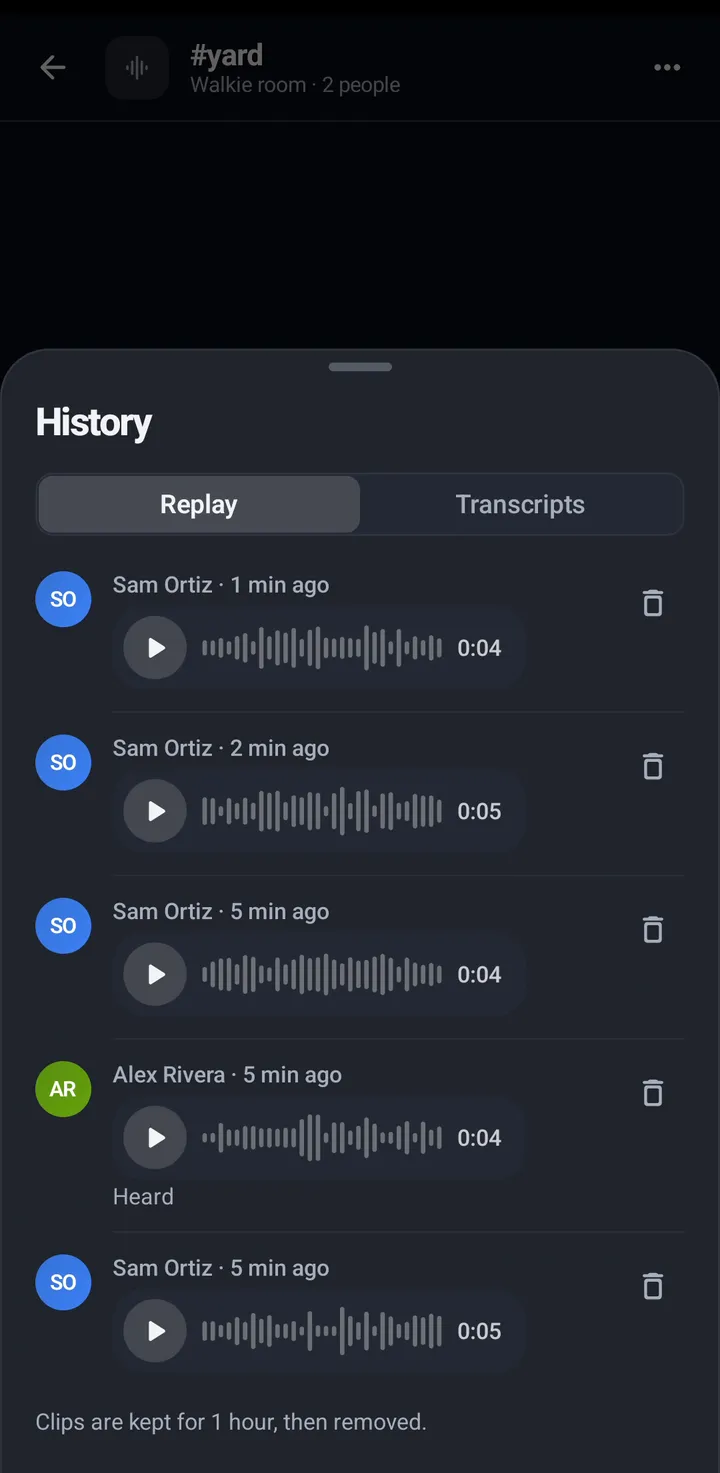
- Read them in History › Transcripts, or tap the last line on the room screen.
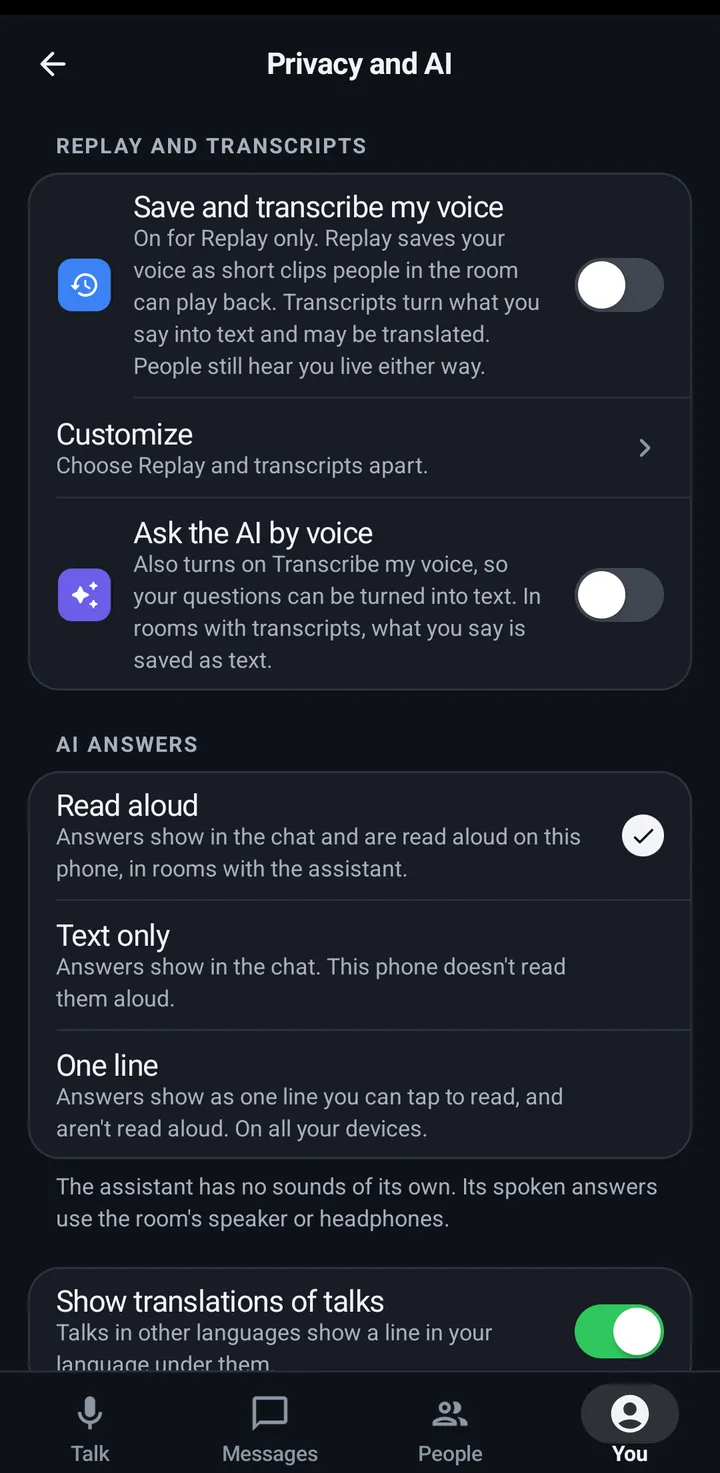
- Your switch: You › Privacy and AI › Save and transcribe my voice. Under Customize, Transcribe my voice is the text half on its own.
Watch
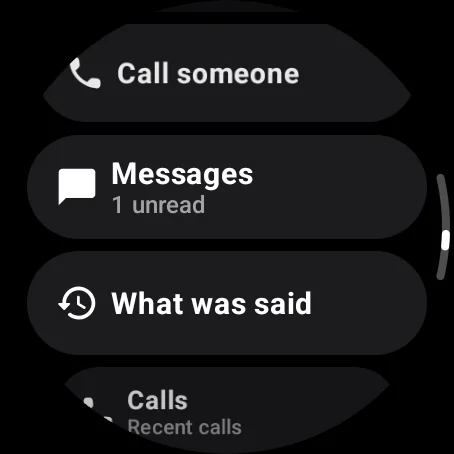
- Tap the What was said icon beside the talk button (on the right by default), or swipe up and tap What was said directly under Messages, with the newest line shown beneath it. It shows up to 30 transcript lines. In this room still shows recent lines too.
- The missed-talks card has What was said under Play. The KeyUp Talk button shortcut screen also has What was said under Stop; it ends your talk before opening the text. Back returns to where you opened What was said.
- To delete a line you are allowed to delete, tap the line to show a separate Delete for everyone button. Wait a moment, then tap that button. It ignores taps just after it appears, so double tapping the line never deletes it.
- The question names the provider when the Space uses its own key.
- Your switch: Settings › You › Privacy › Save and transcribe my voice.
Web app and iPhone
- The room card shows Transcribing with Allow. When the Space uses its own key, the question names the provider.
- Your switch: You › Privacy and AI › Save and transcribe my voice.
Still stuck? Email [email protected]. Tell us your phone and watch model and what you tried.