Crown not working? One tap to check
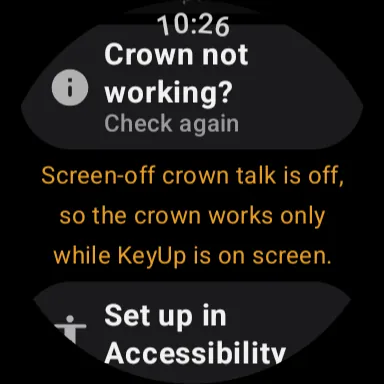
The watch reads what can stop the crown and tells you the first problem in one sentence, with a button to fix it.
KeyUp checks the things that can make the crown (or a Galaxy Watch’s bezel) do nothing and says the first one it finds in one plain sentence. It only reads settings. It never changes anything.
Watch
- Go to Settings › You › Help › Crown not working?. On a Galaxy Watch the row says Bezel not working?. It is also in Settings › How you talk while Crown is picked.
- Tap it. One sentence says what is wrong. When a screen fixes it, one button opens it: Set up in Accessibility, Open Accessibility, Open Display settings, Open Battery Saver or Open settings.
- Fix it, come back and tap Check again.
Phone
The check is on the watch, because it reads the watch’s own settings.
Still stuck? Email [email protected]. Tell us your phone and watch model and what you tried.