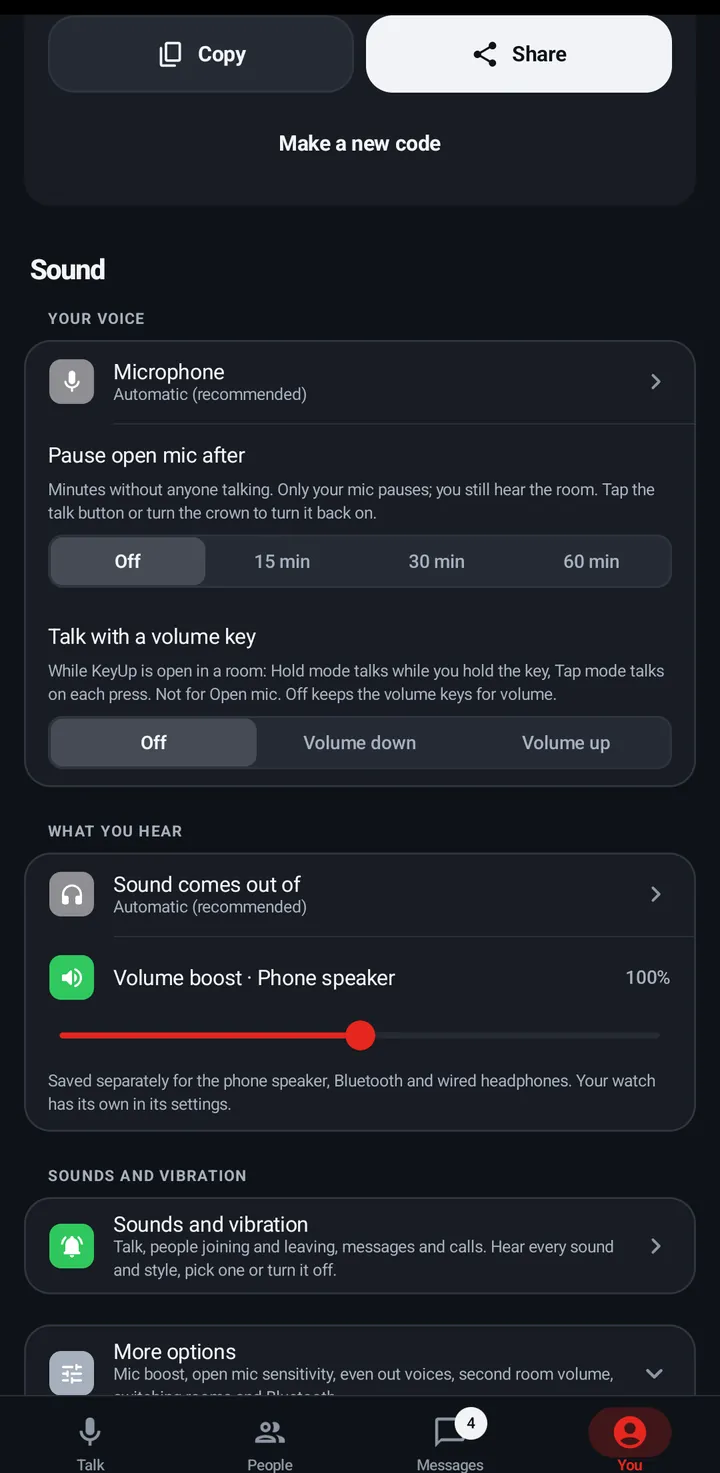
Talk with a volume key
Make Volume down or Volume up your talk button while KeyUp is open in a room.
On the phone, a volume key can work as the talk button while KeyUp is open in a room. In Hold it talks while you hold the key; in Tap each press starts or stops. It is off by default.
Phone
- Go to You › Sound › Your voice › Talk with a volume key.
- Pick Volume down or Volume up (or Off).
Watch
Not on the watch. Use the crown. See Talk with the crown.
Web app and iPhone
A web page can’t read the volume keys. On a computer use a keyboard key instead. See Talk with a key on a computer.
Still stuck? Email [email protected]. Tell us your phone and watch model and what you tried.