Nobody hears me, or I hear nobody
Check that the button turns red, the microphone permission, your mic choice, Quiet, the speaker button, your output and the volume.
Start with what you see: does the talk button turn red, or does it say why it is grey? Then check the microphone permission, your devices, Quiet, the speaker button and the volume. Each part below covers one problem.
Others can’t hear me
If nobody hears you, KeyUp may not have the microphone, or your voice is going to another device.
Phone
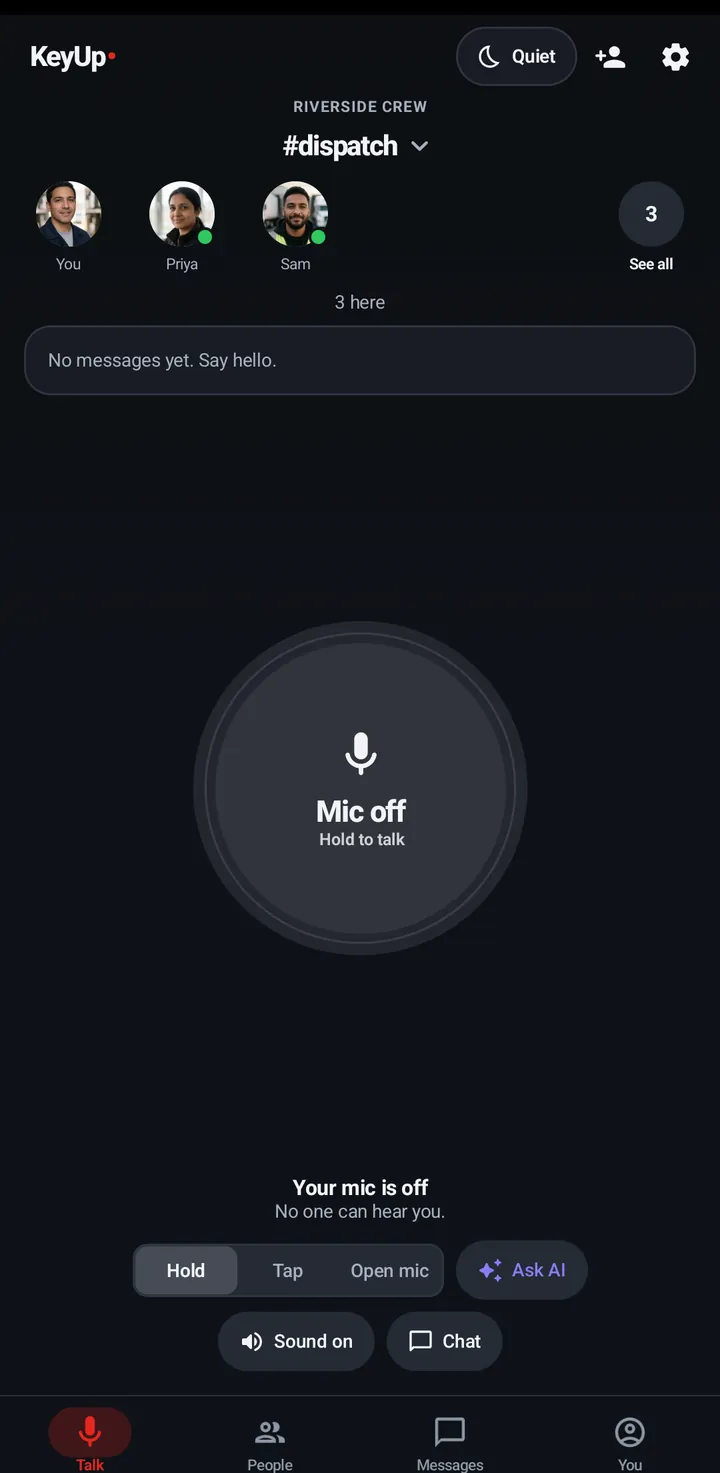
- When you talk, the button must turn red and say On air. Amber Waiting means someone else has the room.
- Check Android allows the microphone: phone Settings › Apps › KeyUp › Permissions › Microphone.
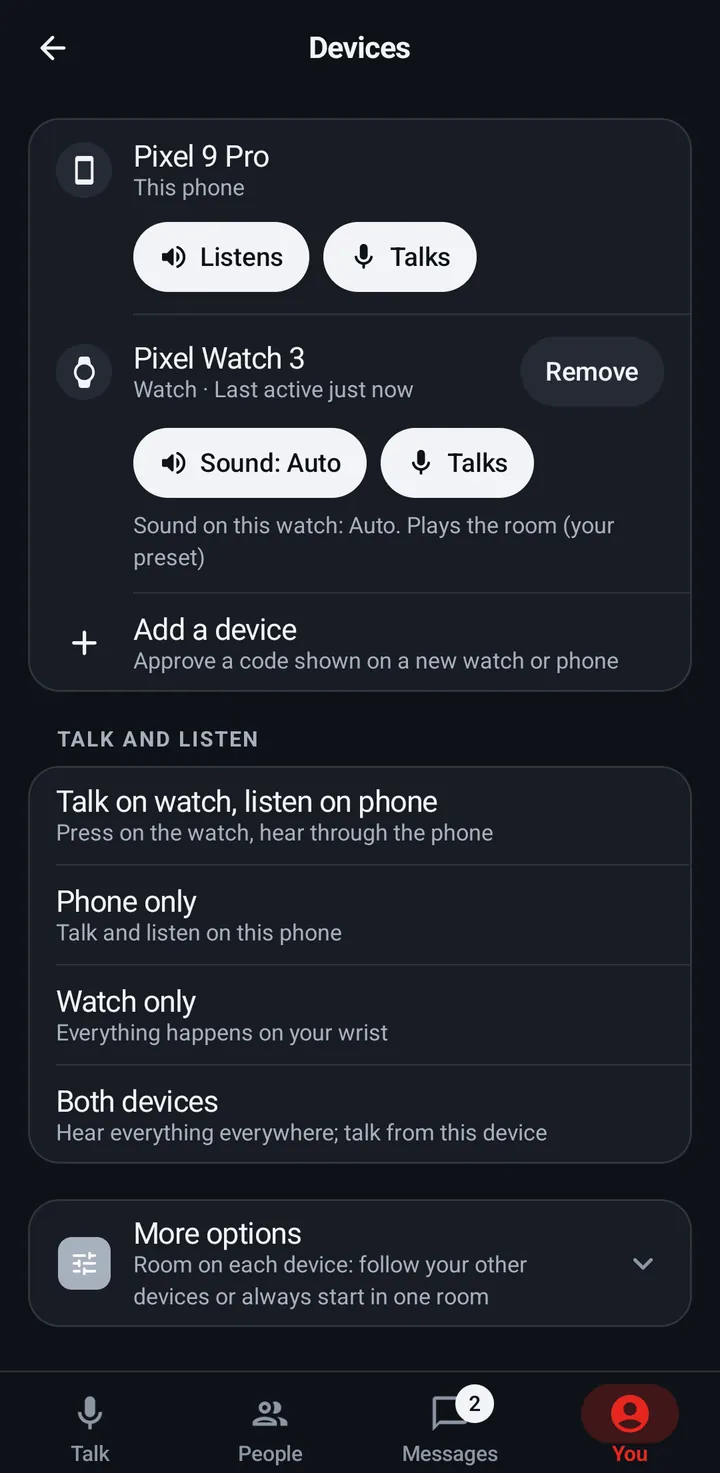
- In You › Devices, check the device you talk on says Talks, not Doesn’t talk.
- In You › Sound › Microphone, try Automatic.
- Too quiet? Raise Mic boost.
Watch
Check Settings › Sound › Mic on this watch is on, and the button turns red when you talk.
Web app and iPhone
Allow the microphone when the browser asks. On iPhone, keep KeyUp open in front: a talk stops when the page goes to the background.
Why the talk button says Mic off
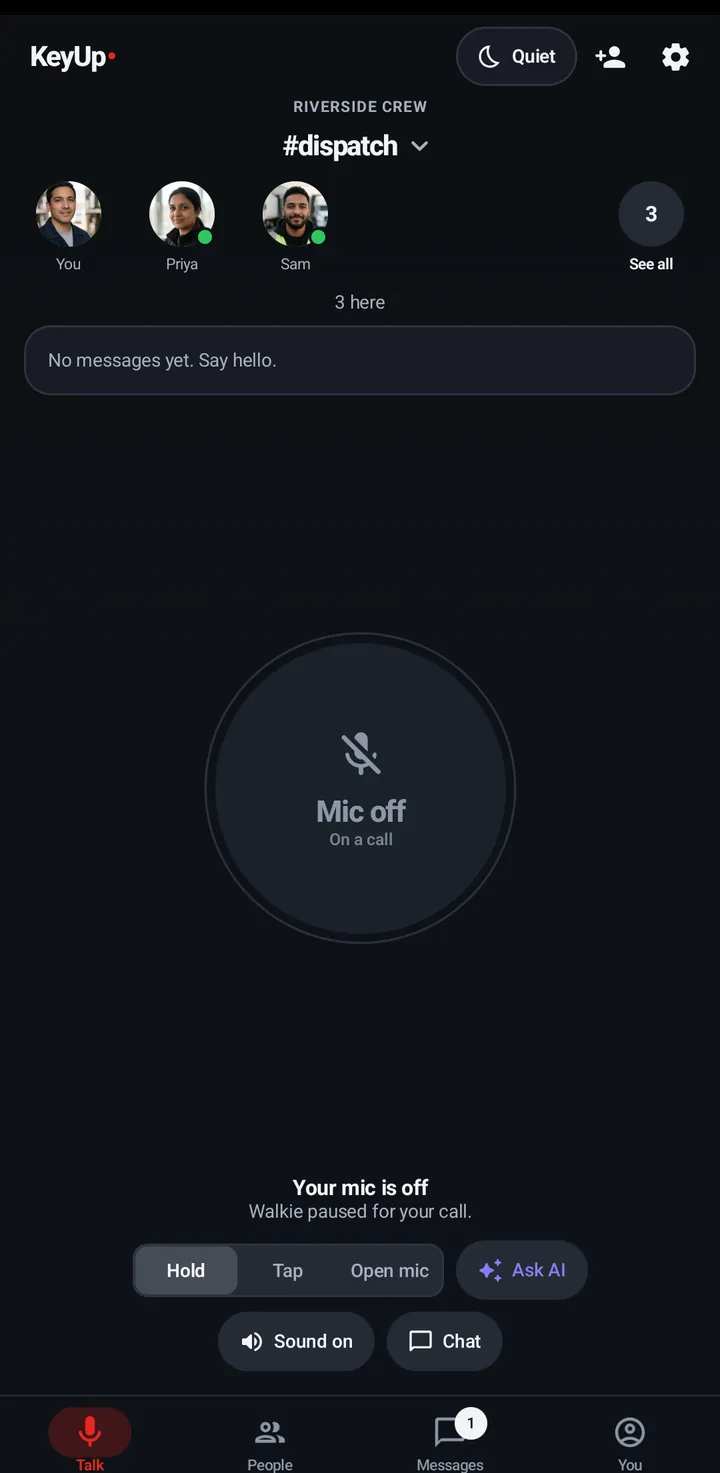
When you can’t talk, the button stays grey and says why.
- Reconnect to talk: the connection dropped. KeyUp reconnects by itself. See Weak connection.
- Tap to resume: you are off in this room. Tap to come back. See Quiet, Mute and Hours.
- On a call: a call has the mic. The walkie comes back when the call ends. See One mic at a time.
- Talk on your watch: your watch is set as your mic. Talk there, or change it in You › Devices › Talk and listen. See Talk on your watch, listen on your phone.
“Open KeyUp so you can talk”
Android protects the microphone. When it won’t let KeyUp start the mic in the background, KeyUp sends nothing, buzzes twice and shows Open KeyUp so you can talk.
Phone
- Open KeyUp (tap the notification or the app).
- Talk again. With KeyUp on screen the mic always works.
Watch
- Open KeyUp on the watch and talk again.
- To talk with the crown while the screen is off, turn on screen-off crown talk. See Screen-off crown talk.
One mic at a time: calls and voice notes
During a call the walkie pauses (Walkie paused for your call. on the button). An open mic comes back after a call of under a minute; after a longer call it says Open mic paused. Tap to turn it back on. While you record a voice note, a talk press says You’re recording a voice note. Finish it to talk.
Phone
Automatic.
Watch
Automatic.
Web app and iPhone
Walkie is paused during your call. shows on the Talk tab.
They did not hear me
After you talk, the line under the talk button can say Heard by and a name, or why someone did not hear it.
Phone
- Nobody heard it (offline) or a name marked offline: that device was not connected. KeyUp keeps your voice for up to 5 minutes and delivers it if they come back in that time. If it matters, tell them another way; an owner or admin can Page them.
- Not heard (quiet): they have Sound off, Quiet on, a timed mute, or paused headphones. A talk they did not hear waits in their missed talks. Ask them to check the speaker button and their headphones. See Headphones disconnect.
- Only you see this line.
Watch
The same words show under the talk button on the watch.
I can’t hear anyone
A silent room is usually muted, set to another device, or playing to the wrong output.
Phone
- Check the moon: a dot means Quiet is on or something is muted.
- If the Sound chip says Paused · Tap to play and the line under the talk button says Paused: headphones off. Tap Sound to play here, tap Sound once to play here. Closing the headphones question leaves the room paused.
- Check the room’s speaker button says Sound on.
- In You › Devices, check this phone says Listens, and the Talk and listen preset plays on this phone. If it doesn’t, the room’s speaker button says Off in Devices.
- Try You › Sound › Sound comes out of › Automatic, and turn up the media volume.
- Only one person is silent? Tap them and check their volume, and whether you muted them.
Watch
- If the talk screen says Paused: headphones off · Tap to play here, tap that line once to play on the watch.
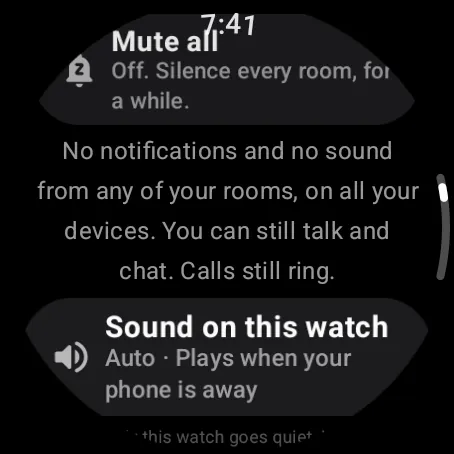
- Swipe up and check Quiet, then Settings › Sound. Sound on this watch on Auto plays only when the phone is away; pick On to always hear the room on the watch.
iPhone
- In the iPhone app (in private testing), check the Sound chip under the talk button says Sound on. Tap it to turn Sound on this phone on or off; it stays that way on this iPhone for every room.
- If it says Paused · Tap to play, your headphones went away: tap it once to play here.
Web app and iPhone
Keep the page open in front. On iPhone, sound may need one tap to start (“KeyUp needs a tap to play sound”).
Still stuck? Email [email protected]. Tell us your phone and watch model and what you tried.