Room chat and sending text
Every room has a chat next to the talk. Type, dictate, or reply from your wrist.
Every room has a chat. Chat rooms are messages only. A message sent with no signal waits and goes out by itself when you are back online, even if the chat is closed. A reply typed in a notification that could not go out says Reply not sent yet until it does.
Phone
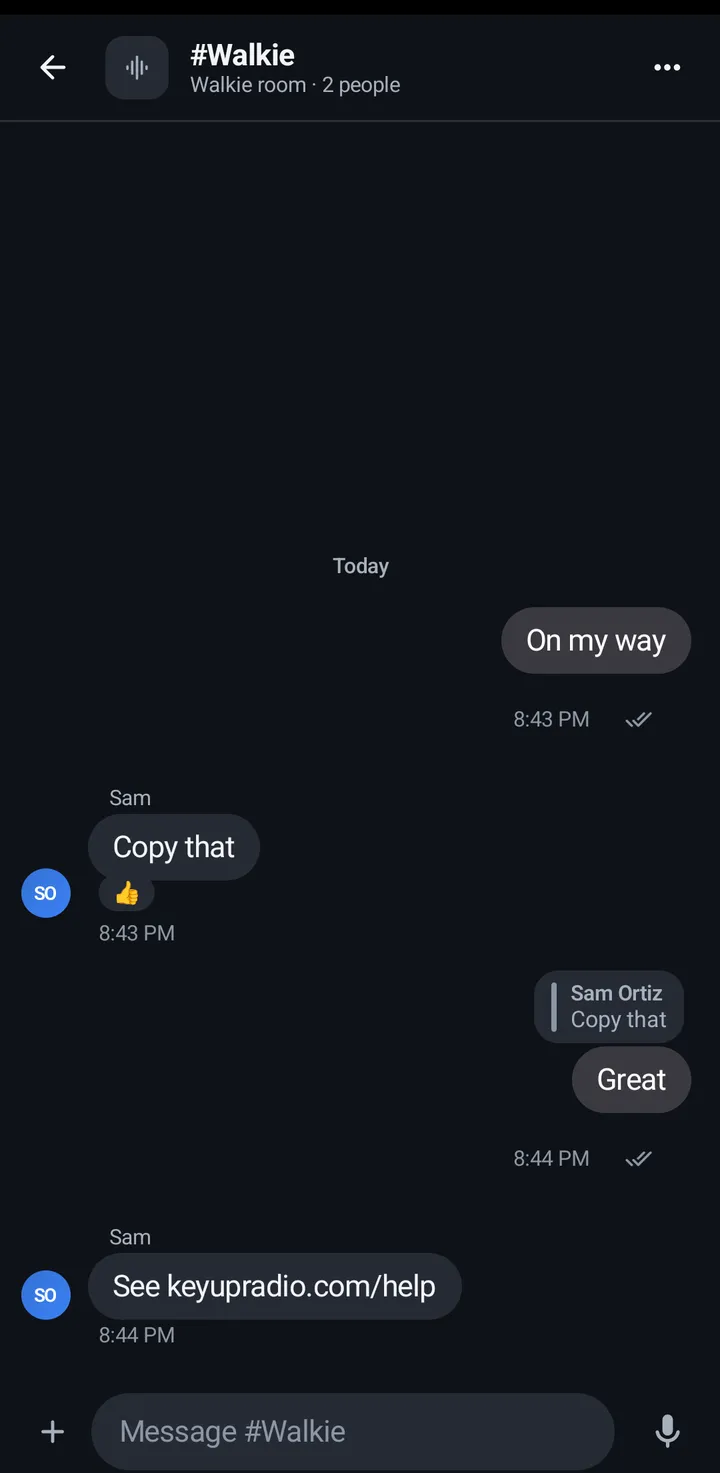
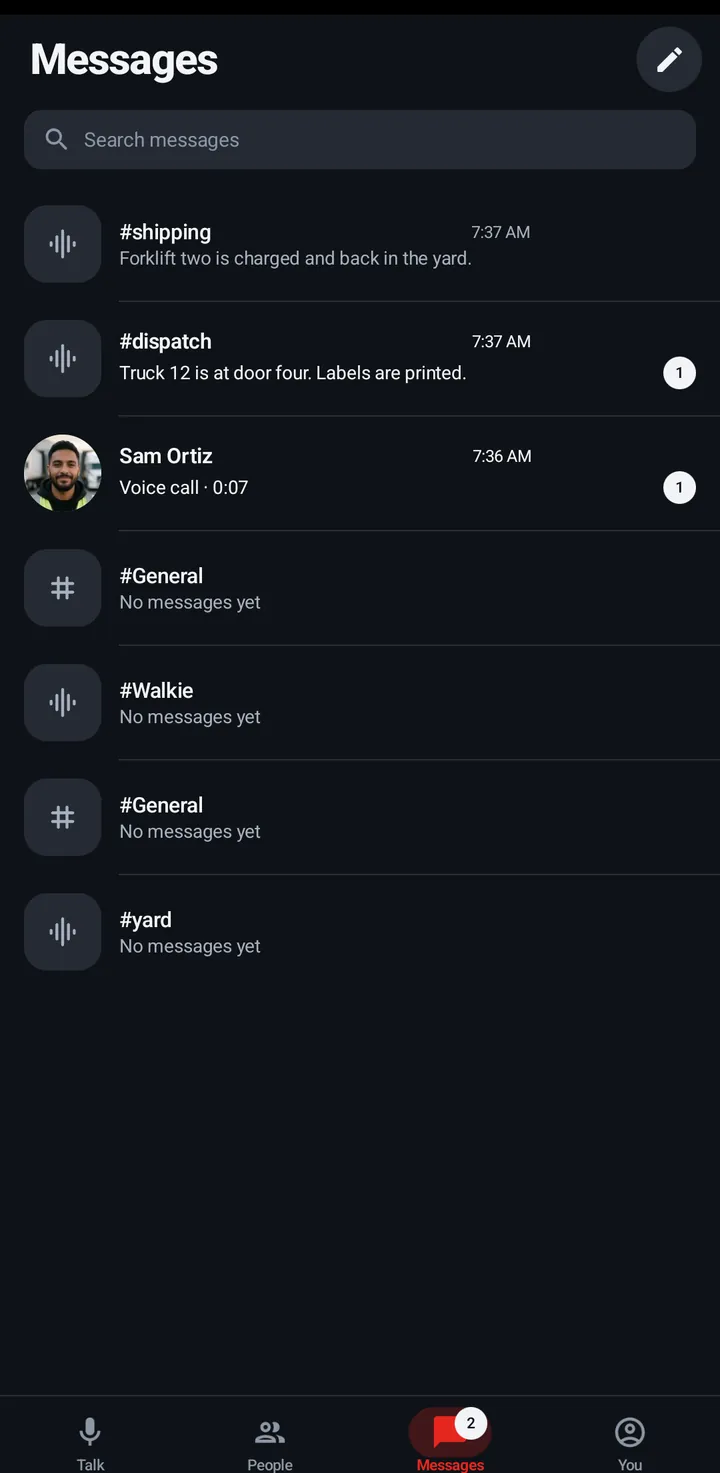
- In a room, tap the Chat chip under the talk button (it shows an unread count), or open the Messages tab.
- Type in the message box. The + button has Photo and Dictate.
- A message that didn’t go says Not sent · Tap to try again or Will send when you’re back online.
iPhone
In the iPhone app (in private testing), a message typed with no signal says Will send when you’re back online. It waits in the chat with Tap to retry, and the box says how many are waiting with Retry. It goes out by itself when KeyUp is connected again, while KeyUp is open.
Watch
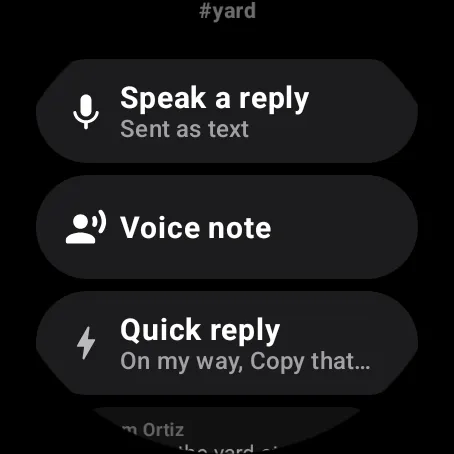
- Swipe up, scroll to Actions, Messages › the room’s chat (This room), or open a chat room from the Rooms list.
- Use Speak a reply (sent as text) or Quick reply: On my way, Copy that, Give me 5 min, Can’t talk now.
- The watch shows the last 20 messages.
Web app and iPhone
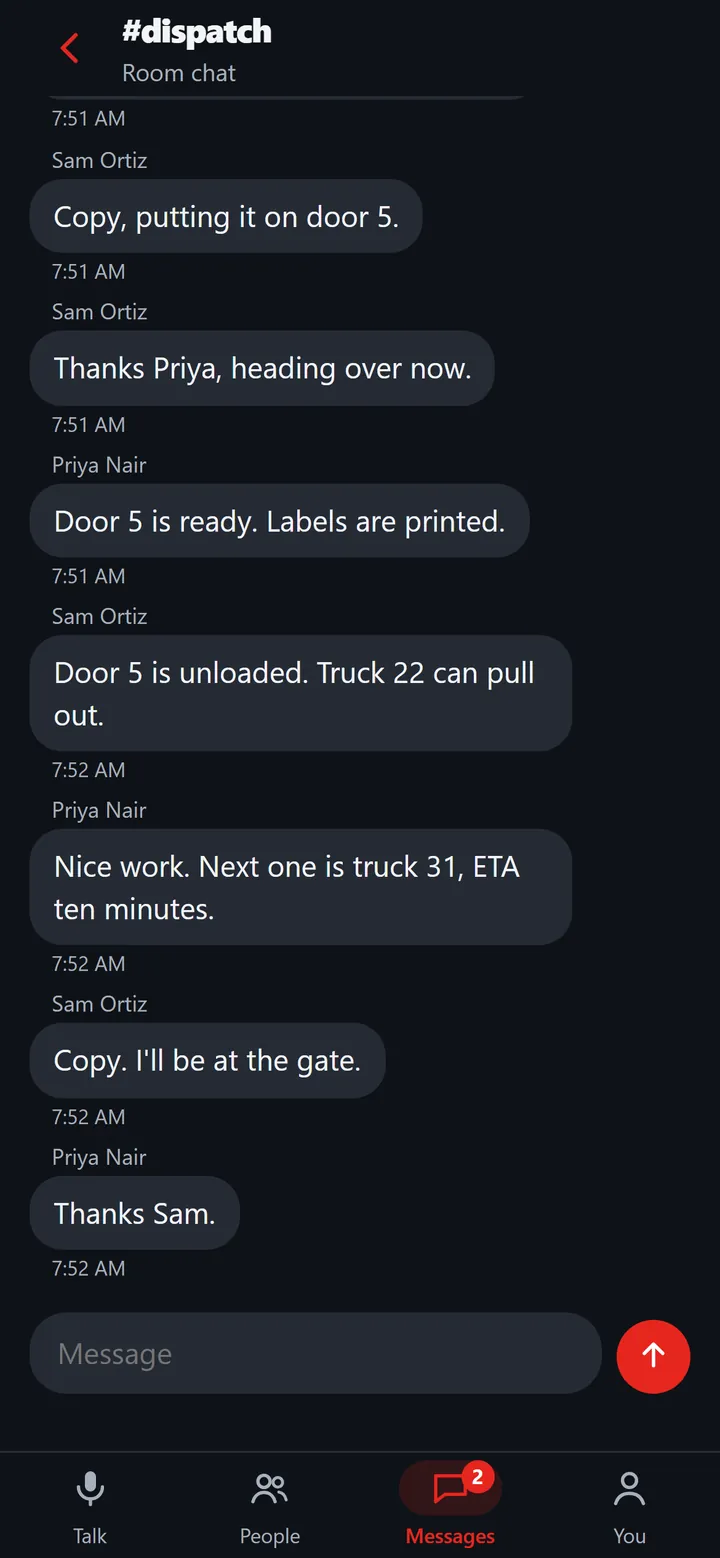
- Open the Messages tab, or a chat room from Your rooms.
- Type in the message box (up to 8000 characters). Drafts are kept per chat. Show earlier messages loads older ones.
Links in messages
A web address in a message, one that starts with http:// or https://, becomes a link.
Phone
- Links are underlined. Tap one to open it in your browser.
- A link that could fool you asks first: Open example.com? and This link goes to example.com. Open it only if you trust it., with Open and Cancel. That happens when the address hides its real site (like [email protected]), uses letters that only look like plain ones (shown in their plain xn-- form), or has unusual encoded characters. Plain links open at once.
- An address with hidden characters in it is not turned into a link at all. It stays plain text.
- A long press on the message still opens its actions, such as Copy.
- KeyUp never opens a link by itself and doesn’t load a preview of it.
- With TalkBack, each link has an action Open and the address.
Web app
- In the web app, links are underlined. Click one to open it in a new tab.
- A link that could fool you asks first, the same as on the phone: Open example.com? with Open and Cancel. An address with hidden characters stays plain text.
- KeyUp never opens a link by itself and doesn’t load a preview of it.
Watch
- Open a message with links: the watch shows up to three Open on phone chips, each with the link’s site under it. Tap one to send that link to your phone.
- The watch says Sent to your phone and Tap the notification there to open it. If nothing shows, update KeyUp on your phone and turn on its notifications. If the phone can’t be reached it says Your phone isn’t connected.
- Your phone shows a notification, Open link from your watch, with the site’s name. Tap it to open the link in the phone’s browser. The phone never opens it by itself, and the notification goes away after 10 minutes. On a lock screen that hides private content it says only Link from your watch.
Still stuck? Email [email protected]. Tell us your phone and watch model and what you tried.