Notification levels and where they go
Choose what notifies you, where notifications go, which kinds each device shows, and the level of each room.
Choose Everything, Only mentions and replies or Only calls, pick where notifications go, and set each room to Everything, Mentions only or Off. If notifications do not arrive, see I’m not getting notifications.
Advanced: notifications
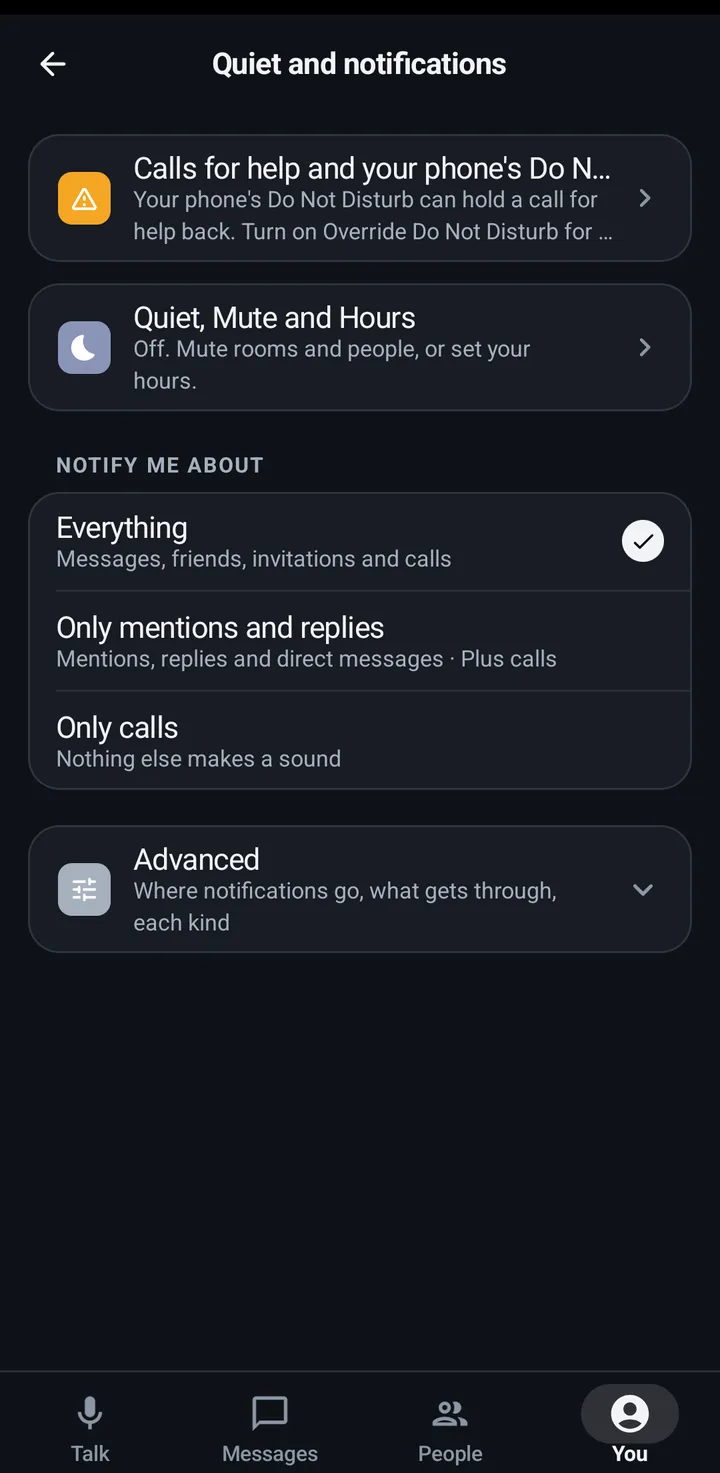
Notify me about stays on the main list: Everything covers messages, friends, invitations and calls. Only mentions and replies notifies you for mentions, replies and direct messages, and calls always ring (incoming and missed calls, and pages). Only calls is just calls. The level is saved on your account, so the phone, the watch and the web follow it. The rest is under Advanced: Where notifications go (Phone and watch, Watch only when it’s connected or Phone only, with Calls on watch so the watch still rings), each kind on or off for this device (Messages, Friend requests, Invitations, Calls, Missed calls, and Account and Space alerts) and, per room, Everything, Mentions only or Off.
Phone
- You › Quiet and notifications › Notify me about: pick the level.
- Advanced: Where notifications go, each kind on or off for this phone, and Android notification settings for each kind’s sound, vibration and pop-up in Android.
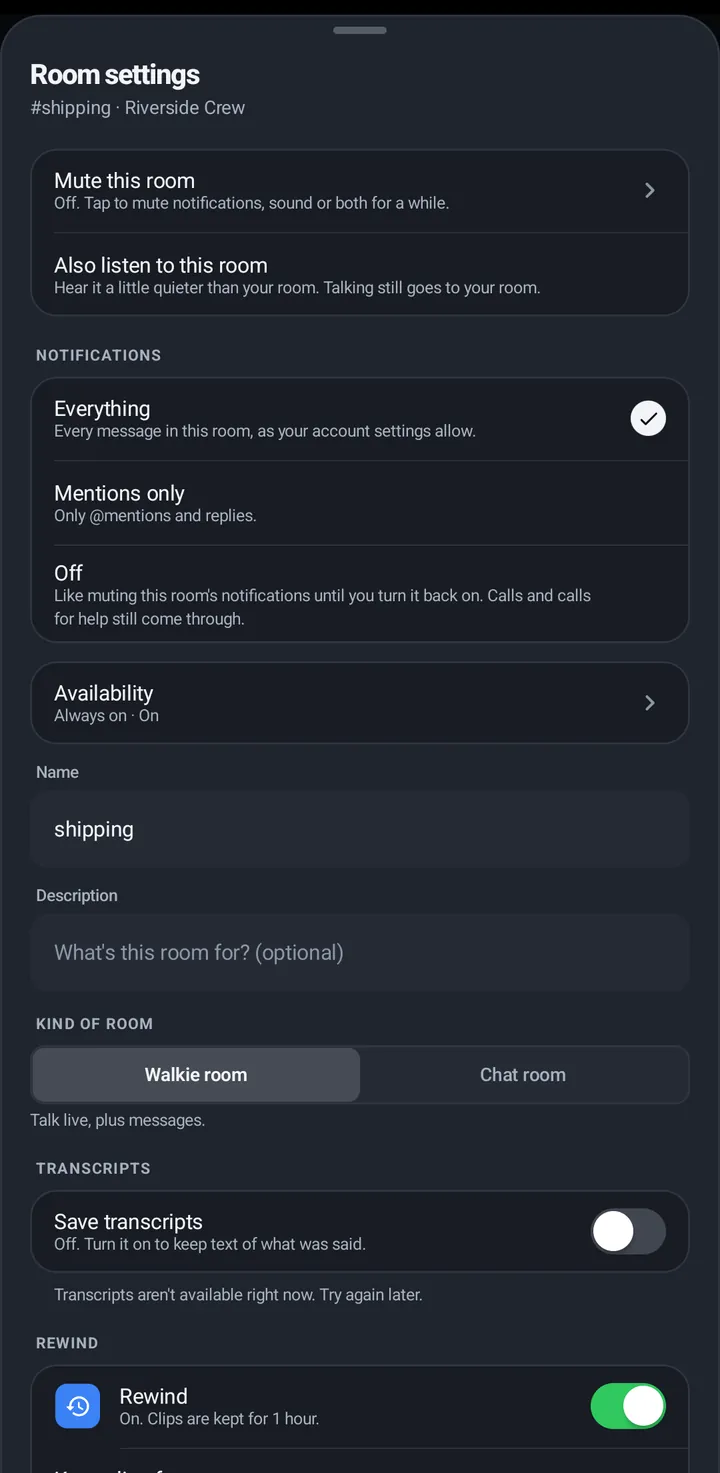
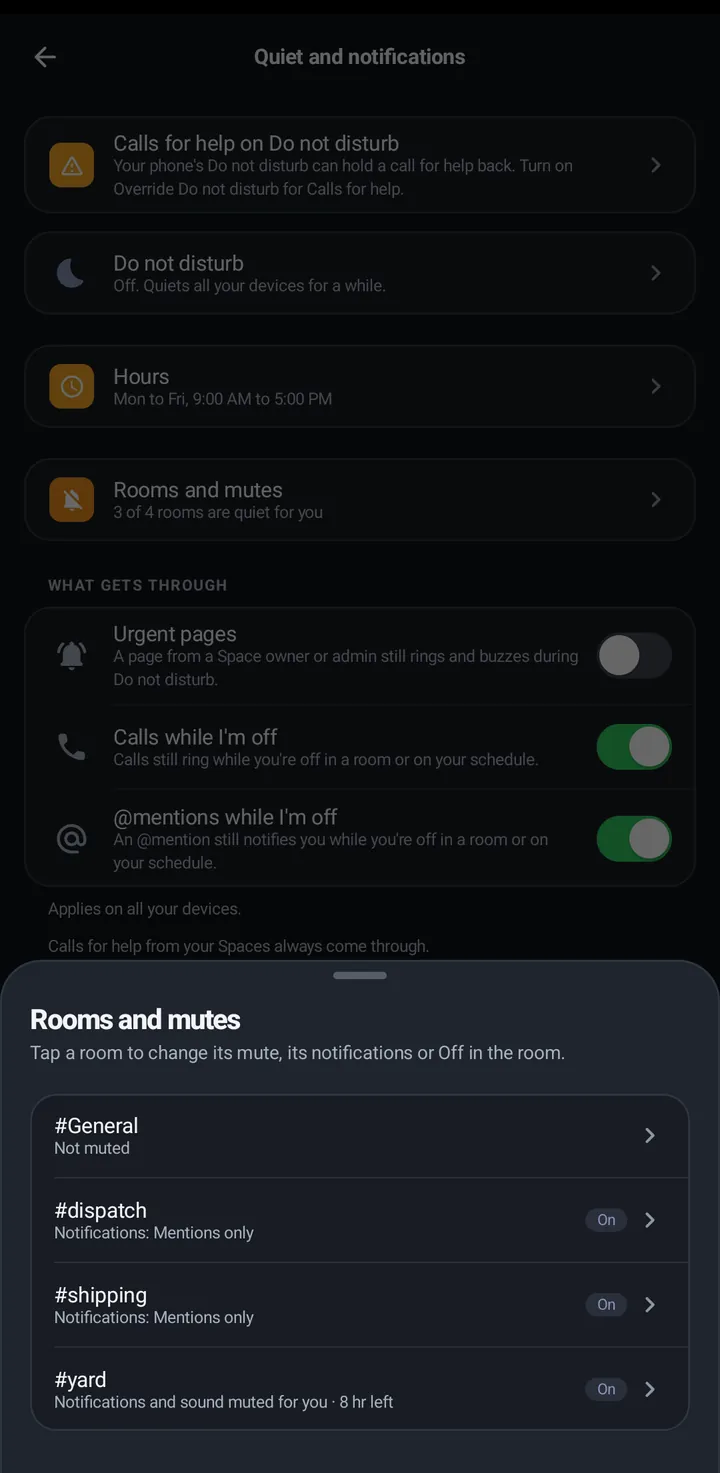
- Rooms and mutes, inside Quiet, Mute and Hours, lists every room’s level, mute and Off, and opens its Room settings. For one room, open Room settings (the gear) and tap How #room reaches you, then pick the level under Notifications. A room set to Mentions only or Off shows that in the Mute sheet and lights the moon’s dot.
Watch
- Settings › Notifications and rooms › Notify me about: Everything, Only mentions and replies (direct messages and calls too) or Only calls. It is the same account setting as the phone’s.
- Settings › Notifications and rooms › Advanced: Where notifications go and the kinds this watch shows (a guest only has Messages).
- In a room, swipe up: In this room has a Notifications chip with Everything, Mentions only and Off. Off is like muting this room’s notifications until you turn it back on. Calls and calls for help still come through, and talks still play.
Web app and iPhone
- You › Quiet and notifications: Turn on notifications, Send a test, Turn off, and What notifies you (the same three levels). Web notifications cover direct messages, mentions, friend requests, invitations, missed calls and pages.
- Room settings › Notifications: Everything, Mentions only or Off for one room.
- No Where notifications go setting. The web counts as a phone-side device.
Still stuck? Email [email protected]. Tell us your phone and watch model and what you tried.