Android phone and Wear OS watch
Install KeyUp from Google Play, then create an account. Android 9 or newer on the phone, and on a Wear OS watch.
Get it on Google PlayKeyUp for Wear OS, Android and the web
Turn the crown and talk. Your whole crew hears you right away, across the floor or across town. Your phone can stay in your pocket, or at home.
Free for 2 people · No radios to buy · No ads on any plan · Android, Wear OS, web and iPhone
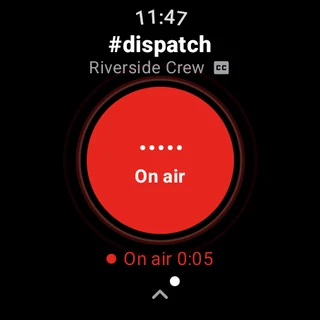
Illustration. KeyUp doesn’t track anyone’s location.
Works with the headphones you already have
Your whole team can talk instantly, from their wrists, without buying radios. Headphones that only play music work too, with no call mode and no working mic needed: KeyUp plays the room the way your headphones play music, and you talk into your watch.
The room plays through your headphones like music, so your music keeps playing. Headphones with no usable mic for calls are fine: you talk into your watch or your phone.
Want to talk into your headset instead? Hands-free uses its mic like a phone call, only while people are talking, and lets go of it once the room goes quiet.
Talk on your watch and listen in your phone’s headphones. Or use just the phone, or just the watch on its own over Wi-Fi or LTE.
Bluetooth headphones or earmuffs that play music but have no usable mic for calls may work too; check your model. KeyUp needs Wi-Fi or mobile data.
iPhone and Apple Watch
KeyUp has an iPhone app and an Apple Watch app. Talk with the phone locked, get notifications while it is closed, and use the same rooms as your crew's Android phones and watches.
See the iPhone app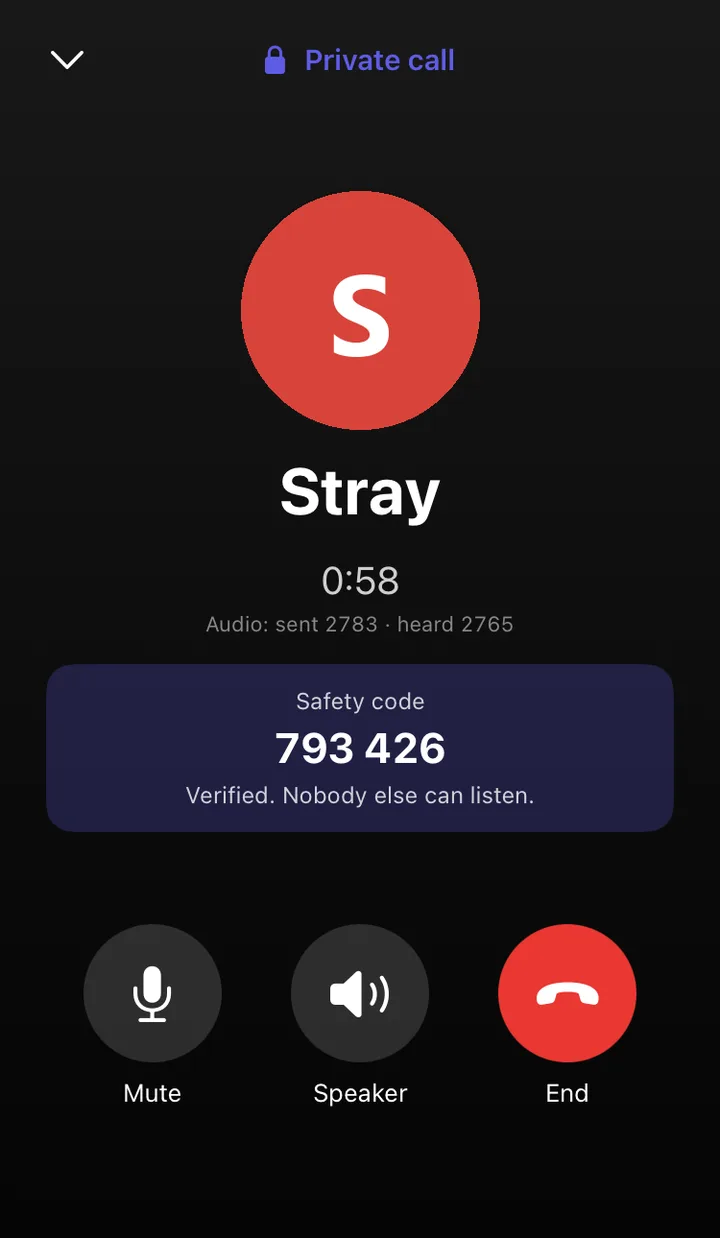
Who it’s for
For crews of 5 to 25 in warehouses, kitchens, events, maintenance and security, and for families. Talk without stopping what you’re doing, and bring everyone in with one tap: a QR code or a link, and guests need no account.
The story in 36 seconds
Someone at door 4 needs a hand. One crown turn later, the whole crew knows help is on the way.
From one KeyUp user
“It’s so nice to be hands free and not have to check the app, not have to check notifications. It feels more real than just text.”
“Feels like you’re present with each other. And also at the same time not bothering each other.”
“There’s not some friction that annoys you to the point where it’s not worth it. If you can easily talk with somebody, it’s like, why wouldn’t you do that?”
All of these quotes are from one KeyUp user. They are shared with permission and trimmed for length.
How it works
One for each team: dock, floor, office.
Show a QR code or share a link. Guests don’t need an account. On your own in a Space? KeyUp shows an Invite someone card.
Or hold the button on your phone. Everyone in the room hears you.
Watches, Android phones, iPhone and computers all hear each other.
Privacy
Talk is live. Replay and transcripts start off, and each person decides for their own voice. Guests are never recorded. A talk missed in a dropped connection is held in memory for 5 minutes at most, to deliver it.
That includes Free. We never sell your data, and you can download it or delete your account any time.
No recording, no transcripts, no AI on private calls. Rooms, messages and regular calls are encrypted in transit.
How KeyUp protects your conversations Read the privacy policy
Free for 2 people
Free covers 2 people. For a bigger crew the Space owner pays one price, and paid plans renew until you cancel. Invited members and guests never pay.
Most push-to-talk apps charge per person
$80 to $150
a month for a 10-person crew at $8 to $15 each1
KeyUp Crew 10
$39.99
a month for the whole crew of 10. No radios to buy.
1 Per-person prices are monthly list prices, checked October 5, 2026: Zello Work Core $8 and Plus $15 per user a month; Voxer Pro + AI $7.99 per user a month after a 3-month intro price. Yearly billing costs less with both. KeyUp is not affiliated with Zello or Voxer.
$0 no card needed
Live talk for two.
Hit a limit and you can ask for a free 14-day trial of a bigger plan.
$4.99 a month
Or $39 a year. Remembers and reads, for up to 5.
Plus 10 is $9.99 a month, or $79 a year, for up to 10 people.
$39.99 a month
Or $399 a year. Runs a team: admins, Crew tools and transcripts, 90 days of messages. $39.99 covers 10 people; each extra person is about $3, sold in steps of 5.
Other crews: Crew 6 $24.99 · Crew 15 $54.99 · Crew 20 $69.99 · Crew 25 $84.99. 25 people or close? Business on the web is $2.50 more and keeps a year of history.
People count once across all your Spaces. Guests never count. Replay, missed talks and Call for help are on every plan; how long talks are kept grows with the plan. The AI assistant (KeyUp has no AI of its own; it uses your own AI key), your own transcription key (up to 20 hours a month) and a Space color start at Plus. KeyUp's own transcripts (2 hours a month) start at Plus. Crew adds more hours, the team tools (rooms with a PIN, listen-only rooms, talk time limits, moderators), translation and Radio Bridge. Used up the transcript hours? Add 5 more hours for $1.99 a month on any paid plan. It is its own subscription, bought where the plan was bought (Google Play in the Android app, Apple in the iPhone app, the web on the web). A plan can have up to 2 packs of 5 hours on the web, and 1 on Android and iPhone. It renews every month and can be cancelled on its own. Not on Free, and not during a trial. Business is $84.99 a month for the first 25 people plus $2.50 for each extra person, for 26 or more people, bought on the web. No ads. Not on any plan, including Free.
When a trial or paid plan ends, the people over the Free limit are paused until the owner upgrades or makes room. No person or room is deleted; talks and messages older than the Free keep times are kept for 30 days, then removed.
Compare plansFree for 2 people
Install it from Google Play, get the iPhone app, or use it in your browser. Nothing is charged unless you choose a paid plan.
Install KeyUp from Google Play, then create an account. Android 9 or newer on the phone, and on a Wear OS watch.
Get it on Google PlayTwo ways. The KeyUp iPhone app plays talks while the phone is locked or another app is in front, as long as KeyUp is running. It also has an Apple Watch app. KeyUp in Safari needs nothing installed but works only while the page is open on screen.
KeyUp on iPhoneNo install. Open the web app on a computer or phone and tap Create account.
Open the web app Or try a demo firstFree for 2 people, no card needed. Pricing
Yes, there is a Free plan for up to 2 people: live talk for two, with 1 talk room and 1 chat room. Plus is $4.99/month for up to 5, for personal use, with 2 hours a month of KeyUp transcripts, longer history, the AI assistant (your own AI key) and a Space color. Crew starts at $24.99/month for up to 6. If a limit stops you, you can ask for a free 14-day trial of a bigger plan; on Android and the web it needs no card and it ends by itself. You are only charged if you choose a paid plan, and paid plans renew at the same price until you cancel.
No. Your watch works on its own over Wi-Fi or LTE, so you can leave your phone in your pocket or at home. Setting up a Wear OS watch still needs an Android phone once.
Android phones and Wear OS watches that run Android 9 or newer. Turning the crown with the screen off needs Wear OS 5 or newer and the KeyUp Accessibility setting.
Yes, in two ways. The KeyUp iPhone app plays talks while the phone is locked or another app is in front, as long as KeyUp is running. It also has an Apple Watch app. A call shows as a notification while KeyUp is closed or the phone is locked. KeyUp in Safari needs nothing installed, but it works only while the page is open on screen. In the app, a call for help shows as a notification, and the loud alarm plays while KeyUp is open. See KeyUp on iPhone.
Yes. KeyUp has an Apple Watch app. It is installed with the KeyUp iPhone app, and you sign it in from the iPhone. Open KeyUp on your watch and tap to talk, in the same rooms as Android phones, Wear OS watches, iPhone and computers. Apple discontinued its Walkie-Talkie app in watchOS 27 (Apple Support, September 2026). KeyUp is a separate app with its own account, and the people you talk to need KeyUp too. See Push to talk on Apple Watch after watchOS 27 and KeyUp on Apple Watch.
Yes. Pick Talk on watch, listen on phone in You > Devices > Talk and listen. Talk into the watch and hear the room in any headphones on your phone, even music-only earbuds. Music keeps playing and dips while someone talks.
Usually, yes. With Bluetooth audio on Music quality (the default), KeyUp plays the room the way your headphones play music, and you talk into your watch or phone, so headphones or earmuffs with no usable mic for calls may work too; check your model. If your headset has a good mic, Hands-free uses it like a phone call, only while people are talking. See KeyUp with Bluetooth headphones.
The app speaks English, Spanish, French, Portuguese (Brazil), German and Italian. It follows your phone’s language, or pick one in You > Look and language > Language. The watch follows its own language. See Change the app language.
The Space owner pays one price for the whole crew. Invited members and guests never pay. Each person counts once across all of the owner's Spaces, and guests never count.
Not unless you say yes. New rooms start with transcripts, Replay and the assistant off. A room has to turn on Replay, and you have to agree, before your voice is saved. (A talk someone missed when their connection dropped is held in memory for up to 5 minutes to deliver it, never on disk.) Clips are kept for the longest your plan allows by default (1 hour on Free, 7 days on Plus, 30 days on Crew and 90 days on Business), and a room can choose a shorter time, down to 1 hour. Transcripts need your yes too, and are kept for the room's keep time, up to your plan's message time. If a Space owner uses their own transcription provider, the app names it and asks you first. Guests are never recorded, and private 1-to-1 calls are end-to-end encrypted with no recording, transcripts or AI.
Nothing from KeyUp. KeyUp has no AI assistant of its own. The assistant comes with Plus and every plan above it. The Space owner adds their own key from OpenAI, Anthropic, Google Gemini or a compatible service and pays that company directly. The assistant only hears you if you turn on Ask the AI by voice.
Android and Wear OS: get KeyUp on Google Play, then create an account. iPhone and Apple Watch: use the KeyUp apps. Computers: open the web app in any browser. No code needed. The people you invite join free with your invite link.
Hi! Ask me anything about KeyUp. I answer from KeyUp’s public pages and link the page each answer comes from.