Mute a room
Silence one room on every device: its chat, its live audio, or both.
Choose what to mute: Notifications (its chat), Sound (its live audio and AI answers read aloud) or Both (the default), for 1 hour, 8 hours or Until I unmute. You can still talk, chat and use Rewind. Calls and pages still come through.
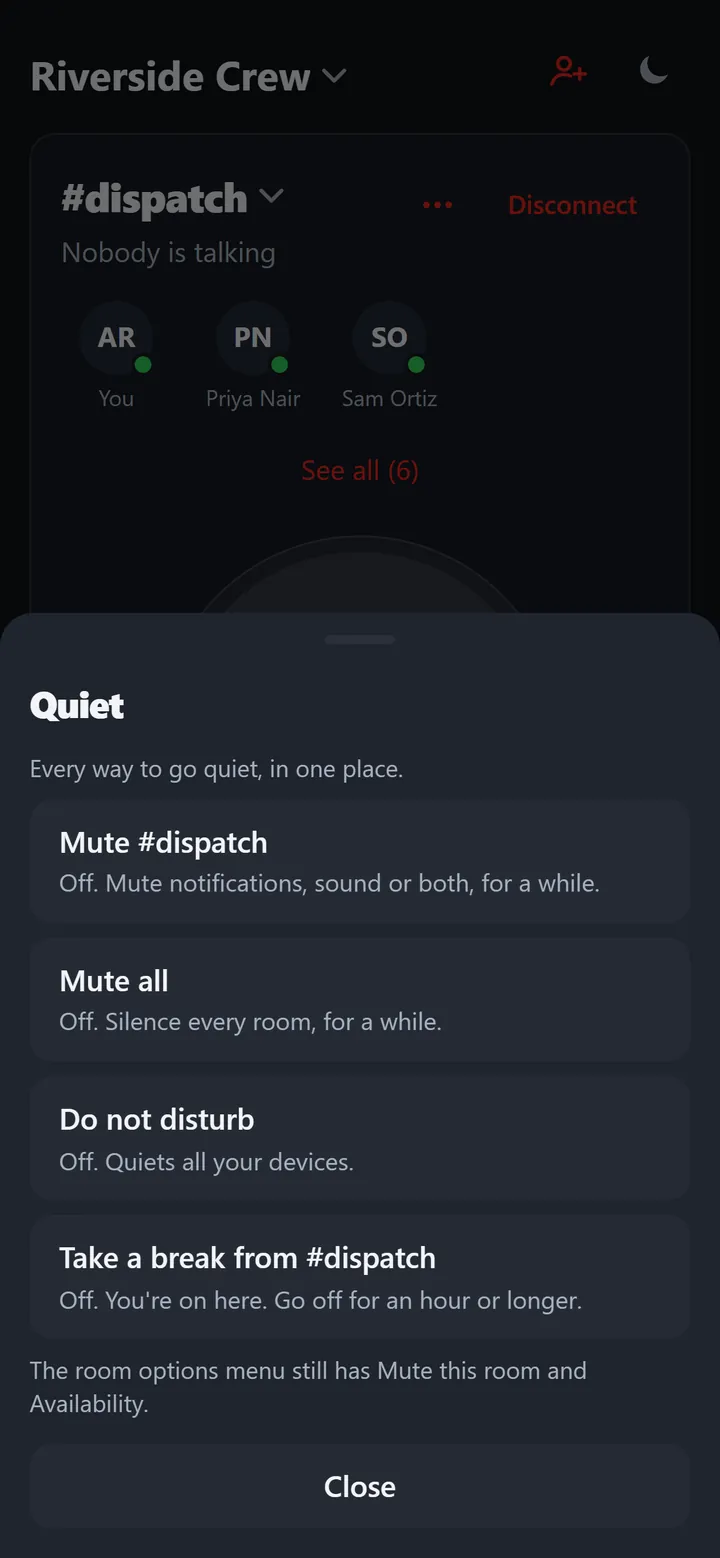
Phone
- Quiet › Mute #room; or long press a room on the Talk tab or in Your rooms; or Room settings › Mute this room.
- A muted room shows a bell with a line through it. With Sound muted the room says Muted. You won’t hear this room. with Unmute.

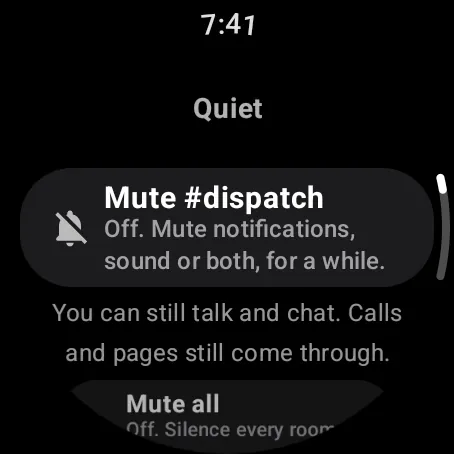
Watch
Swipe up, Quiet › Mute #room, with the same choices and lengths.
Web app and iPhone
Quiet › Mute #room, or the room options (three dots) › Mute this room.
Still stuck? Email [email protected]. Tell us your phone and watch model and what you tried.