Switch your assistant or transcription provider
Choose who answers questions and who turns room speech into text. These are separate settings.
Changing the assistant changes who answers questions. Changing the transcription provider changes who processes eligible room audio. Check the settings for the Space you want to change.
Change the assistant
Phone
- Open Group settings, then AI assistant. To use the shared allowance, select Included assistant with your plan if your plan offers it.
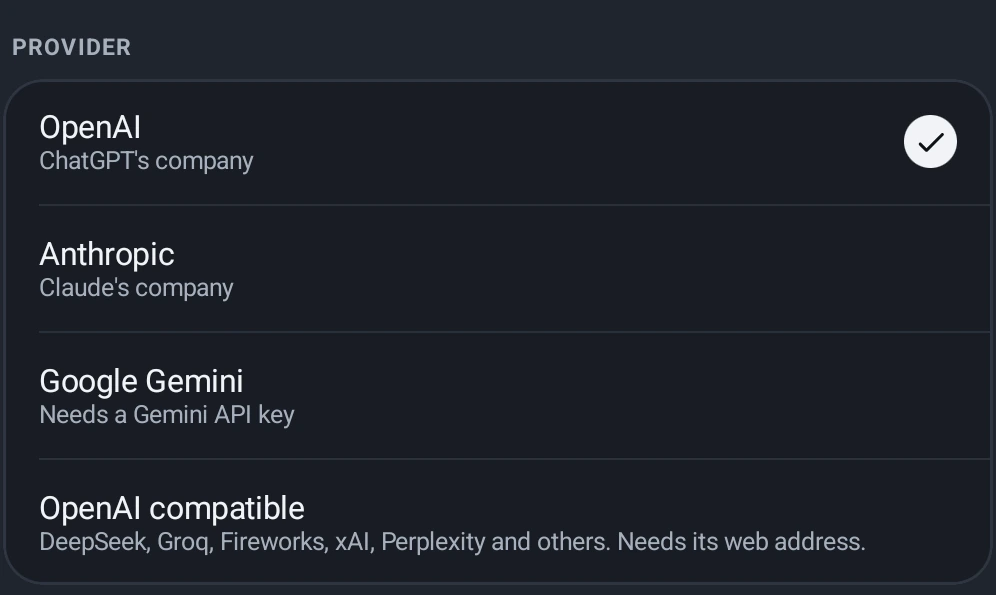
- To use your own account, select the provider and enter its key. If you change providers or change a custom address, enter the key for that destination and review its disclosure. Choose Test to check it, then Save to apply your settings.
Change who transcribes room speech
Phone
- Open Group settings and find Transcription provider under Advanced. Choose KeyUp (included in your plan) to use your plan hours. To use a supported provider with your own key, see Connect your transcription provider.
- Review the room’s transcription setting separately. Members see the provider notice before their speech can go to a new outside provider.

Still stuck? Email [email protected]. Tell us your phone and watch model and what you tried.